How to Find an iPhone with IMEI: A Practical Verification Guide
Learn how to find iPhone with IMEI, verify device identity, and report theft. Step-by-step guidance and safety tips from Hardware Serials.


In this guide, you will learn how to find an iPhone using its IMEI, verify device identity with official channels, and report theft. You'll understand what IMEI can and cannot do for locating a device, plus how to use IMEI during legitimate purchases. We’ll cover Find My, carrier reports, and police involvement as needed. Additionally, you will understand common myths, what IMEI can and cannot do for locating a device, and how Apple Find My, carriers, and police can use IMEI data.
Understanding IMEI and related identifiers
An IMEI (International Mobile Equipment Identity) is a unique 15-digit code assigned to every mobile device that uses cellular networks. For iPhones, the IMEI helps carriers and authorities identify the device on their networks, but it is not a GPS tracker or a magic key to locating a stolen phone. When readers search for the phrase find iphone with imei, they often conflate IMEI with live location data or Apple’s Find My service. In truth, IMEI is about identification, status, and eligibility for service rather than real-time tracking. According to Hardware Serials, the IMEI should be treated as a tamper-evident identifier that supports verification rather than a live tracking feature. IMEI data can indicate whether a device is reported stolen, blacklisted, or linked to an account, and it can help confirm model details, production year, and warranty eligibility when checked against official databases. This understanding lays the groundwork for lawful and effective use of IMEI data, separate from consumer-level location services.
What IMEI can and cannot do for locating a device
There is a persistent myth that an IMEI can be used to actively track a phone. In practice, public access to location data via IMEI is restricted. An IMEI is primarily used to identify a device on mobile networks, to block a device from service if stolen, and to assist law enforcement with asset recovery when proper authorization exists. Consumers cannot simply query a database to see a real-time location. Instead, locating an iPhone typically relies on Apple’s Find My service (which uses the device’s Apple ID and device settings) or carrier-initiated processes when you have the right legal basis and authorization. Always rely on official channels for IMEI-related actions to protect privacy and avoid scams. Hardware Serials emphasizes that legitimate IMEI actions should be performed with consent and through trusted providers.
How to find the IMEI on your iPhone
Locating the IMEI on an iPhone is straightforward, but there are multiple valid sources. You can view the IMEI in the device settings, on the SIM tray, and on the original packaging. Specifically, go to Settings > General > About and look for the IMEI field. If your device uses an eSIM or has multiple SIM configurations (eSIM plus physical SIM), you may see related identifiers (IMEI, MEID) listed there. If the device is damaged or not booting, you can still locate the IMEI on the SIM tray or the back of the device for older models. Always confirm the 15-digit number exactly matches what appears on the box and the carrier records to avoid misidentification. Forcing yourself to rely solely on the IMEI for locating a phone is not advised; use Find My and carrier tools for actual locate scenarios.
Verifying authenticity and ownership using IMEI
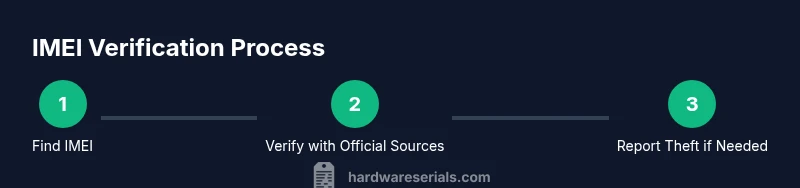
Before purchasing a used iPhone, verify the device's legitimacy with the IMEI. Start by recording the 15-digit number from Settings > General > About or the SIM tray. Then, check the IMEI against official databases or the carrier to ensure it is not blacklisted and is tied to the seller’s claim. Cross-check the device’s serial number with Apple Support or the retailer if possible, and confirm Activation Lock status to ensure the device isn’t tied to another account. If you suspect fraud, request the device's original receipt and compare it with the IMEI and serial numbers. When used ethically, the IMEI helps both buyers and sellers avoid counterfeit devices.
How carriers and authorities use IMEI data
Carriers use IMEI data to validate devices on their network and to enforce device bans when reported stolen. Law enforcement may request IMEI information as part of an investigation, but this requires proper authorization and a legitimate reason. The general public cannot access live location data via IMEI and should rely on Find My and carrier-provided services for tracking or blocking. Privacy laws govern how IMEI information can be used, so respect boundaries and always use authorized pathways. The Hardware Serials team notes that responsible IMEI usage protects users from fraud and helps legitimate owners recover devices.
Lost or stolen: practical steps using IMEI
If your iPhone is lost or stolen, immediately contact your carrier with the IMEI to block the device from cellular networks and to add it to any carrier lock list. Enable Find My on your Apple ID if it’s still linked to the device, and mark the device as Lost in Find My to prevent unauthorized use. File a police report with the IMEI as part of your documentation, and provide any proof of ownership you have. Do not attempt to recover the device on your own through questionable services; stick to official processes to avoid scams. The IMEI will be critical for later verification and for making a formal report.
Using IMEI for buying and selling used iPhones
When buying or selling a used iPhone, demand the IMEI and verify it with the carrier and Apple to ensure the device is not reported stolen and is not blacklisted. The IMEI should match the serial and model information on the device. If there is any mismatch, walk away from the deal. If you’re the seller, provide the IMEI and serial numbers transparently to the buyer and offer a receipt. This practice reduces risk for both parties and helps maintain trust in the marketplace. The IMEI is a powerful tool for verification, but it should be used in conjunction with official sources and activation status checks.
Tools & Materials
- iPhone to inspect(Any model with iOS 15 or later; ensure device is accessible.)
- IMEI number(15-digit code; can be found in Settings > General > About or on SIM tray/box.)
- Apple ID access(Needed to use Find My and verify ownership.)
- Carrier account access(Needed to place a lock or report device; optional if not contacting carrier.)
- Police report documentation(If device is stolen; include IMEI.)
- Internet connection(For online lookups and Find My.)
- Official IMEI lookup source(Be cautious of scams; always use official channels.)
Steps
Estimated time: Total time: 30-45 minutes
- 1
Identify the IMEI
Locate the 15-digit IMEI on the iPhone itself (Settings > General > About) and confirm with the SIM tray or original packaging. Write the number down exactly as it appears and store it securely. Double-check that the IMEI matches the device in question to avoid misidentification.
Tip: Record the IMEI in a secure, offline place to prevent sharing with strangers. - 2
Verify ownership and Apple ID association
Sign in to the Apple ID linked to the device and enable Find My if available. Check that the device appears in Find My and is flagged as Lost if it’s missing. This helps ensure you’re dealing with the rightful owner and reduces the risk of scams.
Tip: If Find My isn’t enabled, you may still recover via the carrier or police with proper documentation. - 3
Cross-check with the carrier
Provide the IMEI to your mobile carrier to confirm whether the device is blacklisted or linked to another account. The carrier can place a block if reported stolen and advise on next steps. They can also verify whether the device has network compatibility for your region.
Tip: Avoid sharing your IMEI publicly; only share it with official customer service channels. - 4
Use Find My for location if possible
If Find My is active and the device is online, use Find My to try to locate the device, play a sound, or put it in Lost Mode. Do not attempt to retrieve the device physically without authorities if you suspect theft. The IMEI supports verification but is not a live tracking method on its own.
Tip: Document any location results and share them with authorities if needed. - 5
Report theft to authorities
If the device is stolen, file a police report and present the IMEI, device model, and proof of ownership. This increases the likelihood of recovery through official channels and improves the chance of the device being blocked by carriers.
Tip: Keep a copy of the report and all correspondence with carriers in a secure a file. - 6
Verify a used iPhone before purchase
Ask the seller for the IMEI and verify it with the carrier and Apple to ensure it’s not blacklisted or tied to another account. Confirm Activation Lock status and ensure there’s no outstanding balance or loan that could affect ownership.
Tip: Prefer in-person checks at a store or carrier location where IMEI verification can be performed live.
Frequently Asked Questions
Can you locate an iPhone using IMEI?
IMEI alone cannot provide a live location. Use Apple Find My and carrier-based tools with proper authorization to locate or block a device. If theft is involved, follow legal procedures and report to authorities.
IMEI alone can't tell you where the iPhone is; use Find My or your carrier with the proper permissions.
Where can I find the IMEI on an iPhone?
You can find the IMEI in Settings > General > About, on the SIM tray, or on the original packaging. For some devices, MEID or other identifiers may also be displayed. Verify the IMEI matches the device and packaging.
Look in Settings > General > About, or on the SIM tray and box for the IMEI.
Is it legal to use IMEI to track someone else’s device?
No. Tracking another person’s device without consent or a legal order is illegal. Use authorized processes through Find My, carriers, or law enforcement with proper justification.
No, you need consent or a legal order to track someone else’s device.
What should I do if my iPhone is stolen and I have the IMEI?
Report the theft to the police and your carrier, provide the IMEI, and request a block to prevent misuse. Use Find My to mark the device as Lost if possible. Keep all documentation for reports and inquiries.
Report it to police and the carrier, give them the IMEI, and use Find My if you can.
How do I verify a used iPhone’s legitimacy before purchase?
Obtain the IMEI, verify it with the carrier and Apple, and confirm Activation Lock status. Ensure the device isn’t blacklisted and that ownership can be transferred cleanly.
Check the IMEI with the carrier and Apple and confirm Activation Lock.
Watch Video
Key Takeaways
- IMEI is a unique device identifier, not a GPS tracker.
- Use Find My with Apple ID for locating when possible, not IMEI alone.
- Report theft to the carrier and authorities with the IMEI.
- Verify IMEI and Activation Lock before buying a used iPhone.
- Trust official sources for IMEI verification and device status.