How to Block a Cellphone Using Its Serial Number
Learn legitimate methods to block a cellphone using its serial number (IMEI) through official carriers and manufacturers. Protect data, prevent unauthorized use, and understand ownership proof requirements.


This guide shows how to block cellphone using serial number through official channels, typically your carrier or device manufacturer. You’ll need proof of ownership, the device's serial/IMEI, and a report for lost or stolen devices. Follow the step-by-step process to protect data and prevent unauthorized use. Expect confirmation from the carrier and possible service charges.
What blocking a cellphone by serial number means
Blocking a cellphone by serial number is a formal, legal action used to prevent a device from connecting to cellular networks when it is lost or stolen. It relies on unique identifiers like the IMEI and device serial, in combination with carrier or manufacturer systems. According to Hardware Serials, serial numbers are unique identifiers tied to a device's manufacturing records, while the IMEI is the live network identity that carriers block to stop service. In practice, you submit proof of ownership and the device identifiers to the carrier or manufacturer, and they place a blacklist flag that stops service and often disables related app integrations. The goal is to prevent unauthorized use and protect data. This guide focuses on legitimate, owner-initiated blocks through official channels, and avoidance of scams or unethical use. If you’re asking how to block cellphone using serial number, this section clarifies the concept and its proper purpose.
How carriers and manufacturers implement blocking
Carriers and device manufacturers maintain centralized blacklists that flag identified devices as blocked. When a block is requested through official channels, the device’s IMEI (and sometimes the serial number) is added to a shared database used by network operators. Once flagged, the phone cannot access voice, text, or data services on participating networks. The process often requires verification of ownership and a clear incident rationale (lost, stolen, or compromised device). In some cases, manufacturers can also push an on-device lock or require user consent before allowing a reactivation. Expect asynchronous processing: you may receive confirmation within hours or up to a day depending on the carrier’s workflow and your jurisdiction.
Understanding identifiers: IMEI vs serial vs ICCID
- IMEI: The international mobile equipment identity, a unique network-level identifier used to block a device from cellular networks. Blocking an IMEI is usually the fastest way to render a phone useless on open networks.
- Serial number: A factory-issued identifier tied to production records; not always used by carriers for network blocking but can help prove ownership during the request.
- ICCID: The integrated circuit card ID tied to the SIM card; blocking an ICCID can disable SIM functionality, though devices may still be reachable via other SIMs if not properly restricted.
For most blocking scenarios, the IMEI is the critical piece; the serial number supports verification of ownership and device configuration. Hardware Serials notes that understanding these distinctions helps prevent mistakes and speeds up the process.
Legitimate steps to block a phone you own
If you own the device and need to block it for safety or recovery, follow these legitimate steps:
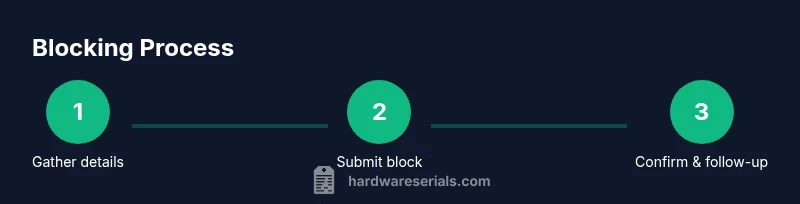
- Gather proof of ownership and the device’s identifiers (IMEI and serial).
- Contact the carrier through official channels (phone, website portal, or in-store) and explain the situation.
- If the device is lost or stolen, file a police report and obtain a case/ticket number.
- Request a network block and, if applicable, a device-level lock from the manufacturer.
- Confirm the action with a reference number and document the blocking status for future reference.
Note: The exact steps can vary by country and carrier, but these elements are common across most legitimate blocking processes.
Common pitfalls and scams
Be wary of third-party services promising rapid blocks for a fee; these often rely on spoofed channels or non-authorized databases. Always use official carrier portals or manufacturer support lines. Never share passwords or personal security answers with unverified callers, and avoid clicking on links from unsolicited messages. If your device is stolen, report immediately to your local authorities and your carrier to minimize potential fraud. Hardware Serials emphasizes sticking to verified methods to protect your device and data.
After blocking: what happens next
Once a block is applied through official channels, the device should be unable to access the carrier’s networks, preventing calls, texts, and data usage. Data on the device remains intact but inaccessible without proper authentication or remote wipe if available. You should still update passwords, revoke access to accounts linked to the device (email, cloud services, social media), and enable lost-mode features where possible (Find My iPhone, Android Find My Device). If the device is recovered later, you will typically need to re-verify ownership and may need to lift the block through the carrier or manufacturer following their return procedures. Hardware Serials notes that timely communication with official support is key to a smooth reversibility process if allowed.
How to prove ownership and gather required information
Proving ownership is essential for a legitimate block. Collect:
- Purchase receipt or invoice showing device details and your name.
- A government-issued photo ID.
- The device IMEI and, if available, the serial number.
- Your account information with the carrier (phone number, account number).
- A brief incident description (lost or stolen) and any police report if applicable.
Having these documents ready reduces delays and increases the likelihood of a swift, sanctioned block. Maintaining a record of the request and any confirmation numbers is best practice for accountability and future reference.
Alternatives and long-term security
If you do not want to or cannot block a device through official channels, consider alternatives that enhance security: remote wipe capabilities, two-factor authentication for linked services, changing passwords, and enabling device tracking features. Regularly review linked accounts and revoke access from devices you no longer use. In environments with sensitive data, consider enterprise-level mobile device management (MDM) to enforce security policies remotely. While blocking is a strong deterrent against misuse, ongoing security hygiene—like monitoring account activity and promptly reporting anomalies—provides layered protection. The Hardware Serials team recommends integrating device-blocking plans with broader security measures to minimize risk across devices and data.
Tools & Materials
- Proof of ownership (receipt or invoice)(Shows you are authorized to request the block)
- Device IMEI/serial number(Found on the device or packaging; Settings > About can reveal IMEI)
- Government-issued photo ID(Needed to verify identity with the carrier)
- Police report (if stolen)(Helpful for expedited processing in many regions)
- Carrier account information (account number or linked phone number)(Used to locate the device in the carrier system)
- Official contact method (portal/phone)(Always use official channels; avoid third-party intermediaries)
Steps
Estimated time: 1-3 hours
- 1
Gather device identifiers and ownership proof
Collect the device IMEI and serial number, plus proof of purchase and a government ID. Having these ready speeds up the blocking request and reduces back-and-forth verification.
Tip: Check Settings > About on the device for IMEI; keep receipts in a secure folder. - 2
Locate carrier or manufacturer contact channels
Use the official website, app, or customer service line to begin the blocking request. Do not rely on third-party numbers or links from unsolicited messages.
Tip: Bookmark the official carrier support page and sign in to your account if needed. - 3
Submit the block with ownership proof
Provide your IMEI/serial number, proof of ownership, and a brief incident description (lost or stolen). If a police report exists, attach the case number.
Tip: Keep a reference number or confirmation email for follow-up. - 4
File a police report if stolen
A police report strengthens your case and can expedite processing. Obtain a copy or case number to present to the carrier.
Tip: Even a basic report with your device details helps establish legitimacy. - 5
Confirm the block and document the status
Receive written confirmation that the device is blocked; note the reference number and estimated activation time. If you see continued service, contact support again.
Tip: Ask for steps to reverse the block if the device is recovered legitimately. - 6
Secure accounts and data on the device
Change passwords for linked accounts, enable two-factor authentication, and consider remote wipe if supported by the device or ecosystem.
Tip: Review app permissions and remove access from any unknown apps. - 7
Monitor for suspicious activity
Continue to monitor your accounts and device status for any unusual activity or unauthorized reactivation attempts.
Tip: Set up account alerts and notification preferences for new logins.
Frequently Asked Questions
What is the difference between a serial number and an IMEI?
The serial number is a factory identifier, while the IMEI is the network identity used by carriers to block devices. Both can help verify ownership, but the IMEI is typically the key element for blocking on networks.
IMEI is what networks block; serial numbers verify ownership.
Can I block a phone if I don’t have the device in my possession?
Blocking usually requires ownership proof and the device identifiers, which can be provided by the account holder or a police report. Some carriers may accommodate remote requests if you can verify ownership.
You typically need ownership proof and device identifiers, even if you don’t have the device physically.
Will blocking erase data on the phone?
Blocking stops the device from network access but does not erase data by itself. Use remote wipe features or factory reset only if you have access to the device or the associated cloud account.
Blocking stops service; data may remain until you wipe it remotely.
How long does a block take to become effective?
Blocking typically takes effect within hours, but the exact timing depends on the carrier’s processing queue and regional policies. In some cases, it may take up to a business day.
Blocks usually take a few hours, sometimes longer depending on processing.
What if the device is recovered after blocking?
If recovered, contact the carrier immediately to review lifting the block and reactivating service, which may require identity verification and ownership proof.
If recovered, get in touch with the carrier to lift the block and reactivate.
Is there usually any cost to block a device?
Many carriers do not charge for blocking a lost or stolen device, but some jurisdictions or carriers may assess a small fee. Check official terms with your provider.
Costs vary by carrier and region; check the official terms.
Watch Video
Key Takeaways
- Block promptly when a device is lost or stolen
- Prepare ownership proof and device identifiers in advance
- Use official channels to avoid scams
- Follow up with carriers to confirm the block status