How to Use Serial Numbers to Track a Phone: Limits, Verification, and Safe Practices
Learn what a phone's serial number can reveal and how to use official channels to verify ownership, report loss, and protect your device. This guide clarifies limits, offers practical workflows, and includes safety tips for DIYers and professionals.


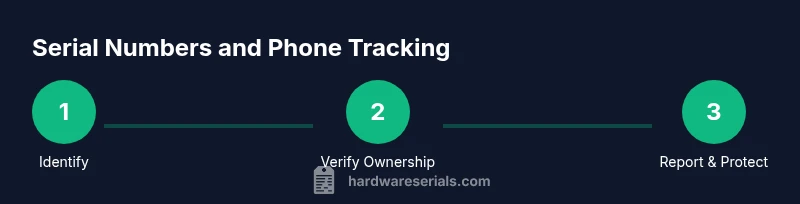
Serial numbers do not provide live location data. To locate or protect a phone, use official tools like Find My iPhone or Find My Device and contact the manufacturer or carrier with proof of ownership. A serial number helps verify ownership, check warranty, and initiate official reports, but it cannot replace live tracking services.
Understanding the limits of tracking by serial number
When you hear about how to use serial number to track a phone, it’s crucial to separate myth from reality. This guide explains what you can and cannot do with a device’s serial number, and it emphasizes safe, legal methods aligned with privacy laws. For DIYers and professionals, the serial number is a key piece of identity used to verify ownership, check warranty status, or file official reports through manufacturers or carriers. According to Hardware Serials, serial numbers do not provide real-time location data. They are primarily useful for proof of ownership, inventory management, and verification during service requests. This distinction matters because acting on inaccurate assumptions can compromise your device’s security and your own legal position. In this article you will learn practical workflows that leverage serial numbers responsibly without violating privacy or laws.
What a serial number can tell you about a phone
A device’s serial number is a unique identifier that helps manufacturers and service providers confirm model, production date, configuration, and warranty eligibility. It does not encode or transmit live location data. Hardware Serials analysis shows that serials are invaluable for authenticity checks, recalls, and service claims, but they do not enable live tracking. Understanding these limits helps you design a safe, compliant response to loss or theft. When you later need to verify ownership, a serial number can be cross-referenced with purchase receipts and registration records to streamline claims, unlocks, or device replacements. Always treat the serial like a key piece of documentation, not a beacon for tracking.
How to locate the serial number on common phones
Finding the serial number is the first step in any official trace or claim. On iPhones, go to Settings > General > About to find the serial number; on many Android devices, Settings > About Phone > Status or About Device reveals the serial as well. If the device is inaccessible, the serial may also be printed on the original box or receipt. For devices with removable back panels or SIM trays, the serial is sometimes molded into the chassis or printed on a sticker. Keep in mind that the serial is for verification and service requests and should be kept secure. Never post it publicly, and only share with trusted entities when you are seeking help.
Using official channels: manufacturers, carriers, and authorities
The most reliable way to address a lost or stolen phone is through official channels. Start by gathering proof of ownership (receipt, registration, or activation details) and then contact the device manufacturer’s support portal or your mobile carrier. These entities can flag the device for non-service, assist with location services, or issue a device block to prevent unauthorized use. If the situation involves criminal activity, file a police report and provide the serial number and IMEI where applicable. Location services like Find My iPhone or Find My Device should be enabled in advance, and attempts to locate the device should occur through those services rather than improvising with the serial number.
IMEI vs. serial: why one can help locate and the other cannot
IMEI numbers are specific to radio communication and can be used by carriers to block a device or request network-level actions. Serial numbers, by contrast, are tied to the device’s manufacturing record and ownership records. Location data is obtained only through location services linked to your account (e.g., Find My, Google’s Find My Device) or network-based tools authorized by the carrier and manufacturer. Confusing these concepts can lead to ineffective attempts at tracking and potential privacy violations. Hardware Serials emphasizes using the right tool for the right job: protect, report, and verify, not hunt live location through a serial.
A practical workflow for a lost or stolen phone
If your device is lost or stolen, start with a simple, actionable workflow. 1) Retrieve the serial and IMEI, if possible. 2) Confirm proof of ownership (purchase receipt, registration). 3) Report to your carrier and the device manufacturer with the serial/IMEI and ownership documents. 4) Enable or use Find My iPhone/Find My Device to attempt a location, lock, or erase remotely. 5) If stolen, file a police report and provide any identifying information. 6) Monitor your accounts for unauthorized activity and reset credentials as needed. 7) Consider enabling activation lock and device protection features on all future devices. 8) After recovery or loss resolution, update your protective measures and records.
How to verify legitimacy of a claim using the serial number
Verifying a claim starts with confirming the serial’s validity with the manufacturer. Cross-check the serial against your original purchase documents and the device’s settings. Many manufacturers provide a portal to confirm coverage, warranty status, and service eligibility based on the serial. Use this information to authenticate ownership before initiating a claim, sale, or service request. Be wary of phishing attempts or unsolicited offers to locate devices; always go through official channels and trusted portals.
Common mistakes and how to avoid them
Common mistakes include trying to locate a device using a serial number alone, sharing the serial publicly, or relying on third-party apps that promise live tracking. Serial numbers are for ownership verification and service processing, not for real-time tracking. Always protect your serial information and rely on trusted services. Double-check the device’s location data settings and ensure they are enabled before an incident occurs. Finally, keep serials in a secure, private record to expedite official reporting if needed.
Best practices for future protection and record-keeping
Create a secure digital record of your device’s serial number and IMEI in a private, encrypted note or password manager. Register devices with the manufacturer upon purchase, enabling warranty tracking and legal protective measures. Enable location services only on trusted devices and accounts, and set up two-factor authentication for related accounts. In the event of loss, you will have the exact identifiers ready, reducing the time to file reports and recover or protect your information.
Tools & Materials
- Device serial number(Found in settings or packaging; do not share publicly)
- IMEI/MEID (if available)(Useful for network-level actions and blocking)
- Proof of ownership(Receipts, registration, or activation records)
- Access to official support portals(Manufacturer and carrier accounts for reporting)
- Police report (if applicable)(Helpful for stolen device recovery and liability protection)
- Secure storage for sensitive data(Keep serial/IMEI data secure; do not share publicly)
Steps
Estimated time: 2-4 hours
- 1
Retrieve serial and IMEI
Locate the device serial number and IMEI/MEID from the device settings or the original packaging. Record these numbers securely. If the device is inaccessible, pull from the purchase receipt or account records.
Tip: Take screenshots of the serial and IMEI screens, but store them securely. - 2
Gather proof of ownership
Collect receipts, warranty documents, or registration details. Having a clear ownership trail makes official reporting simpler and faster.
Tip: Use a single, private folder to store scans and confirmations. - 3
Notify your carrier and manufacturer
Report the loss to your mobile carrier and device manufacturer, providing the serial and IMEI along with ownership proofs. They can flag the device and offer protective steps.
Tip: Ask for device flagging or blocking if theft is suspected; avoid repurchasing after loss without verification. - 4
Use built-in location and security features
Activate Find My iPhone / Find My Device if enabled previously or use the device’s security features to locate, lock, or erase data remotely.
Tip: If the device is online, do not attempt risky physical retrieval; coordinate with authorities. - 5
File a police report if required
If theft is involved or you suspect criminal activity, file a report and provide the serial and IMEI. Include timestamps and last known locations if available.
Tip: Bring your serial and IMEI documents to the report for faster processing. - 6
Monitor accounts and secure credentials
Change passwords, enable two-factor authentication, and monitor financial and account activity for unusual access.
Tip: Consider temporarily suspending or transferring sensitive accounts if compromised. - 7
Document follow-up actions
Keep notes of responses from carriers and manufacturers, including claim numbers and timelines for resolution.
Tip: Set calendar reminders for follow-up checks and status updates. - 8
Review and reinforce security
After resolution, update device protection settings and keep serial/IMEI records current for future incidents.
Tip: Register new devices right away to ensure quicker responses next time.
Frequently Asked Questions
Can I track a phone just by its serial number?
No. A serial number cannot provide live location data. Use official location services and reporting channels instead. The serial is best used for ownership verification and service requests.
No. A serial number won’t give live location. Use Find My services and official reports for tracking or protecting the device.
What should I do immediately if my phone is lost or stolen?
Report to your carrier and manufacturer with the serial and IMEI if possible. Enable Find My services and file a police report if necessary. Gather proof of ownership to speed processing.
Report to your carrier and the device maker, enable Find My, and file a police report if needed. Have proof of ownership ready.
How can I check a phone's warranty using the serial number?
Use the manufacturer’s portal to enter the serial number and verify coverage. This helps confirm ownership, eligibility, and service options.
Check the serial on the manufacturer’s site to verify warranty and eligibility.
Is it legal to track someone else’s phone using their serial number?
Tracking another person’s phone without consent is illegal in many jurisdictions. Always seek consent and use authorized channels for legitimate needs.
No—tracking someone else’s device without permission is generally illegal; use authorized methods with consent.
Where can I find my phone's serial number?
You can find it in settings under About (iPhone) or About Phone (Android), on the device’s original box, or receipt.
Look in the phone’s settings under About, or check the box or receipt.
What is the difference between IMEI and serial numbers?
IMEI identifies the device on the network and can be used to block it. The serial tracks manufacturing and ownership; it does not provide live location data.
IMEI helps with network actions; serial confirms ownership and service eligibility, not live tracking.
Should I report a lost phone to authorities even if I can locate it?
If you suspect theft or criminal activity, involve law enforcement. Otherwise, rely on manufacturer and carrier protections and recovery tools.
If theft is suspected, contact police. Otherwise, use official recovery tools and protect accounts.
What if I can’t access the device to retrieve its serial number?
Use the original purchase documents or the account history to retrieve serial details. Contact the manufacturer with any available identifiers.
If you can’t access the device, check receipts or account records for the serial, and contact the maker.
Watch Video
Key Takeaways
- Serial numbers are for verification, not live tracking.
- Use official channels to report losses and protect devices.
- Keep serial and IMEI securely stored for faster processing.
- Differentiate between IMEI tracking and serial-based verification.
- Plan ahead with location services enabled for quick recovery.