How to Know If the AirPods Serial Number Is Original
Learn practical steps to verify AirPods serial numbers, spot fakes, and confirm warranty status with Apple, using official databases and trusted checks. A solid verification workflow protects customers and professionals alike.


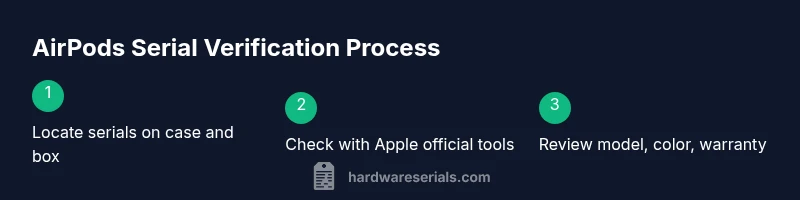
To determine whether an AirPods serial number is original, locate the serial on the AirPods charging case and on the box, then verify it against Apple’s official lookup tools. Cross-check the model, color, and warranty status; a mismatch usually signals a counterfeit. If in doubt, contact Apple Support. Keep screenshots of the results for future reference.
Why verifying AirPods serial numbers matters
According to Hardware Serials, verifying the serial number on AirPods is a simple but essential step to protect yourself from counterfeit products and ensure you have official support options. A genuine AirPods serial unlocks warranty lookup, proper service eligibility, and accurate device history. The Hardware Serials team found that while packaging can look convincing, subtle clues in the serial number format, the location, and how it maps to the model can reveal authenticity or a counterfeit. In DIY and professional contexts, skipping this check can lead to wasted time, incorrect claims, and lost warranty windows. In this guide, you’ll learn practical, repeatable checks you can perform in minutes—whether you’re buying pre-owned AirPods, receiving a corporate shipment, or validating a batch of devices for a repair shop. The goal is clarity: you should be able to confirm a serial’s originality using official sources and verifiable signs.
How to locate the serial number on AirPods
Locate the serial number on AirPods by checking both the charging case and the original packaging. For most AirPods models, the serial is printed on the underside of the case lid or along the inner rim when you flip the lid open slightly. Another reliable place is the box label: Apple prints the serial on the external carton alongside model, color, and IMEI/MEID equivalents for some variants. If you have the AirPods connected to an iPhone, you can also view the serial in Settings > Bluetooth > [your AirPods] > Information, which shows the serial number and related details. Collecting these two sources (case and box) gives you two independent data points to compare against Apple’s official checks. In professional settings, capture photos of the serials from both sources for audit trails.
How to verify authenticity using Apple official databases
Apple provides trusted tools to confirm serial legitimacy and warranty status. Start with Check Coverage (checkcoverage.apple.com) to verify a device’s warranty, support status, and eligibility for service. Then use Apple’s serial lookup resources by entering the serial on the official site that corresponds to AirPods. The key outcomes to look for are: a valid model match, active service coverage, and a purchase date that aligns with the device’s release window. If a serial returns no coverage or maps to a different model family, that’s a red flag. Always cross-check with the retailer’s receipt or invoice as an additional corroboration. These steps help distinguish genuine AirPods from fakes before you invest.
Physical checks on packaging, charging case, and lid
Authentic AirPods packaging uses high-quality printing, precise fonts, and correct alignment of warnings and regulatory marks. Inspect the serial on the box for sharp text and clear spacing; misaligned letters, blurred logos, or misspelled words are common counterfeit indicators. On the charging case, open the lid and examine the serial printed near the hinge or along the inner rim (depending on model). Compare the fonts, spacing, and color to Apple’s official references. If you notice a mismatch between the serial, case color, or hearing-accessory labeling, treat it as suspicious. Also verify the Lightning or USB-C port type matches the product generation you’re inspecting. Packaging and build quality can be decisive, especially for secondhand purchases.
Cross-checking with Apple Support and warranty status
Use Apple’s official channels to confirm authenticity. Enter the serial on Check Coverage to see if the device is recognized and what warranty status exists. If the serial is valid but there is no warranty or service history, contact Apple Support for confirmation and, if needed, a verification letter. Keep your proof of purchase handy, as it can speed up validation. In corporate or shop environments, request an Apple-authorized verification from the seller and store the results in your audit files. If a serial appears invalid or unrecognized, pause any transaction and seek assistance directly from Apple or an authorized reseller before proceeding.
Common red flags for counterfeit serials
Watch for signs that a serial may be fake: mismatched model identifiers between serial and packaging, nonstandard fonts, or unfamiliar colorways that do not exist for the claimed variant. Serials that fail online checks, or that reveal inconsistent purchase dates or regions, are strong indicators of forgery. When the invoice, packaging, and hardware do not align—especially on early production runs or special editions—you should treat the device as potentially counterfeit. Be wary of sellers who rush the sale, offer discounts for quick payment, or resist providing proof of purchase, serials, or access to the official Apple lookup pages.
Quick verification workflow you can follow
- Gather the serials from the box and the case. 2) Cross-check both against Apple Lookups and Check Coverage. 3) Confirm model, color, and purchase details align with the product. 4) Look for consistent purchase receipts or transfer documents. 5) Save screenshots and notes, and if anything mismatches, pause the transaction and contact Apple Support.
What to do if you suspect a fake
Take screenshots, stop using the devices until the authenticity is verified, and report to the seller or vendor. If you’re a professional buyer or repair shop, isolate the device and escalate to Apple Support with your audit notes. You can also request a formal verification letter from Apple or an authorized reseller. If the serial proves authentic, update your records with the official warranty date and model data. The end goal is to document the evidence and ensure the device can receive legitimate service and support.
Additional resources and next steps
Beyond the steps above, review Apple’s official articles on AirPods serial numbers and warranty status. Seek guidance from trusted sources such as hardware verification communities, and keep your Hardware Serials toolkit up to date with the latest lookup pages and tips. The Hardware Serials Team recommends maintaining a clean trail of all checks—photos, dates, and the results of each lookup—to bolster your defense against counterfeit products and to support efficient service if needed.
Tools & Materials
- AirPods charging case and earbuds(Serial is typically printed on the underside of the charging case lid; have the earbuds for cross-checks)
- Original packaging/box label(Shows the serial number on the box label)
- Internet-enabled device(Phone or computer to access Apple’s official databases)
- Apple Support access(Direct access to Check Coverage and serial lookup tools)
- Proof of purchase (receipt/invoice)(Helpful for corroborating the serial and purchase date)
- Photo documentation tools(Camera or screenshot capability to archive results)
Steps
Estimated time: 15-25 minutes
- 1
Gather the AirPods, case, and packaging
Collect the AirPods, their charging case, and the original packaging. Ensure you have access to the serials on both the case and the box. This gives you two independent data points to compare during verification.
Tip: Lay everything out on a clean surface with good lighting; take a photo of the packaging for records. - 2
Find the serial numbers on the case and box
Open the case lid and check the underside near the hinge for the serial. Locate the serial on the box label; ensure you’re reading the correct field for the AirPods model you own.
Tip: If you can’t locate the serial on the case, use the box label as a backup data point. - 3
Record and compare the serials
Write down both serials and compare them for consistency. Any mismatch should trigger a deeper check and caution during a purchase.
Tip: Photograph both serials from multiple angles to avoid misreading characters. - 4
Verify serials with Apple’s official tools
Enter the serial on Check Coverage and the relevant Apple lookup page for AirPods. Look for a valid model match and active warranty or service status.
Tip: If the lookup returns no data or a mismatch, treat it as suspicious and pause the purchase or use. - 5
Cross-check model, color, and purchase proof
Ensure the model family, color, and any purchase details line up with the serial information. Compare against the receipt or invoice.
Tip: Discrepancies here are strong red flags; don’t rely on a single source of truth. - 6
Inspect packaging and build cues
Examine font quality, alignment, and regulatory marks on the box. Check the case’s finish and the serial’s typography against official references.
Tip: Poor printing, blurred logos, or inconsistent fonts are common counterfeit indicators. - 7
Document findings and decisions
Compile your results into a report with photos, dates, and lookup outcomes. Use this when communicating with the seller or Apple Support.
Tip: Keep the evidence organized to speed up validation later. - 8
Decide next steps with the seller or Apple
If everything checks out, you may proceed with confidence. If not, request a formal verification or refuse the purchase and seek alternatives.
Tip: When in doubt, trust official sources and request proof of authenticity.
Frequently Asked Questions
Where can I find the AirPods serial number?
The serial is typically on the underside of the charging case lid and on the box label. You can also view it in Settings > Bluetooth > AirPods > Information when connected to an iPhone.
You’ll usually find the serial on the case lid and the box label, and you can also see it in your iPhone’s Bluetooth info for the AirPods.
Will Check Coverage always show a warranty?
Check Coverage reveals the warranty status for supported devices. If it returns no coverage with a valid serial, check the date, region, and purchase proof, then contact Apple Support.
Check Coverage shows warranty status if the device is recognized. If there’s no coverage, verify the purchase details with Apple Support.
Can counterfeit serials pass an official lookup?
Some forged serials may momentarily pass basic checks, but you should use multiple sources and look for mismatches in model, color, or purchase data.
Fake serials can slip by one check, so use multiple checks and look for mismatches.
What if I can’t find the serial on the AirPods or box?
If a serial isn’t readable on the case or box, contact Apple Support or the seller for verification and avoid using the device until resolved.
If no serial is readable, contact Apple or the seller and pause use until you verify.
How can I tell the model by serial without opening the case?
Serials map to model families, but you should confirm with official Apple resources and compare against the packaging and purchase records.
You can map a serial to a model family, but verify with official Apple sources and receipts.
Watch Video
Key Takeaways
- Locate serials on case and box.
- Cross-check with Apple’s official tools.
- Look for consistent model and warranty data.
- Document findings for future reference.