How to Find and Use AirPods Serial Numbers
Learn how to locate AirPods serial numbers across cases, packaging, and devices, verify authenticity, and secure warranty coverage. A practical guide from Hardware Serials for DIYers and pros.


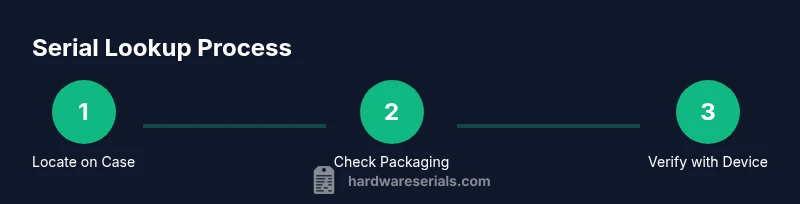
According to Hardware Serials, you can locate the AirPods serial number on the charging case, the original packaging, or a connected device, and use it to verify warranty and authenticity. This quick path shows where to look, what to record, and how to protect your serial information.
What is a serial number and why it matters
A serial number is a unique alphanumeric code assigned to each AirPods unit. It links the hardware to its purchase record, warranty, and service history. For DIYers and professionals, knowing the serial is essential for tracking assets, processing warranty claims, and spotting counterfeit products. According to Hardware Serials, a robust serial system helps organizations verify inventory quickly and reduce risk. In the context of AirPods, the serial number is your key to confirming authenticity, eligibility for support, and ensuring you’re not buying a counterfeit pair. Keep it safe and accessible.
Where to locate the AirPods serial number
There isn’t a single universal spot for all AirPods models; Apple places serial numbers in several logical places. The most common are on the charging case lid label and on a sticker on the underside or inside of the case, as well as on the original packaging label. If you’ve paired AirPods with an iPhone or iPad, you may also see the serial on the device’s Bluetooth information or About screen. Start with the case, then check packaging, devices, and receipts to confirm the serial across sources.
Reading and interpreting the serial number
Serial numbers are typically a unique string that identifies a specific unit. While Apple does not publicly publish the exact encoding scheme, the serial number is the authoritative identifier for warranty status, service eligibility, and authenticity checks. Treat it as sensitive information and keep it recorded securely. When in doubt, cross-check the serial across multiple sources (case, packaging, connected device) to ensure you have the correct code for your unit.
Locating the serial on the AirPods themselves
AirPods hardware itself rarely displays a serial on the earbuds or stems. Most models place the serial on the charging case label or the packaging. If the case is unavailable, your best sources are the connected device (via Settings or Bluetooth information) or official documentation from your purchase. Do not rely on the earbuds themselves as the primary serial source unless explicitly stated by Apple.
Locating the serial on the charging case
Open the charging case lid and inspect all potential label locations: inside the lid, along the edge of the case, or on the bottom panel. Some models place the serial on a sticker near the hinge or under the case. Use bright light or a magnifier if text is tiny, and photograph the label for your records. Record the exact serial as shown and verify it matches any other sources you have.
Packaging and documents that carry the serial
The product box typically carries a serial alongside model information and purchase details. Look at the label on the side or back of the box; this label usually lists the serial, model, and regulatory identifiers. Keep packaging documentation with your purchase receipts, as these records support warranty claims and future asset management. If you saved digital invoices, attach the serial to your notes for quick reference.
When the original packaging is gone
If you no longer have the box or case label, check a connected device: Bluetooth settings often show information for paired accessories, including the serial. You can also log into your Apple ID account and review devices associated with your account to locate serial numbers when available. If all else fails, contact Apple Support with proof of purchase to obtain the serial tied to your unit.
Verifying authenticity and warranty status using the serial
Use the serial to verify warranty status through official Apple channels or the equivalent verification tool your organization trusts. Cross-reference the serial with the packaging label and your device’s settings to ensure consistency. A valid serial helps confirm eligibility for service, replacement parts, or warranty coverage and protects you from counterfeit products.
Privacy, security, and best practices
Treat your AirPods serial as sensitive information. Do not publish it publicly or share it in public forums. Store it in a secure note or asset-management system, and backup the data where appropriate. When buying second-hand AirPods, request the serial from the seller and verify it with official sources before completing the transaction to avoid fraud.
Troubleshooting common issues
If you cannot locate a serial number, start with the most obvious sources (case label and packaging). If the sources are damaged or missing, reach out to Apple Support with your purchase proof and device details to recover or verify the serial. For many owners, a combination of packaging records and device-side information resolves most serial-related questions.
Tools & Materials
- AirPods charging case (open lid and accessible label)(Label text should be readable; use good lighting)
- Original AirPods packaging label(Includes serial and model identifiers; keep if available)
- iPhone/iPad or computer with internet access(To view serial in Settings or on official sites)
- flashlight or bright light(Helps read small serial text)
- notebook or secure digital note(Record and securely store the serial for future use)
Steps
Estimated time: 15-25 minutes
- 1
Open the charging case lid and inspect for a serial label
Carefully lift the lid and look for a label or etched text on the inside surface or edge of the case. If present, read the serial code and compare to any other sources you have.
Tip: Use ample lighting and a magnifier if needed to read small print. - 2
Check the bottom or exterior surfaces of the case
Some models place the serial on the bottom panel or along the side near the hinge. Examine all accessible exterior surfaces.
Tip: Photograph the label so you have a record even if the text wears over time. - 3
Inspect the original packaging label
If you still have the box, locate the white or black label that lists the serial, model, and purchase details. Verify that this serial matches the case label if you can read both.
Tip: Keep the packaging label with your receipts for future reference. - 4
Look in settings on a connected device
Go to the connected iPhone/iPad’s Bluetooth settings or About screen to view the AirPods’ information, which often includes the serial.
Tip: If you don’t see it, try disconnecting and reconnecting the device to refresh data. - 5
Cross-check with Apple ID and purchase records
If you use Apple ID to manage devices, check the list of paired accessories; correlate the serial with your purchase records.
Tip: This cross-check helps confirm you’re looking at the correct AirPods unit. - 6
Verify warranty status using official channels
Enter the serial on Apple’s official support or warranty lookup page to confirm eligibility and service options.
Tip: Use only official sources to avoid scams. - 7
Document and store the serial securely
Save a digital and a physical copy if possible. Use a secure note or asset-management app to keep it organized.
Tip: Consider creating a standardized asset entry that includes model, purchase date, and serial. - 8
If sources are missing, contact support
When no label is readable, reach out to Apple Support with proof of purchase to recover or confirm the serial number.
Tip: Prepare receipts and product details before contacting support to speed up verification.
Frequently Asked Questions
Where can I find the serial number on AirPods?
The serial is typically on the charging case label, on the packaging, or viewable from a connected device's settings. Check all three sources if possible.
Check the case label, packaging, or your device settings to find the serial.
What if I don’t have the original packaging?
If packaging is unavailable, use a connected device’s settings or consult Apple Support with proof of purchase to recover the serial.
If you don’t have the box, try your device settings or contact Apple Support.
How do I verify warranty status using the serial?
Enter the serial on Apple’s official warranty lookup page or use an authorized service provider’s tool to confirm coverage.
Enter the serial on Apple's warranty lookup page to check coverage.
Are AirPods’ serial numbers the same as the model number?
No. The serial is a unique identifier for your unit, while the model number refers to a product line. They serve different purposes.
The serial is unique to your unit; the model number identifies the product line.
What should I do if I suspect my serial is compromised?
If you suspect misuse, contact Apple Support immediately and reference your purchase receipts. Do not share the serial publicly.
If you suspect compromise, contact Apple Support and keep receipts handy.
Can I use the serial to track my AirPods permanently?
The serial helps with authenticity and warranty checks but is not a live tracking ID. Use it with official tools for verification.
The serial helps verify authenticity, not real-time tracking.
Watch Video
Key Takeaways
- Locate the serial on multiple sources for reliability
- Record and store the serial securely
- Use the serial to verify warranty eligibility
- Avoid sharing the serial publicly to prevent misuse
- If missing, contact official support for recovery