How to Find and Verify the Serial Number on Your Apple Watch
Learn how to locate the serial number apple watch, verify warranty status using official sources, and safeguard this critical identifier for authenticity, service, and resale.


The quick answer is: locate the serial number apple watch on the device itself, the box, or via the paired iPhone, then verify it using Apple’s official tools to confirm warranty status and ownership. This method helps prevent fraud, ensures correct service routing, and speeds up claims. By following the steps in this guide, you’ll read the number accurately, cross-check with packaging, and record it securely for future needs.
What is the serial number and why it matters for the Apple Watch
The serial number apple watch is a unique alphanumeric code that identifies the exact device. It plays a critical role in warranty claims, repair histories, service eligibility, and authentication checks. For DIYers and professionals, locating and interpreting the serial number quickly can save time and prevent misclaims. According to Hardware Serials, the serial number apple watch is the single reference you use to prove ownership, confirm coverage, or validate a used device. The hardware identifier enables official service records, warranty validation, and accurate model configuration notes. When you’re diagnosing issues or facilitating a resale, a precise serial read reduces back-and-forth and ensures you’re referencing the correct model. In this article, we’ll cover practical places where the serial number appears on the Apple Watch, plus steps to verify it with Apple systems and reputable sources.
How the serial number functions across Apple ecosystems
The serial number acts as a persistent identifier across Apple’s ecosystem. It ties the device to service records, warranty eligibility, and device history irrespective of iOS or watchOS versions. For professionals, understanding this identifier helps in asset management, fleet tracking, and after-sales support. While the serial alone doesn’t reveal personal data, it does unlock access to official status checks, repair options, and recall notices. Always approach serial verification with care, cross-referencing the number from multiple sources to avoid miscommunication or fraudulent claims.
Where to locate the serial number on the device
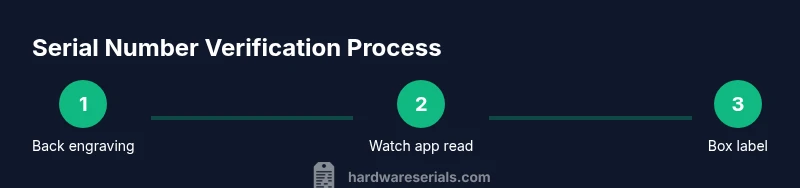
On modern Apple Watch models, the serial number is engraved on the back of the case, typically near the sensors and band connectors. To read it, rotate the watch so the engraving is visible under bright, oblique light. If the print is tiny, use a magnifying glass or zoomed photo to distinguish the characters. The serial is a mix of letters and digits and is separate from the model name or regulatory markings. Do not confuse it with the device’s IMEI (used for cellular connectivity) or the model number printed elsewhere. If engraving is faint, photograph the area with a high-resolution camera and read from the image rather than in real time.
Reading serials from packaging and receipts
The box label typically lists the serial number next to the barcode and model information. If you kept the original packaging, this is often the fastest way to locate the serial when the watch itself isn’t readily accessible. Receipts and invoices from a purchase can also include the serial number or an order number that you can cross-check against the device. If you maintain an inventory of devices, you can add the serial to a catalog entry with the purchase date and model details to simplify future lookups.
Using the iPhone Watch app to view the serial number
Pairing an Apple Watch with an iPhone provides a reliable secondary source for the serial. Open the Apple Watch app on the iPhone, go to the My Watch tab, select General, then About. The serial number appears alongside other hardware identifiers, such as the model name and watchOS version. This method is particularly useful when the back engraving is faded or you’re away from the device but still have access to your iPhone. Cross-check this value with the engraving on the back or the box label to ensure consistency.
Verifying warranty status with official sources
With the serial in hand, the next step is official verification. Visit Apple’s Check Coverage page and enter the serial number to see warranty status and whether AppleCare is active. This official check removes ambiguity and gives you a clear picture of eligibility, expiration, and service options. Hardware Serials’ analysis shows that users who validate coverage before service requests save time and avoid misrouted repairs. For resale or fleet management, documenting the verified status helps establish trust with buyers and stakeholders.
Best practices for recording and safeguarding serial numbers
Store the serial number apple watch in a secure location, ideally with the purchase date, model, and warranty end date in a password-protected note or a dedicated asset manager. Keep a physical copy in the original packaging as a backup. If sharing device details for support, redact the serial unless it’s strictly required by the service agent. Periodically review stored records to ensure they match your current devices and packaging. When transferring ownership, provide the serial documentation to the new owner and remove the device from your accounts to prevent confusion later.
Troubleshooting illegible or missing serial numbers
If the engraving is unreadable, rely on alternative sources such as the packaging, the Apple Watch app, or the box label to reconstruct the number. If the serial cannot be located or is damaged, contact Apple Support or visit an authorized service provider for verification and guidance on replacement or servicing. Do not attempt to alter or reproduce the serial; tampering can void warranties and complicate future claims. When in doubt, use multiple sources and document your steps for future reference.
Tools & Materials
- Apple Watch(Any model, including GPS and cellular variants)
- iPhone with Apple Watch app(iPhone 8 or newer recommended)
- Original packaging or warranty card(Box label shows serial; keep for cross-checks)
- Good lighting and magnifier(Helpful for reading a faint engraving)
- Pen and paper(Record and store the serial number)
Steps
Estimated time: 15-25 minutes
- 1
Inspect the back of the Apple Watch
Hold the watch with the display facing down and rotate to view the back engraving. Read the serial number from left to right, ensuring you capture letters and digits accurately.
Tip: If engraving is difficult to read, use good lighting and take a high-res photo for clarity. - 2
Confirm the format and avoid confusion
Recognize that the serial is an alphanumeric string and is separate from regulatory symbols or the model number. Do not confuse it with the IMEI or SKU.
Tip: Double-check each character; a single mistaken character can misidentify the device. - 3
Open the Apple Watch app on iPhone
Launch the Watch app, tap My Watch, select General, then About to reveal the serial number sourced from the device data.
Tip: This method is especially useful when engraving is unreadable. - 4
Check the box label
If you still have the original box, locate the label with the barcode; the serial number is printed near other device details.
Tip: Box labels are usually the most legible source for quick retrieval. - 5
Cross-check with Apple ID devices
Sign in to your Apple ID and review the Devices section for cross-referenced device entries containing the serial number; use it to corroborate the number.
Tip: Only rely on your personal account data to avoid confusion with devices not in your control. - 6
Verify warranty status online
Enter the serial into Apple’s Check Coverage page to confirm warranty status and AppleCare eligibility.
Tip: If you don’t see coverage, re-check the serial against other sources to avoid misreporting. - 7
Record and store securely
Document the serial in a secure location alongside purchase date and model information; keep a backup copy.
Tip: Avoid exposing the serial in insecure channels; use protected notes or asset management tools.
Frequently Asked Questions
Where can I locate the serial number on Apple Watch?
The serial number is engraved on the back of the watch and also appears in the Watch app (General > About) and on the box label. Cross-check all sources to ensure accuracy.
You can find the serial number on the back of the watch, in the Watch app, and on the box label.
What if the serial number is faded or unreadable?
If engraving is faded, use the Watch app to read it, then verify with the packaging and any receipts. Taking a high-resolution photo can help read the characters clearly.
If the serial is faded, rely on the Watch app and box label, and photograph the area for clarity.
How can I check Apple warranty status with the serial?
Go to Apple’s Check Coverage page and enter the serial number. The page will display warranty status, product details, and service eligibility.
Visit Apple’s Check Coverage page and enter the serial to see warranty details.
Can I use the serial number to verify authenticity in a used sale?
Yes. Verifying the serial with Apple’s official tools helps confirm authenticity and reduces risk of fraud in second-hand sales.
You can verify authenticity using official Apple checks to reduce fraud risk.
Is the serial number unique to each device?
Yes. Each Apple Watch has its own unique serial number that distinguishes it from all other Apple devices.
Yes, every Apple Watch has a unique serial number.
What should I do if I can’t access a paired iPhone?
If you can’t access the iPhone, rely on the device’s back engraving and the box label. If needed, contact Apple Support for verification paths.
If you can’t access the iPhone, use the back engraving and box label, or contact Apple Support for help.
Watch Video
Key Takeaways
- Locate the serial on the watch back and box label
- Use the Watch app on iPhone to confirm the serial
- Cross-check with Apple ID devices list when available
- Verify warranty status using Apple's official Check Coverage
- Record and protect the serial for future service