Apple Watch IMEI Number: Find, Verify, and Use
Learn what an Apple Watch IMEI number is, which models have one, where to locate it, and how to verify it with carriers, retailers, and regulators. Practical guidance for DIYers and professionals.


An Apple Watch IMEI number is the unique identifier for a cellular model's modem; GPS-only Apple Watches do not have one. If you own a cellular variant, the IMEI can appear on the device’s regulatory label, the original packaging, or in your carrier’s account portal. Hardware Serials notes that IMEI verification is essential for activation, warranty, and anti-theft protection.
What is an IMEI and why it matters for Apple Watch
The IMEI, or International Mobile Equipment Identity, is a unique number assigned to devices that connect to cellular networks. For Apple Watch, this identifier is relevant only if you own a cellular variant with an active plan. The IMEI helps networks validate the device, support activation of the eSIM, and enable services like activation lock and warranty checks. Serial numbers, by contrast, identify the device model and production batch. For wearables, knowing both numbers can streamline support requests, resale verification, and insurance claims. In practice, most everyday users will interact with the IMEI primarily when provisioning a new cellular plan or reporting a loss. Hardware Serials analysis, 2026, emphasizes that understanding the IMEI–serial distinction reduces confusion during troubleshooting and servicing.
Do all Apple Watches have an IMEI?
No. Apple Watch models that lack cellular connectivity, i.e., GPS-only versions, typically do not carry an IMEI because they do not require a cellular modem to access networks. Cellular models include a built-in eSIM profile tied to a unique IMEI/MEID for carrier provisioning. This distinction matters for buyers, sellers, and insurers: if you’re shopping used, confirm whether the watch supports cellular and thus has an IMEI. When present, the IMEI enables accurate activation records and can help prevent counterfeit activations. Hardware Serials analysis, 2026, notes the practical implication: IMEI handling is most relevant for cellular-equipped wearables.
Where to locate the IMEI on an Apple Watch and related materials
There are several legitimate places to look for an Apple Watch IMEI if you have a cellular model:
- Packaging and regulatory label: The original box often lists the IMEI/MEID and model information.
- Carrier portal or account: Your wireless carrier may display the device’s IMEI associated with the plan.
- Watch or iPhone ecosystem records: Depending on the carrier and iOS/watchOS version, you may see the IMEI reflected in plan details or device management sections.
- Documentation from the retailer: Receipts or activation guides sometimes include the IMEI for reference.
If you no longer have the box, start with your carrier account and any device management portal you use. Always cross-check the number on the label with the one in your account to ensure consistency. Hardware Serials recommends logging the IMEI once you locate it to simplify future activations, warranty requests, or loss reporting.
Verifying an IMEI: legitimate sources and best practices
Validating an IMEI helps combat fraud and protects you from counterfeit devices. Start with the following trusted sources:
- Carrier records: Your wireless carrier should have the IMEI tied to your account. Use the official portal or customer service line rather than third-party sites.
- Official regulatory labels: The IMEI on the device packaging or regulatory sticker is the primary reference point.
- National or regional registries: Some jurisdictions maintain device registries that accept IMEI data for tracking and warranty validation.
Be cautious of unofficial websites or apps that claim to verify IMEI validity. These services can be misleading or request sensitive information. The most reliable verification path is through your carrier or the manufacturer’s support channels. If a number doesn’t match packaging labels or carrier records, contact the seller and request documentation before completing a purchase.
Practical uses: activation, warranty, and security considerations
Knowing the IMEI of your Apple Watch is useful in several practical situations:
- Activation and provisioning: The IMEI helps carriers attach the correct eSIM profile to your watch.
- Warranty and service requests: Manufacturers and carriers often require the IMEI to verify eligibility.
- Theft protection and recovery: If your watch is lost or stolen, reporting the IMEI to your carrier and local authorities can facilitate blocking and recovery efforts (in compliance with local laws).
- Insurance claims: IMEI information can be needed when filing a claim for a damaged or stolen device.
Always keep a secure record of the IMEI alongside your serial number, model, and purchase details. Hardware Serials emphasizes that documenting this data accelerates support and reduces risk during claims or returns.
Common pitfalls and best practices for IMEI handling
To avoid problems when dealing with IMEI numbers:
- Verify before purchase: If you’re buying a used cellular Apple Watch, request the IMEI and check it against the box label and seller documentation.
- Beware of mislabeled numbers: Some sellers may misreport an IMEI. Confirm with official carrier records.
- Record and store securely: Maintain a private log of IMEI, serial number, model, and purchase date.
- Be mindful of regional variations: IMEI formats are standardized, but regional regulations and carrier policies can influence activation and support.
- Don’t rely on third-party apps for verification: Use carrier portals or official Apple support channels.
Following these practices reduces risk and makes it easier to activate, insure, or recover your device if needed.
Apple Watch IMEI: quick reference table
| Aspect | Key Information | Where to Find |
|---|---|---|
| IMEI vs Serial | IMEI is the network identifier for cellular models; Serial is production-specific | Packaging label, carrier records, or official documentation |
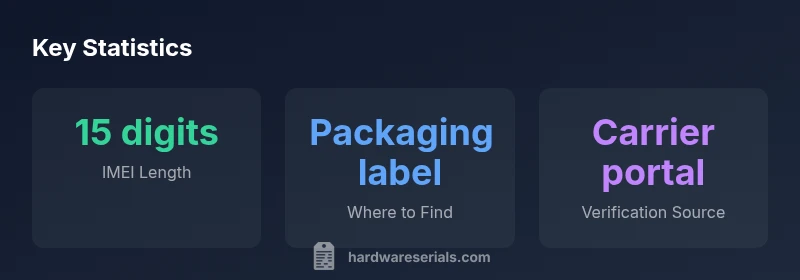
| IMEI Length | Typically 15 digits; some devices may show 14-16 digits depending on formatting | Packaging label; regulatory label; carrier portal |
| Wearable Type | GPS-only watches usually lack an IMEI | N/A |
Frequently Asked Questions
Where can I find the IMEI on an Apple Watch?
If your Apple Watch is cellular-enabled, the IMEI is typically associated with the device’s cellular profile and may be listed on the packaging label, in your carrier’s account portal, or in device management records. GPS-only models usually do not have an IMEI.
Look for the IMEI on the original box or in your carrier account. If your watch is GPS-only, it won’t have an IMEI.
Is the IMEI the same as the serial number for Apple Watch?
No. The IMEI identifies the device for cellular network activation, while the serial number identifies production details for warranty and support. Both may be useful when contacting support or validating ownership.
IMEI and serial numbers serve different purposes; you’ll typically need both for support.
Can I check an IMEI if I no longer have the device?
Yes, if you have the packaging, receipt, or have access to the carrier account that linked the device, you may retrieve the IMEI. If not, you’ll need documentation from the seller or manufacturer.
You’ll usually need the box, receipt, or carrier account to verify the IMEI.
How can I verify that an IMEI is valid?
The most reliable checks come from official sources: your carrier’s portal or customer service, and the device’s original packaging label. Be wary of third-party sites that claim to validate IMEIs.
Use official carrier portals or Apple support for IMEI validation.
Do IMEIs vary by region or model?
The IMEI itself is a unique identifier and generally remains the same for a given device model across regions. However, the carrier activation process, regulatory labeling, and support options can vary by country.
IMEI stays with the device, but regional carrier policies differ.
“IMEI numbers are the durable link between a device and its cellular service; for wearables, carriers rely on IMEI to authorize activations and track device history.”
Key Takeaways
- Identify IMEI only on cellular Apple Watches
- Check packaging and carrier portals for IMEI details
- Verify IMEI against carrier/official records before activation
- Keep a private record of IMEI and serial numbers
- Avoid third-party verification sites for authenticity