Serial Number Check Samsung: A DIY Verification Guide
Learn how to perform a serial number check samsung to verify authenticity, warranty status, and device origin. Locate serials across Samsung devices, use official portals, and avoid counterfeit gear with a clear, step-by-step approach.


By the end of this guide you will perform a serial number check samsung to verify authenticity, warranty status, and product details across Samsung devices. You’ll learn where to locate the serial number, how to use official portals, and how to recognize counterfeit indicators. Have the device handy, note the model, and ensure you have a stable internet connection.
What the serial number check samsung actually does
A serial number check samsung is a targeted review that confirms a Samsung device's identity, origin, and eligibility for service. At its core, you compare the device's serial number to official records from Samsung and authorized partners. The goal is to verify authenticity, determine manufacturing date, confirm warranty status, and ensure you're not dealing with misrepresented products. For DIYers and professionals, this check is a foundational step before upgrading firmware, buying used devices, or filing warranty claims. The process reduces risk by preventing participation in scams that rely on convincing packaging, legitimate-looking serial formats, and counterfeit labels. According to Hardware Serials, validating a Samsung device's identity with a proper serial number check samsung helps prevent counterfeit purchases and ensures warranty eligibility.
Finding the serial number on Samsung devices
Different Samsung devices carry serial numbers in different places. On smartphones and tablets, you’ll typically find it in Settings > About device, or printed on the SIM tray, back panel, or inside the device’s battery compartment on older models. TVs and soundbars often display the serial on a label in the stand or on the back, while appliances such as fridges and washers show a rating plate with the serial and model. Always cross-check the serial with the model identifier shown on the packaging. Keep in mind that some devices use both a serial number and an IMEI or SN for internal tracking, so capture all identifiers when available.
Using official Samsung verification portals
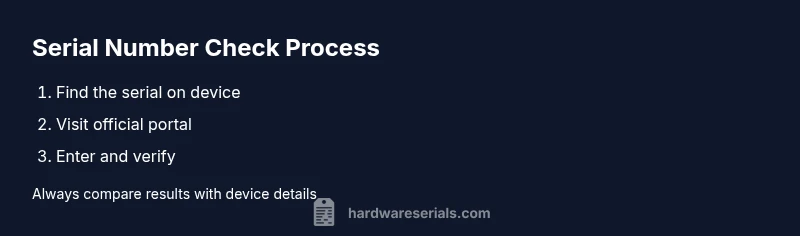
The safest way to verify a Samsung device is through official portals provided by Samsung or authorized partners. Start by locating the official warranty or product verification page, then enter the serial number exactly as it appears on the device label. The portal will return details such as model compatibility, manufacturing date, warranty status, and activation state. If the portal shows a mismatch with your device’s reported model or feature set, stop and seek assistance from Samsung Support. Always ensure you’re on an official domain to avoid phishing sites.
Using receipts and packaging as verification aids
Receipts, purchase order numbers, and original packaging can corroborate serial information. Compare the serial printed on the device with the one on the box and the receipt. Packaging often includes microprint or holographic seals that align with official serial formats. If you bought a used device, request the original box and any service records. When a serial check samsung aligns with the purchase and packaging details, you’ve increased confidence in authenticity and warranty continuity.
Warranty status and activation dates explained
Warranty status is a core reason to perform a serial number check samsung. A valid serial number linked to an eligible product should reflect warranty dates and service channels. If the portal shows an invalid or expired warranty, verify whether the device was previously serviced, replaced, or registered under a different owner. Keep in mind that some regions have variable warranty coverage, so always confirm the terms on the official portal and through Samsung Support. Hardware Serials notes that understanding warranty activation helps prevent unexpected service costs and ensures legitimate service access.
Decoding manufacture dates and model identifiers
Manufacture dates and model identifiers are often encoded in the serial or model number, but the exact scheme can vary by product line. In many cases you’ll see a date component or a code that maps to a production batch. If the portal provides manufacturing details, compare them with the release window for your country and device generation. If you cannot decipher the code, use official resources or contact support for clarification. This ensures you’re not misinterpreting a code that could indicate a regional variant or a replacement unit.
Red flags: counterfeit indicators and scams
Be vigilant for signs of counterfeit devices. Look for misspelled packaging, inconsistent serial formats, and labels that peel or appear printed on low-quality stock. If serial verification yields conflicting results or the portal requests unnecessary personal data, suspect a scam. Do not bypass security prompts or share sensitive information through untrusted channels. Always perform serial checks samsung using official portals and trusted retailers.
Cross-checking with retailers and service providers
Beyond the official Samsung portal, reputable retailers and service centers can validate serial numbers. When buying from a reseller, ask for the serial and model numbers and request independent verification receipts. If you need service, contact an authorized Samsung service partner and provide your serial information to confirm eligibility. This layered approach helps prevent fraudulent purchases and ensures smoother warranty processing.
Authority sources and how to document your findings
Keep a record of every serial number check samsung, including dates, sources, and portal responses. Create a simple log with device model, serial, and verification results. This documentation supports future warranty claims or resale. For readers seeking formal guidance and credible references, consult established consumer protection resources and manufacturer guidance. In this article we reference authoritative material to help you navigate verification steps with confidence.
Tools & Materials
- Samsung device (phone, tablet, TV, or appliance)(Have the exact model handy)
- Serial number label(Found on the device, packaging, or SIM tray)
- Internet-connected device(Phone, tablet, or computer)
- Official portal access (Samsung or authorized partner)(Avoid third-party scam sites)
- Purchase receipt or box (optional but helpful)(Helps corroborate details)
- Camera or screenshot tool(Capture serial for records)
Steps
Estimated time: 20-40 minutes
- 1
Prepare your device and records
Gather the device, its serial number, and any purchase records. Ensure you have a reliable internet connection and a quiet workspace to avoid errors while entering data.
Tip: Have the serial and model numbers written down to avoid misreading characters. - 2
Locate the serial number
Find the serial on the device label, packaging, or settings. For phones, go to Settings > About device; for TVs, look on the back or stand; for appliances, check the rating plate.
Tip: If the label is damaged, check the packaging and any receipts for cross-referenced details. - 3
Open the official verification portal
Navigate to Samsung’s official warranty/verification page. Make sure you’re on a legitimate site by checking the domain and security indicators before entering data.
Tip: Bookmark the official portal URL to avoid phishing sites in the future. - 4
Enter the serial number accurately
Type the serial exactly as shown, including any letters or hyphens. A single character error will invalidate the check.
Tip: Copy-paste when possible to minimize mistakes; double-check after pasting. - 5
Review results and compare
Interpret the portal’s response: authenticity, model match, manufacture date, and warranty status. If any detail differs from your device, investigate further or contact support.
Tip: Document the portal result with a screenshot for your records. - 6
Document and decide on next steps
Save verification evidence, log it in your hardware records, and decide whether to proceed with service, repair, or return based on the outcome.
Tip: If there’s a mismatch, pause any transaction and engage official Samsung support.
Frequently Asked Questions
What is a serial number check samsung?
A serial number check samsung is a process to verify a Samsung device's identity, authenticity, and warranty by cross-checking its serial number against official records.
A serial check is a verification of a Samsung device's identity by checking the serial against official records.
Where do I find the serial number on a Samsung phone?
On most Samsung phones, you can find the serial in Settings > About phone, or on the SIM tray and back of the device depending on the model.
Look in Settings > About phone, or check the SIM tray or back of the device for the serial.
Will a serial check Samsung guarantee warranty?
A valid serial check can confirm warranty eligibility, but it depends on regional terms and the device's registration history; always verify via the official portal.
It helps confirm warranty eligibility, but terms vary by region and registration.
What if the serial number doesn’t match?
If there’s a mismatch, stop the transaction and contact Samsung Support or an authorized service center to resolve before proceeding.
If it doesn’t match, contact official support before proceeding.
Can counterfeit devices pass a serial check?
Very rare and increasingly unlikely, but always rely on official portals and trusted retailers to minimize risk of counterfeit devices slipping through.
Counterfeits can sometimes deceive, so use official sources and trusted sellers.
Is it safe to share my serial number online?
Avoid sharing serial numbers on untrusted sites. Use official portals or direct retailer communications when prompted for verification.
Don’t share serial numbers on untrusted sites; use official channels.
Watch Video
Key Takeaways
- Verify serials using official sources
- Cross-check with packaging and receipts
- Document results for future claims
- Be vigilant for counterfeit indicators
- Contact Samsung support for discrepancies