How to Check Samsung Product Serial Number Online: A Practical Guide
Learn how to locate and verify Samsung product serial numbers online, check warranty status, and confirm authenticity across phones, TVs, appliances, and wearables—using official sources and safe, repeatable steps.


You will learn to locate, verify, and interpret a Samsung product serial number online. This guide covers where to find the serial number on devices, which official sources to trust, and how to read results for authenticity and warranty status. You'll also see common pitfalls and a safe workflow you can repeat for any Samsung device.
Why Samsung serial number check online matters
In today’s market, counterfeit electronics and recycled devices are a real risk. Verifying a Samsung product serial number online helps confirm authenticity, ensures you’re eligible for legitimate service, and guards against scams. The Hardware Serials team emphasizes that relying on official sources reduces uncertainty and creates a verifiable trail for audits, recalls, or warranty claims. A correct serial number links a device to its model, production date, and region, which matters for repair options and compatibility with accessories. By building a consistent verification habit, DIYers and professionals can quickly separate genuine Samsung gear from look-alikes, cutting down on wasted time and potential safety concerns. Remember, a reliable check begins with the right source, a clear serial, and an organized method you can repeat across multiple devices and categories.
This guidance applies to the broad range of Samsung products—from mobile phones to home appliances and wearables. According to Hardware Serials, adopting a standardized verification workflow makes it easier to scale checks in workshops, service centers, or field deployments. It also helps teams maintain accurate inventories and ensures that each device retains traceable documentation for warranty and support considerations. When you approach samsung product serial number check online with a methodical mindset, you reduce risk and gain confidence in every device you touch.
Tools & Materials
- Smartphone, tablet, laptop, or other Samsung device(Needed to locate or read the serial number on the device.)
- Computer or mobile device with internet access(To access Samsung’s official verification portal and support pages.)
- Official Samsung warranty/verification source(Use only the legitimate Samsung site or Samsung Members app to avoid scams.)
- Original packaging or device label(Helpful for cross-checking serials and model numbers.)
- Notebook or digital note tool(Record results, dates, and any follow-up actions.)
Steps
Estimated time: 10-15 minutes
- 1
Prepare device details
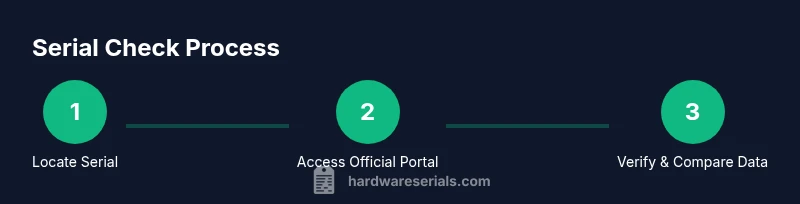
Identify the exact Samsung product you’re verifying and locate its serial number on the device, label, or packaging. Having the model number and purchase details ready helps you cross-check data accurately.
Tip: If you’re unsure where the serial is, check behind the device cover or inside the packaging label. - 2
Open the official verification source
Navigate to Samsung’s official warranty checker or support portal on a secure network. Avoid third-party sites that request unnecessary personal information.
Tip: Bookmark the official page for quick future checks. - 3
Enter the serial (and related data)
Carefully type or paste the serial number into the verification field. If prompted, enter the model and region to narrow the search results.
Tip: Copy-paste to minimize transcription errors. - 4
Submit and review results
Submit the query and review the returned data for authenticity, warranty status, and manufacture date if provided. Compare with your packaging and purchase receipt.
Tip: If the result is ambiguous, proceed to step 5. - 5
Cross-check against packaging and purchase records
Match the serial against the box label and any invoices. Look for inconsistencies in model, color, or region that could indicate a counterfeit or repackaged item.
Tip: If mismatches appear, do not use the device until verified by Samsung support. - 6
Take action based on result
If verified, consider registering the product for warranty or service. If not, contact Samsung support with your verification data to determine next steps.
Tip: Document the response you receive for future reference. - 7
Document and file verification
Save a screenshot or export the verification page as a PDF for your records. Store it with the purchase receipt and serial details for audits or recalls.
Tip: Organize by device category to ease future lookups.
Frequently Asked Questions
What is the serial number on Samsung devices?
The serial number is a unique identifier assigned to each Samsung device. It helps verify authenticity, track manufacturing details, and support warranty services. Locate it on the device or packaging and use official portals for verification.
The serial number is a unique ID for each Samsung device and is used for verification and warranty support.
Is it safe to check serial numbers online?
Yes, as long as you use official Samsung sources or trusted partners. Avoid entering serial numbers on unverified sites that may misuse data.
Yes, just stick to official sources to stay safe.
Why doesn’t my serial number show up on Samsung’s site?
Some older models, region-specific variants, or partially printed serials may not appear in the database. If this happens, contact Samsung support with photos of the device and packaging.
If it’s not found, it could be an older or regional variant. Reach out to support for help.
Can a serial number confirm warranty status for all Samsung products?
Serial numbers are commonly used to determine warranty eligibility, but some products may require additional information like purchase date or proof of purchase for certain regions.
Serial numbers usually indicate warranty status, but some cases need extra proof.
Where can I find the serial number on a Samsung phone?
On many Samsung phones, the serial number is viewable in the Settings under About phone. It may also appear on the box label or SIM tray depending on the model.
Check Settings > About phone, or look on the box label or SIM tray.
What should I do if verification shows something wrong?
If you see a mismatch or invalid result, stop using the device and contact Samsung support with the verification details. Do not rely on it for purchases or repairs.
If verification looks wrong, contact support and do not use the device until confirmed.
Watch Video
Key Takeaways
- Verify serials only on official Samsung channels
- Cross-check against packaging and receipts
- Store verification data for recalls or warranty
- Use a repeatable workflow for different Samsung devices
- Keep records to support service and inventory management