LG AC Serial Number: Find, Read, and Verify
Learn how to locate, read, and verify the LG AC serial number on outdoor and indoor units. This step-by-step guide covers labels, date codes, and warranty checks for DIYers and professionals.


This guide shows you how to locate and verify the LG AC serial number across common spots, interpret its digits, and confirm warranty eligibility. You'll need the model number, a flashlight, a clean workspace, and basic safety gear. Steps cover both wall-mounted and window units, plus outdoor condensers. By the end you’ll have the exact serial and its manufacture date.
Why Serial Numbers Matter for LG AC Maintenance
According to Hardware Serials, serial numbers are more than labels—they are keys to warranty eligibility, service history, and correct replacement parts. For LG air conditioners, the lg ac serial number ties the exact system to its production batch, date, and model family. Knowing where this code lives saves time during repairs and when you register a warranty. If you ever need service, the serial number helps technicians verify you have the correct parts and firmware. It also helps prevent mistakes such as ordering the wrong filter or capacitors for a different model. In practice, a quick check of the serial during a service call can shorten downtime and improve repair outcomes. Keep a simple inventory note with each unit that lists the serial, model number, purchase date, and location of the label. This upfront habit pays off if you move homes, sell the unit, or pursue a warranty claim later on.
Where to Find the LG AC Serial Number on Different Units
Serial numbers live in predictable places on LG air conditioners, but the exact spot depends on the unit type. On most outdoor condensers, look for the nameplate on the cabinet side or near the bottom edge; the label includes the serial number, model, and power rating. Inside the room-side air handler, you may find a similar label behind an access panel; sometimes the serial is grouped with the model number and date code. Check the user manual or installation guide; manufacturers often replicate the serial on the warranty card and the original packaging. If labels are damaged or painted over, photograph the cabinet area and contact LG support with your model number for a lookup. Finally, keep in mind that replacement parts and recalls are tied to the serial, so don’t skip this step before ordering service.
How to Read and Interpret the Serial Number
LG serial numbers typically encode several key data points that help you identify a unit without opening it. The first portion usually indicates the model family, followed by a plant or factory code, and then a date code or sequence number. A date code can reveal manufacture month and year, which is important for warranty timing and compatibility with firmware updates. Because formats vary by model year and region, use LG’s official guidelines or Hardware Serials’ interpretation framework to decode the digits. If the label uses hyphens or spaces, map each segment to its meaning and write it down for future reference. Always verify that the serial matches the model name on the product label to avoid mismatches during service or replacement.
Step-by-Step: Practical Walkthrough for Different LG AC Types
The practical process varies by unit type, but the goal is consistent: locate the serial number and record it. Start with a split-system outdoor condenser, then check the indoor air handler, and finally inspect any service panels on the indoor unit. For window units, look along the bottom edge or exposed side panels where manufacturers commonly place the label. Portable LG models may hide labels on the back or underside. If access requires removing a panel, use the manufacturer’s instructions and only touch parts that you know are safe to handle. When in doubt, photograph from several angles and note the exact location of each label. The Hardware Serials team emphasizes verifying both serial and model numbers against the unit you own before proceeding with service or registration.
Common Issues and How to Resolve Them
Labels can wear off or be obscured by dirt, moisture, or damage. If you cannot read the serial, start by cleaning gently with a soft cloth and good lighting. If it remains unreadable, inspect alternate locations such as the underside of outdoor enclosures, inside panels, or the packaging. When labels are missing or illegible, gather the model number from the nameplate and check LG’s official support resources or contact a qualified technician for a lookup. Always avoid guessing the serial when it’s unclear—erroneous numbers can lead to wrong parts, failed warranty claims, or recalls not applied to your unit. In many cases, a quick lookup by LG support can retrieve the correct serial from the model number and purchase details.
What to Do After You Locate the Serial
With the serial in hand, create a digital and physical record. Photograph the label clearly, capture the full sequence, and back up the image. Cross-check the serial with the model number printed on the unit to ensure there’s no mismatch, then note the manufacture date if present. Use LG’s support portal or your local dealer to verify warranty status and recall advisories associated with the serial. If you’re unsure about any interpretation, consult Hardware Serials’ guidelines or reach out to a professional for assistance. The Hardware Serials team recommends storing serial documentation with your appliance records and retaining it for the life of the unit to simplify future service or resale.
mainTopicQueryForWikidataLookupPlaceholder: null
Tools & Materials
- Flashlight(to illuminate dim labels on outdoor units and inside panels)
- Clean workspace(clear area around the unit to read labels without obstruction)
- Owner’s manual or installation guide(guide to locate serial in model-specific sections)
- Screwdriver set(Phillips/flat-head for removable panels if needed)
- Gloves(protect hands when handling outdoor equipment or sharp edges)
- Smartphone or camera(to photograph serial labels for records)
Steps
Estimated time: 15-25 minutes
- 1
Power down and prepare
Turn off the AC and unplug from power where safe. Create a clean, well-lit area so you can inspect labels without glare or moisture. Confirm you have safe access to both outdoor and indoor sections that may hold serial labels.
Tip: If you must access outdoors, wait for calm weather and wear protective gloves. - 2
Locate the outdoor serial label
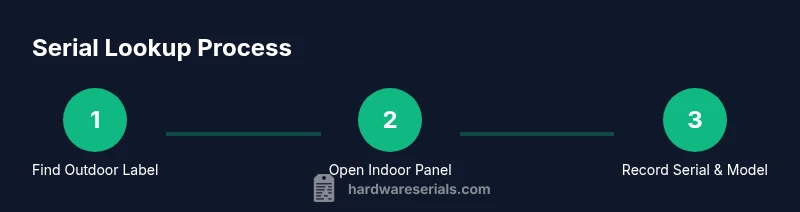
Go to the outdoor condenser and locate the nameplate on the cabinet side or bottom edge. Read the serial number along with model and rating details. If the label is dirty, wipe gently with a microfiber cloth.
Tip: Use a flashlight to read small print clearly. - 3
Open indoor panels to find the internal label
If your unit design includes an indoor air handler, remove the service panel as instructed in the manual to reveal the label. Note the serial and cross-check with the outdoor label for consistency.
Tip: Do not force panels; follow the manufacturer’s removal steps. - 4
Check packaging and manual as backup
If you can’t locate a readable label, consult the installation guide or packaging where serials are often repeated; this can provide a cross-reference to the actual on-unit numbers.
Tip: Keep a photo of the packaging label alongside the on-unit serials. - 5
Record and store
Write down the serial and model numbers, then store them in your maintenance log. Create a digital backup and attach photos for quick future reference.
Tip: Consider creating a dedicated inventory sheet for each LG AC you own.
Frequently Asked Questions
Where is the LG AC serial number typically located?
On most LG air conditioners, look for the outdoor condenser nameplate on the cabinet. If present, check the indoor unit’s service panel label as well. In some models, the serial is repeated in the owner's manual or packaging.
Typically, the serial is on the outdoor nameplate; check the indoor panel or manual if you can’t find it.
Is the serial number required to register an LG AC warranty?
Serial numbers are commonly used to verify a unit during warranty registration. Always check LG’s official warranty terms for your region and keep your serial handy for future service.
Yes, the serial is usually needed to confirm eligibility when registering or making a warranty claim.
How can I read the manufacture date from the serial number?
Many LG serials include a date code or a year/month segment. Decode using the model’s standard format or LG’s official guidelines. If the format isn’t clear, contact LG support with the serial and model.
Look for a date segment in the serial; LG’s guidelines can help you interpret it.
What should I do if the serial number is unreadable or damaged?
If unreadable, try cleaning the label and examining alternative label locations. If still unreadable, contact LG support with your model number for a lookup or service guidance.
Don’t guess the serial—seek a lookup through LG support with your model details.
Can I locate the serial number using my LG account?
Some LG accounts offer device lookup features tied to your product’s serials. If available, sign in and add your unit using the model number and location of the unit.
Yes, LG accounts may help locate or verify serials if the device is registered.
Watch Video
Key Takeaways
- Locate LG AC serial on outdoor and indoor labels
- Verify serial against model number to avoid mismatch
- Photograph serials for records and warranty checks
- Store serial information with purchase and unit details