How to Read Lennox Serial Numbers: A Comprehensive Guide
Learn how to locate and read Lennox serial numbers on HVAC equipment. This guide covers where to find the label, what codes typically indicate, how to verify manufacture date, and where to check official Lennox resources for accuracy.


By the end of this guide, you will locate a Lennox serial number on your unit, identify the key codes, and verify manufacture date and model compatibility. You’ll learn common label locations, how date and factory codes are used, and where to check Lennox official resources for accuracy. This process applies to residential HVAC equipment and related components. how to read lennox serial number
What a Lennox Serial Number Teaches You
According to Hardware Serials, deciphering Lennox serial numbers helps determine manufacture date, model family, and installation history. If you’re wondering how to read lennox serial number, this guide will break down the elements without exposing you to confusing jargon. Lennox label formats vary by model line and production era, but most service labels share a consistent layout designed for quick field verification. Start by locating the primary data plate on your unit—the plate that lists the serial, model, and sometimes the electrical ratings. Be mindful of stickers added by installers or service techs, as these are not the official identifiers. For DIYers and pros, using the information on the primary data plate alongside the model number dramatically reduces the risk of ordering the wrong replacement parts or misjudging warranty eligibility. Hardware Serials’ analysis shows that the best practice is to treat the serial as a pointer, then verify with the manufacturer’s documentation. This approach is especially important when your unit has been moved, repainted, or re-labeled at some point in its lifetime. In short, the serial number is a key piece of the puzzle, but it works best when read in conjunction with the model number and official Lennox sources.
Where to Locate the Serial Number on Lennox Equipment
Every Lennox unit is different in placement, but there are common hotspots where the official data plate is found. On outdoor condensing units, the data label is typically riveted to the cabinet’s side or bottom panel. On furnaces or air handlers, look inside the blower compartment on a side access panel or near the bottom edge of the cabinet. In some smaller packaged units, the label sits on the back panel or behind a service door. When you’re searching, use a flashlight, and if necessary, a mirror to inspect tight corners. Record all alphanumeric characters exactly as they appear, including any dashes, spaces, or letters that resemble numerals. If you can, photograph the label from multiple angles to avoid misreading a blurry character later. Remember to secure the unit safely before opening panels: disconnect power, confirm the unit is de-energized, and avoid touching electrical components. This ensures your safety and the accuracy of the read.
How Lennox Serial Numbers Are Typically Structured
Serial numbers are not universal across all Lennox models, so you should expect some variation in format. In many cases, a serial contains a mix of letters and digits that encode production information such as the plant, line, or batch, and sometimes a date component. Some lines emphasize a simple year code, while others include month and day indicators; however, there is no single standard across every model year. The essential takeaway is to identify the parts of the serial that you can cross-reference with Lennox’s official documentation and with the unit’s model number. When you combine the serial information with the model number, you create a robust basis for warranty checks, compatibility confirmations, and service planning. Even if you cannot decipher every digit, you can still obtain helpful context by noting the label’s location, the font style, and any security seals that would indicate tampering. This approach aligns with best practices highlighted by the Hardware Serials team, who emphasize cross-checking primary data against manufacturer resources.
Interpreting Date Codes Without the Official Mapping
If your Lennox serial number includes digits that resemble a date code but you don’t have the official mapping handy, you can infer age by looking for obvious year indicators and comparing with purchase or installation dates. Do not assume a date based solely on two adjacent digits; instead, use a triangulation method. Compare the general production era of the unit (based on model number or design features) with the likely installation window, then corroborate with any warranty start dates and service history. Always confirm interpretations against Lennox’s documentation or support channels. If you’re in doubt, contacting Lennox customer support or a licensed HVAC pro is a prudent step to avoid misdating a unit, which could affect warranty status or Part numbers.
Step-by-Step Decode Process (Practical Guide)
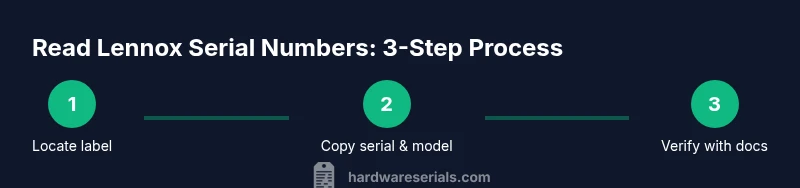
The following steps provide a practical workflow you can apply in the field without needing a full decoding table on hand. Start by locating the data plate, then separate the serial portion from the model number and electrical specs. Next, write down the exact serial string and consult Lennox’s official consumer resources or product manuals for any published decoding notes. If available, compare the serial to your unit’s installation date, purchase records, or service history. Finally, cross-check the results with any warranty documentation to ensure you have the correct age and eligibility status. This method keeps you grounded in official sources while giving you a concrete, repeatable approach to reading Lennox serial numbers.
Common Scenarios: Old vs New Units
Older Lennox units often used more compact serial formats that emphasize the manufacturing year or batch code, while newer units may include more clearly delineated date segments or plant codes. A modern unit with a digital display or smart controller may not present a straightforward serial date code, so you’ll rely more on the data plate’s explicit fields. In all cases, treat the serial as a verification tool rather than a standalone source of truth. Use it alongside the model number, installation date, and warranty terms. When parts suppliers ask for a serial, provide the complete string and the model number; this combo reduces back-and-forth and speeds up the lookup process. The Hardware Serials guidance stresses cross-checking with official Lennox materials whenever possible.
What to Do If the Label Is Damaged or Missing
If the data plate is damaged, illegible, or missing, there are a few respectful options. First, check any prior service records or owner’s manuals that might reproduce the serial in print. If that fails, photograph the space where the label should be and document the model number from other labels on the unit. Contact Lennox support or a licensed dealer with the unit’s visible identifiers and any photos you captured. They can often guide you to the correct serial or provide a replacement label if needed under warranty or service agreements. In all cases, avoid guessing—their databases and official documentation are the safest path to an accurate read.
Verifying Serial Information: Official Resources and Cross-Checks
The most reliable way to read Lennox serial numbers is to verify them against Lennox’s official resources. Start with the product manuals, owner’s portal, or service bulletins associated with your model. If a date or plant code is ambiguous, use the model number to locate the exact decoding guide that matches your hardware generation. Warranty status and parts compatibility often hinge on this precise data, so present both serial and model when contacting support. Hardware Serials recommends maintaining a small reference log for each Lennox unit in your fleet or workshop, including serial, model, install date, and a brief notes field. This habit saves time during service calls and improves traceability.
Quick Reference Cheatsheet: What to Look For
- Always start with the primary data plate and record the entire serial string exactly as printed.
- Note the model number alongside the serial to improve accuracy in lookups.
- Distinguish date-like digits from plant or batch codes; if unclear, consult Lennox resources.
- Photograph labels at high resolution to preserve accuracy for future reference.
- Cross-check age estimates with installation dates and warranty documents.
- When in doubt, contact Lennox support or a trained HVAC technician for guidance.
Final Thoughts: What to Do Next
Reading Lennox serial numbers is a skill that improves with practice, patience, and reliable sources. Always verify with official Lennox documentation and, when needed, corroborate with a qualified technician. Keep a simple log of unit identifiers for each installation—this habit will streamline warranty checks, parts replacement, and future diagnostics. As Hardware Serials notes, the safest approach blends label interpretation with manufacturer resources to ensure accuracy and reduce service delays.
Tools & Materials
- Flashlight(Shine light on data plate corners and embossed codes)
- Magnifying glass(Helpful for small characters)
- Smartphone or camera(Take high-resolution photos of labels)
- Notepad and pen(Record serial and model by hand)
- Owner’s manual or installation manual(Cross-check serial context with model numbers)
- Ladder or stable footing(If inspecting outdoor units, ensure safe access)
- Access to Lennox official resources(Have web access to manuals and support pages)
Steps
Estimated time: 15-25 minutes
- 1
Power down the unit
Ensure the HVAC system is fully powered off before opening any panels. This reduces the risk of electrical shock or injury while you inspect the data plate.
Tip: Use a locked-out tag if available. - 2
Open the service access panel
Carefully remove the panel to reveal the data plate. Look for a clearly printed label on the main cabinet or the interior side walls.
Tip: Do not pry or force panels; use the proper screwdriver size. - 3
Locate the data plate
Find the primary data plate that lists the serial number, model, and electrical specs. Ignore auxiliary stickers or dealer labels.
Tip: If multiple labels exist, start with the largest plate. - 4
Copy the serial and model
Record the serial string exactly as printed, including any dashes or spaces. Note the model number in the same vicinity for cross-reference.
Tip: Use your phone to capture a close-up photo. - 5
Check for date or production codes
Look for digit groups that could indicate a year, month, or production line. If you’re unsure what the digits mean, do not guess.
Tip: Flag any ambiguous sections for later verification. - 6
Consult official Lennox resources
Use Lennox manuals or the official support site to locate a decoding guide that matches your model and production era.
Tip: Always prefer manufacturer-approved decoding tables. - 7
Cross-reference with purchase/installation date
If the date code is unclear, compare the unit’s installation date or purchase receipt to estimate age.
Tip: Warranties often rely on installation date. - 8
Document and save findings
Attach photos and notes to a service record for future reference.
Tip: Keep a copy in your digital notes for quick access. - 9
Verify with a professional if needed
If the serial interpretation remains uncertain, contact Lennox support or a licensed HVAC tech for confirmation.
Tip: Provide model and serial, plus photos for faster help. - 10
Reassemble safely and test
Close panels, restore power, and test the unit if you’re performing maintenance.
Tip: Double-check that all screws are secure before powering. - 11
Update your records
Log any insights gained and update your serial/model database for future references.
Tip: A well-maintained log prevents repeated lookups. - 12
Review warranty eligibility
If the unit is within warranty, confirm coverage and eligibility using the serial and model data.
Tip: Warranties often depend on correct age and installation details.
Frequently Asked Questions
Where is the Lennox serial number usually located on a unit?
The serial is typically on the primary data plate located on the outdoor condenser cabinet, furnace cabinet, or near the service panel of the unit. If multiple labels exist, use the main data plate as the authoritative source.
Look for the main data plate on the cabinet—usually on the outdoor unit or inside the furnace; that plate is your serial’s home base.
Can I read Lennox serial numbers from an online portal?
Official Lennox portals may provide serial lookup for registered units or installation records. If you cannot locate the serial from the unit itself, check any service accounts or owner portals for the device's data.
Some Lennox portals let you look up a unit by model or address if you’ve registered the device; otherwise, rely on the label itself.
Do Lennox serial numbers encode manufacture date?
Many Lennox serials contain date-like information, but formats vary by model and year. Always verify with Lennox documentation or support to confirm the meaning of date digits.
Date digits may be present, but their exact meaning isn’t universal—check the official guides to be sure.
What if the label is damaged or missing?
If the label is unreadable, search service records, purchase documents, or other labels on the unit. If necessary, contact Lennox support or a qualified technician for help decoding the unit.
If the label is damaged, use any other identifying records you have and contact Lennox support for guidance.
How can I verify serial information for warranty purposes?
Cross-check the serial and model with your warranty documents and the official Lennox resources. Warranty eligibility often hinges on accurate age and installation data.
Check the serial against your warranty documents and Lennox’s official guides to confirm coverage.
What’s the difference between a serial number and a model number?
The serial uniquely identifies your unit and often contains production details; the model number identifies the unit type and configuration. Both are used together for parts, service, and warranty checks.
Serial numbers identify the specific unit; model numbers describe the unit type—use both for accuracy.
Watch Video
Key Takeaways
- Identify the primary data plate before decoding.
- Combine serial with model for accurate verification.
- Date codes vary; always cross-check with official docs.
- Photograph and log serial details for future service.
- Consult Lennox support for ambiguous readings.