Lennox Warranty Lookup by Serial Number: Verify Your Coverage
Learn how to perform a lennox warranty lookup by serial number, locate serials on Lennox equipment, interpret results, and protect your warranty with practical, step-by-step guidance from Hardware Serials.


To verify Lennox warranty coverage, you perform a Lennox warranty lookup by serial number. By entering your unit’s serial into Lennox’s official lookup or an authorized dealer portal, you confirm whether the equipment qualifies for manufacturer coverage, remaining term, and eligible components. This lookup helps you avoid unnecessary service costs and ensures you’re working with valid warranty records.
Why a Lennox warranty lookup by serial number matters for homeowners and professionals
A warranty lookup by serial number provides an authoritative snapshot of current coverage, eligibility for parts, and the remaining service terms tied to a specific Lennox unit. For DIYers, it clarifies what is and isn’t covered before you pay for a repair; for professionals, it streamlines service planning and reduces disputes over coverage. By tying the lookup to the machine’s unique serial, you avoid misinterpreting generic policy language and ensure you’re operating with the actual contract tied to that unit. According to Hardware Serials, serial-based verification is the fastest reliable method to confirm coverage and plan accordingly, especially during high-demand seasons when quick service decisions matter.
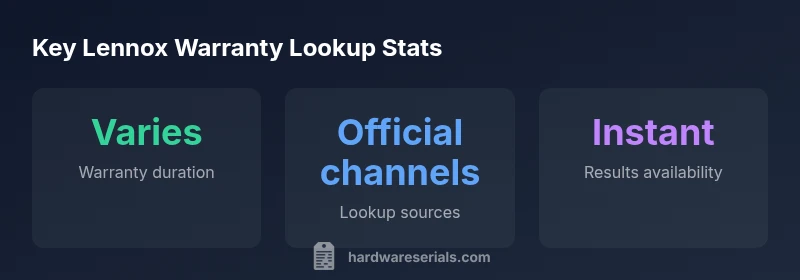
Keep in mind that Lennox warranty terms vary by model, install date, region, and whether the unit was registered with the manufacturer. The lookup is most valuable when used as a first confirmatory step in a larger warranty-management process that includes registration records, purchase receipts, and service histories. A well-documented lookup helps you avoid surprise costs and supports accurate service billing.
Where to find the serial number on Lennox equipment
Serial numbers appear on a data plate attached to the unit: on outdoor condensers, the furnace cabinet, or the air handler housing. Common positions include the side or top panel of the outdoor unit, the inside of the blower compartment panel, or near the electrical access panel. The serial is typically alphanumeric and may be paired with a model number. For accuracy, photograph the data plate clearly, ensuring the entire serial and model are legible. If you install or maintain multiple units, collect serials for all equipment before starting lookups to avoid cross-matching errors. If you cannot locate the plate, consult the installation manual or contact your installer for the exact location.
Pro tip: keep a labeled digital folder with serials and model numbers for all equipment to expedite future lookups or warranty queries.
How to perform the official Lennox warranty lookup by serial number
Start by gathering essential details: the unit’s serial number, model number, and install date. Visit Lennox’s official warranty lookup page or log in through an authorized dealer portal. Enter the serial and model as requested and submit. If you don’t have login access, contact a Lennox-authorized dealer or customer support to initiate the lookup on your behalf. The system will return current coverage status, remaining term where available, and listed covered components. Save or export the results for your records. If the lookup cannot be completed online, request a written confirmation from the dealer or Lennox support with the lookup reference.
If you’re troubleshooting a look-up error, double-check the serial format, try a different browser, and verify you are using the exact unit for the data you intend to verify. Some older Lennox models may require a manual verification through customer service.
Interpreting the results: what lookups typically show and how to act on them
A successful lookup should clearly indicate whether the unit has active warranty coverage, the remaining term (where the system supports it), and which components are covered. Coverage terminology often varies by model and region, so interpret results in the context of the device type (furnace, air conditioner, heat pump) and the install date. If the lookup shows active coverage, note the policy’s start date and any maintenance requirements to keep it valid. If coverage appears expired or unclear, review installation records, registration status, and any transfers of ownership. In some cases, a unit may be eligible for extended coverage if it was professionally installed and registered with Lennox within the required window. Always cross-reference the lookup results with official policy documentation and your purchase receipts.
Common issues and how to troubleshoot mismatches or missing data
If the lookup returns “not found” or shows limited information, consider common causes such as unregistered units, installation by a third party, or incorrect serial entry. Confirm that you are querying the exact serial tied to the unit and not a separate accessory or coil package. If the information is still unclear, contact Lennox support or your installer with the unit’s serial, model, and proof of purchase. Sometimes, a dealer portal holds more detailed data than a public lookup, especially for regional programs or promotions. Maintain a record of all communications and document the date of lookup attempts.
Best practices to protect and maximize Lennox warranty coverage over time
- Register your equipment with Lennox as soon as possible after installation; many policies require initial registration to activate certain coverage.
- Keep all purchase receipts, installation notes, and service logs stored in a single, accessible location.
- Schedule regular professional maintenance according to Lennox recommendations; documented service visits support coverage claims.
- Use only qualified Lennox-certified technicians for any repairs or parts replacements.
- Periodically re-check warranty status after service or ownership transfers to ensure the record reflects the latest information.
These practices help safeguard coverage against gaps and provide clear documentation for future service needs.
Quick-start checklist: what to do next to verify Lennox warranty effectively
- Locate and photograph the unit’s serial number and model.
- Gather installation date and original purchase receipt.
- Access the official Lennox warranty lookup page or contact an authorized dealer.
- Enter serial and model details; review the results carefully.
- Save/export the lookup confirmation and attach supporting documents.
- If results are unclear, follow up with Lennox support or your installer for written verification.
- Maintain ongoing maintenance records to preserve eligibility.
Final note: keep your Lennox warranty active and verifiable
Regularly verify coverage, especially after ownership changes or system upgrades, and store all related documents securely. A proactive lookup and diligent record-keeping can prevent unexpected out-of-pocket costs and ensure support remains available when you need it.
Lennox warranty lookup results overview
| Aspect | Lookup Outcome | Where to Verify |
|---|---|---|
| Warranty status | Active or expired depending on model | Lennox lookup results page or dealer portal |
| Remaining term | Varies by model and install date | Official policy docs |
| Covered components | List of parts included under warranty | Policy documents |
Frequently Asked Questions
How do I start a Lennox warranty lookup by serial number?
Visit Lennox's official warranty lookup page or contact an authorized Lennox dealer. You’ll need the unit’s serial number and model to run the lookup and view current coverage. If you don’t have online access, a dealer can perform the lookup on your behalf.
Go to Lennox’s warranty page or ask your Lennox dealer to run the lookup using your unit’s serial number.
What information do I need to perform the lookup?
You’ll typically need the serial number, model number, and sometimes the installation date. Having the purchase receipt and installer details can help if support needs to verify ownership or transfer status.
Have your serial, model, and install date ready, plus receipts if possible.
What if the lookup shows no warranty or expired coverage?
If the lookup indicates no active warranty, review registration status, ownership transfer, and installation date. If you believe coverage should exist, contact Lennox support or your installer with proof of purchase for manual verification or potential exceptions.
If it shows no warranty, check registration and transfer docs, then contact support for confirmation.
Can I look up warranty without owning the equipment?
Full lookup results typically require the actual serial number from the unit. Public data may show basic warranty eligibility, but official coverage details usually require the specific serial and model tied to that equipment.
Some info is public, but full warranty details need the unit’s serial.
How long does a Lennox warranty lookup take?
Lookups are usually instant or completed within a few minutes when done online through official channels or a dealer portal. Delays only occur if manual verification is needed.
Most lookups are instant online, or quick with a dealer.
Is a Lennox warranty transferable to a new owner?
Some Lennox warranties may be transferable with proper documentation and registration updates. Check the specific policy terms for the unit, and coordinate with the new owner and Lennox support to ensure the transfer is recorded.
Warranties can transfer in some cases; verify with Lennox support.
“Serial-number based warranty lookups are the fastest way to confirm coverage, but always corroborate results with official documents and receipts.”
Key Takeaways
- Start with an official Lennox warranty lookup by serial number to confirm coverage.
- Keep serial numbers and purchase documents organized for quick verification.
- Always corroborate online lookup results with official policy documents and dealer confirmation.
- Register and maintain service records to protect future warranty eligibility.