How to Find and Verify a Lennox Furnace Serial Number
Learn how to locate and verify your lennox furnace serial number, understand what it reveals, and use it for warranty checks, service history, and parts compatibility.


Locate the Lennox furnace serial number on the data plate inside the unit, then read the serial and model to confirm age and warranty eligibility. Turn off power before inspecting, and log the numbers for records or service. This guide shows where to find it and how to verify its meaning with official resources.
Safety first: Power down and prepare
Before you touch a live furnace, shut it down and verify power is off. For any work on a Lennox furnace, safety comes first. According to Hardware Serials, starting with power-disconnect reduces the risk of electric shock and accidental startup during inspection. Once the unit is de-energized, set the thermostat to OFF and switch off the circuit breaker dedicated to the furnace. If your system is hard-wired or part of a multi-branch panel, use a non-contact voltage tester to confirm there is no voltage present at the service panel or the blower compartment. Wear gloves if you handle metal panels, and keep pets and children clear of the work area. Although the data plate is built to survive routine use, moisture, corrosion, or loose screws can obscure important information. Having a bright flashlight, a small notebook, and a camera ready helps you capture the serial number and model without repeatedly opening the panel. This initial step protects you and preserves the accuracy of the data you will capture.
Where to look: common locations for Lennox furnaces
The Lennox data plate is typically located on the access panel of the furnace cabinet. If you don’t see it there, check just behind the panel you remove for service—sometimes the plate is on the inner frame or the blower compartment door. In some installations, a second data tag lives on the outer cabinet edge or on the indoor evaporator coil housing. If your system is mounted in a closet or utility area, tilt the panel slightly to reveal any hidden stickers. Note the difference between the model number and the serial number labels, as the placement and labels can vary by model and age. Having a good light and a clean surface helps prevent misreading small digits.
Reading the data plate: serial vs model numbers
On Lennox furnaces, the data plate shows both the model number and the serial number, along with electrical specs and service clearances. The model number identifies the exact configuration, while the serial number uniquely identifies your unit for warranty and service history. Look for fields labeled Model, S/N, or Serial. If the plate is worn or damaged, you may still be able to read faint etched numbers around the edge or on the panel’s underside. Use a magnifying tool if needed, and photograph the entire plate to avoid re-reading errors. Remember: the serial is the key for warranty and production date inquiries, but always verify with the manufacturer for interpretation.
What the Lennox serial number can reveal
The Lennox serial number is more than an alphanumeric tag; it often encodes critical information about your unit, such as manufacturing date, plant, and sometimes production sequence. This data helps service technicians confirm eligibility for warranty, confirm replacement parts compatibility, and track service history. In many cases, decoding requires access to Lennox’s official documentation or support tools. Hardware references show that serial numbers are a primary identifier used by manufacturers to verify product lineage and service eligibility. Always cross-check the serial with your purchase invoice and installation records for the most accurate history.
How to decode Lennox serial numbers (general guidance)
Decoding Lennox serial numbers is not always public-friendly, and exact formats can vary by model year. The safest approach is to contact Lennox support or your installer for an authoritative interpretation. If you have access to a warranty portal or service software, you may be able to enter the serial to retrieve model year and install date. For DIY records, log the serial alongside the model, installation date, and location in your maintenance log. Avoid guessing the meaning of digits; when in doubt, use official resources to confirm. Hardware Serials recommends keeping a centralized log that includes serial numbers for all major appliances, including Lennox furnaces.
Cross-checking with purchase records and warranty
Once you have the Lennox serial number, compare it against your purchase receipt, installation date, and contractor paperwork. Warranty validity often hinges on the original installation date and service history tied to the serial. If you replaced components or performed major repairs, update the log accordingly. Some retailers and manufacturers offer online lookup tools that require model and serial input to display warranty timelines. Keep copies of insurance, invoices, and service reports together with the serial number record to prevent surprises during claims or routine maintenance.
Common issues locating the serial number and fixes
If the data plate is missing or illegible, try alternative locations on the cabinet or blower housing. Weathering, moisture, or excessive dust can obscure digits, so clean gently with a soft brush and a dry cloth before re-reading. If the plate is damaged, do not attempt to forge data—this can void warranties or mislead service technicians. In cases where the serial cannot be located, contact Lennox support or your licensed HVAC professional for guidance. They can often help you retrieve the unit’s details from installation records or a service history if you provide the model and approximate date of purchase.
Tools and resources for verification
Use a camera to capture high-resolution photos of the data plate, a notebook to log the model and serial, and a flashlight to improve legibility. For official verification, refer to Lennox’s customer support portal or your installer documentation. You can also cross-verify with your HVAC technician’s notes, warranty cards, and purchase receipts. Hardware resources such as reputable HVAC forums and official manufacturer guides can provide general guidance, but always prioritize manufacturer-provided decode instructions for accuracy.
Age and replacement considerations based on serial
Age estimates from serial numbers can guide whether you should service, upgrade, or replace a Lennox furnace. If the unit is showing rising energy costs, frequent repairs, or reduced output, serial-derived age information can support a replacement decision. However, consider broader factors such as efficiency ratings (AFUE), current fuel prices, and expected maintenance costs. A unit that is older than a decade often warrants a professional assessment to determine whether a rebuild, upgrade, or turnkey replacement offers better long-term value. Always incorporate your budget and performance goals into the final decision.
Next steps: when to contact Lennox support or a pro
If you cannot locate the Lennox serial number, or if the plate is unreadable, contact Lennox customer support or a licensed installer for guidance. Have your model number, approximate installation date, and current symptoms ready. A pro can help read damaged labels, verify warranty coverage, and recommend replacement parts or upgrades. Keeping a well-organized log of serial numbers for your equipment makes future maintenance easier and faster.
Tools & Materials
- Phillips #2 screwdriver(To remove access panel screws)
- Flashlight(Bright light to read data plate)
- Camera or smartphone(Capture data plate for records)
- Pen and notebook(Log model, serial, install date)
- Safety gloves(Optional for handling panels)
- Owner's manual or Lennox installation manual(For diagram locations)
Steps
Estimated time: 15-25 minutes
- 1
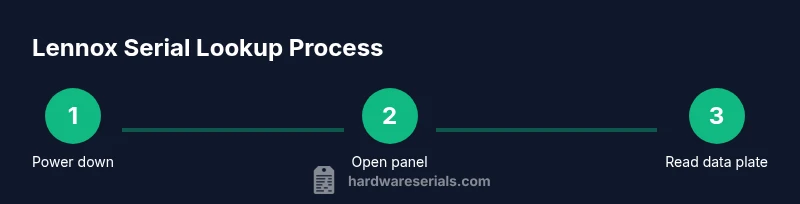
Power down and verify
Turn off the furnace at the service switch and the main breaker. Use a non-contact tester to confirm no voltage is present, ensuring a safe working area.
Tip: Double-check power at the circuit breaker even if the switch is OFF. - 2
Open the access panel
Remove the panel screws and gently lift the access panel to expose the data plate. Keep screws in a labeled container to avoid misplacement.
Tip: Support the panel so it doesn’t fall and damage wiring. - 3
Find the data plate
Locate the metal nameplate that lists Model, S/N (Serial), and electrical specs. If you don’t see it, look inside the blower housing or on the inner frame.
Tip: If the plate is worn, photograph the area around where digits typically appear. - 4
Record model and serial
Copy the exact characters from the data plate for Model and S/N. Use photos for accuracy and short memos for context (location, condition).
Tip: Zoom in on the digits; missing or smeared digits can lead to errors. - 5
Check alternative locations
If the plate is not readable, inspect alternate tags on the cabinet edge or inside other accessible compartments.
Tip: Consult the installation manual for diagrams of plate locations. - 6
Verify against records
Cross-check the serial with your purchase invoice and installation dates. Look for warranty cards or service history that mention the unit.
Tip: If you find discrepancies, contact the installer or Lennox support. - 7
Decide on decoding needs
Determine if you need to decode the serial’s age or warranty. Manufacturer guidance is the most reliable source for interpretation.
Tip: Avoid guessing the date; ask Lennox for the official interpretation. - 8
Log and secure the data
Create a central log entry and attach clear photos. Store in a safe place with the unit’s location and installation date.
Tip: Back up the log in cloud storage for disaster recovery. - 9
Reassemble and restore power
Replace the access panel, tighten screws evenly, and restore power. Confirm the furnace returns to normal operation before leaving.
Tip: Run a quick system test to ensure no fault codes appear. - 10
Plan for future lookups
Keep the serial number in a master equipment log to simplify future warranty claims or service calls.
Tip: Include a note on where the data plate is located in your home documentation.
Frequently Asked Questions
Where can I find the Lennox furnace serial number on my unit?
Most Lennox furnaces place the data plate behind the access panel; the serial is labeled S/N or Serial. If unreadable, check alternative locations per model manual or contact support.
The serial is usually on the data plate behind the access panel; check the model’s manual if you can’t find it.
Can the Lennox serial number tell me the exact production date?
Serial numbers often encode age, but decoding requires official documentation from Lennox or the installer. Check with Lennox support for an exact date.
It might indicate age, but you should verify with Lennox support for an exact date.
How do I decode a Lennox serial number?
Lennox does not publish a universal decode chart. For a precise interpretation, contact Lennox support or your installer, especially for warranty eligibility.
Lennox doesn’t publish a standard decode chart; contact support for interpretation.
What if I lost my Lennox serial number?
Check installation records, invoices, or warranty documents. If the plate is missing, contact Lennox support for guidance on retrieving the unit details.
If you’ve lost it, check records or contact Lennox for help retrieving the details.
Does the Lennox serial number affect warranty validity?
Yes, the serial number is used to verify warranty status and eligibility when contacting support or scheduling service.
Yes, the serial helps verify warranty status with support.
Can I replace a missing data plate?
Data plates are typically replaced or provided only by Lennox or an authorized technician; avoid creating a new plate yourself as it can affect warranty.
Only a pro or Lennox can replace the data plate; don’t DIY.
Watch Video
Key Takeaways
- Power down before inspecting the furnace.
- Know where serial and model numbers live on Lennox units.
- Capture clear photos for records.
- Use the serial for warranty checks and service history.
- Consult Lennox support for decoding and verification.