How to Find and Verify a Yamaha Keyboard Serial Number
Learn how to locate, read, and verify the Yamaha keyboard serial number. This step-by-step guide covers common label locations, serial formats, and how to confirm authenticity for warranty, service, and resale.


To locate the Yamaha keyboard serial number and verify its authenticity, inspect common label areas like the back panel, underside, or inside a battery compartment. Serial formats vary by generation, so copy the exact string, then compare it against Yamaha’s official records or authorized dealer databases to confirm model, date, and warranty eligibility.
Understanding the Yamaha keyboard serial number
For anyone working with music gear, the yamaha keyboard serial number is more than just a string of characters—it’s the fingerprint that confirms age, model, and ownership. According to Hardware Serials, serial numbers are essential for warranty validation, service records, and resale transparency. In the Yamaha ecosystem, serial formats have evolved over time, with prefix letters, region codes, or simple alphanumeric sequences depending on the production run. By understanding what a serial number represents, you can quickly determine model generation, verify authenticity, and avoid counterfeit products. This understanding also helps when coordinating service, parts, or firmware updates, since the serial ties the device to its specific build and release window. Keeping a clear record reduces confusion during repairs and resale and supports accurate documentation for future troubleshooting.
Why the Yamaha keyboard serial number matters for authentication
The serial number is your primary link to official records. It helps distinguish genuine Yamaha instruments from fakes, indicates the production period, and can unlock warranty status. For professional workflows, having a correct serial number speeds up service requests, confirms compatibility with accessories, and ensures you reference the exact unit during diagnostics. The Hardware Serials team emphasizes that serial numbers are not decorative; they are the official identifier that validates ownership and service eligibility. Always treat the serial as sensitive data and store it securely alongside the model name, purchase date, and seller information.
Common label locations across Yamaha product lines
Many Yamaha keyboards place the serial number on one of several standard spots. Common locations include the back edge of the chassis, the underside near the feet, or inside a service panel near connectors. Portable models may hide the label under a removable battery cover or under a plastic access plate. Dimensions, finishes, and cabinet designs vary by series (for example, portable keyboards vs. workstation lines), so consult the user manual or Yamaha support pages for your exact model. If the label is worn, cleaning the surface with a soft cloth and good lighting can reveal faint engravings or stickers that are easy to miss in low light.
Interpreting serial formats across Yamaha product lines
Yamaha’s serial formats have shifted over time and across regions. In broad terms, you may encounter alphanumeric strings that include a mix of letters and digits, occasionally with a hyphen or prefix. The first portion of the code can denote factory or batch, the middle digits may indicate production year or sequence, and the tail might reference model family. Because formats differ by generation, always verify any interpretation against official Yamaha documentation or a dealer database to avoid misreading a string as a model year or feature set. A correct interpretation helps with warranty verification and parts compatibility.
How to verify authenticity: a practical workflow
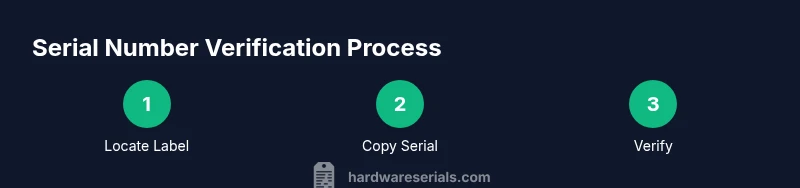
Begin by copying the serial number exactly as it appears on the label. Then visit Yamaha’s official support site or contact an authorized dealer to cross-check the serial against production records and current warranty status. If the platform provides a lookup tool, enter the serial and model; if not, use the contact form to request verification. Document the result and save screenshots or notes of the confirmation. This workflow minimizes disputes when selling the instrument or requesting service.
Recording serial numbers for maintenance and resale
Create a dedicated log for each instrument that includes the serial number, model name, purchase date, seller, and a photo of the label. Use a consistent format such as Model - Serial - PurchaseDate - Seller. Store backups in a secure location, and consider labeling the log with a QR code that links to the digital entry. A well-organized record makes future warranty claims straightforward and supports reliable resale assessments.
Safety, care, and handling considerations
Never force panels or labels or attempt to remove components beyond what the manual permits. Use proper lighting, avoid liquids near electronics, and handle the instrument with dry hands. If you encounter a damaged or illegible serial, stop and contact Yamaha support or an authorized service center for guidance. Tampered or missing labels can indicate potential authenticity issues and may require formal verification.
Common mistakes to avoid during lookup and verification
Rushing a read of the serial string, miscopying characters, or assuming a format without cross-checking official sources are frequent errors. Also, relying on third-party databases without confirmation from Yamaha can mislead warranty claims. Always corroborate serial information with the manufacturer and keep the documentation in a secure, accessible place for future reference.
Tools & Materials
- Yamaha keyboard(Have the exact model handy for cross-checking serial formats)
- Owner's manual or product sheet(Identify labeled locations for your model)
- Bright lighting(Inspect label areas clearly)
- Pen and notebook(Log serial, model, purchase details)
- Camera or smartphone(Capture label for reference)
Steps
Estimated time: 20-40 minutes
- 1
Identify label locations
Begin by locating common serial-label spots on Yamaha keyboards: back panel, underside, or inside the battery compartment. Refer to the model’s manual or online diagrams, as exact positions vary by generation.
Tip: If you can’t see the label, use a flashlight and check hidden edges. - 2
Power down and unplug
Ensure the unit is powered off and unplugged before you handle the chassis or panels to avoid electric shock.
Tip: Do not touch exposed circuitry when the label isn’t visible. - 3
Inspect label locations
Carefully search the back edge, bottom feet, and any removable panels. Some models hide the serial under a small plate or sticker near connectors.
Tip: If the label is on a removable panel, reattach it securely after checking. - 4
Open panels if required
If your model has a service panel, gently remove it following the manual and reveal any additional serial plates. Use non-metal tools to avoid scratches.
Tip: Avoid forcing panels to prevent damage. - 5
Record the serial number accurately
Copy the exact alphanumeric string from the label. Note any prefixes, dashes, or spaces; misreading can lead to incorrect verification.
Tip: Take a clear photo for reference. - 6
Cross-check with official sources
Visit Yamaha’s official support site or contact an authorized dealer to verify the serial against production records and warranty status.
Tip: Never rely on third-party logs for warranty claims. - 7
Document purchase details
Record model name, purchase date, seller, and location along with the serial in a dedicated log.
Tip: Secure this log for future service. - 8
Handle missing labels
If the serial number is missing or damaged, contact Yamaha support or your local dealer for guidance on provenance and potential replacement documentation.
Tip: Avoid attempting to recreate a serial—manufacturers don’t issue fake records.
Frequently Asked Questions
Where is the serial number usually found on Yamaha keyboards?
Most Yamaha keyboards place the serial number on the back panel, underside, or inside a battery compartment. Some models use a removable plate near the connectors. If you can’t locate it, consult the model-specific manual or Yamaha support.
Look on the back, bottom, or battery area; if needed, remove a panel with care and check the label.
Do Yamaha serial numbers include a year or production code?
Some Yamaha lines encode production information in the serial, but formats vary by generation and region. Use the official Yamaha resources to interpret any prefixes or digits.
Serials can include production cues, but verify with Yamaha docs.
How can I verify a Yamaha serial number online?
Visit Yamaha’s official support portal or contact an authorized dealer to cross-check the serial against production records and current warranty status.
Check the official site or talk to a dealer to confirm.
What should I do if the serial number is damaged or missing?
Document any factory labels that remain, contact Yamaha support or a dealer, and request replacement documentation or steps to prove provenance.
If the label is gone, reach out to Yamaha support for guidance.
Can a serial number indicate compatibility with accessories?
Serials may help identify model families, which informs accessory compatibility. Always verify with official docs when buying cables or cases.
Use the serial to narrow model family and check official specs.
Are counterfeit Yamaha keyboards common, and how can serials help?
Counterfeits exist; serials alone aren’t proof. Cross-check with official databases and inspect build quality and labeling.
Serials help but don’t rely on them alone; verify with support.
Watch Video
Key Takeaways
- Locate the serial number on the keyboard face or chassis
- Record and photograph the serial string accurately
- Verify with official Yamaha sources for authenticity and warranty