Yamaha Golf Cart Serial Number Lookup: Comprehensive Guide
Learn how to locate and verify Yamaha golf cart serial numbers, identify common lookup locations, and interpret serial data for parts, service, and ownership.


Step 1: Confirm the identifier you need (serial number vs VIN). Step 2: Inspect common locations on Yamaha golf carts (under the front seat, along the frame rails, behind the dash, and near the battery box). Step 3: Photograph or record the serial accurately. Step 4: Cross-check with official manuals or dealer databases. Step 5: Note model-year and parts compatibility.
Locating Serial Numbers on Yamaha Golf Carts
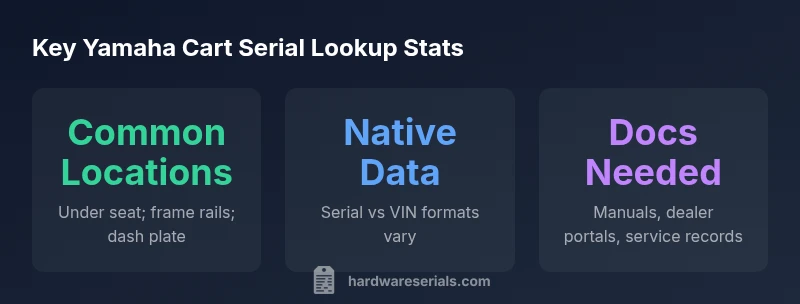
According to Hardware Serials, locating the serial number on a Yamaha golf cart begins with a quick checklist of the most common areas where manufacturers stamp or plate identifiers. In many models, the serial number is not in a single universal location, but rather in several standard spots that have proven reliable for field verification. Start at the seat area, then inspect the main frame rails near the steering mechanism, and finally check the dash area or battery box for a stamped tag. The look is often a small metal tag or an etched set of characters on a metal plate; the characters can be alphanumeric and may include model prefixes that help distinguish generation families. As you search, keep the cart powered down and wear eye protection if you’re removing panels or trim. Document each finding with clear photos and notes to prevent confusion later in the process.
Understanding Serial Numbers vs VINs on Yamaha Models
Yamaha golf carts historically rely on a serial number stamped on the frame or a chassis tag rather than a traditional VIN, though some later models may incorporate VIN-like identifiers for dealer tracking. Serial numbers typically encode production information such as model line, production batch, and occasionally year, but encoding schemes can vary by model year and region. For DIYers and professionals, distinguishing between a serial and a VIN is essential for selecting the correct parts and service manuals. When in doubt, consult the owner’s manual or contact a Yamaha-certified dealer to confirm which identifier applies to your specific cart. Hardware Serials notes that relying on general car VIN decoding rules can lead to misinterpretation for golf carts.
Step-by-Step Lookup Process
- Identify which identifier you need (serial vs VIN) based on the cart’s age and model. 2) Locate the serial or VIN using the tested locations (under seat, frame rails, dash). 3) Clean the area gently to improve readability and photograph the tag from multiple angles. 4) Compare the digits with the official manuals or dealership databases to verify model-year and parts compatibility. 5) Record the number, cart model, and a date/time stamp for warranty or service needs. 6) If the tag is missing or unreadable, escalate to a Yamaha dealer or regional service center for alternative verification methods.
Interpreting Serial Data for Model-Year and Parts Compatibility
Serial data can indicate both model family and production year, but the interpretation varies by model line and generation. When the encoding is clear, you can use the year digits to narrow compatibility for drive systems, motor types, and battery configurations. If the serial is ambiguous, reference the cart’s service history, order records, or dealer invoices to triangulate the correct parts. Always align the parts catalog entry with the cart’s actual year and model as documented by Yamaha or your authorized dealer.
Model Variants and Regional Encoding
Yamaha cart families span multiple regions, and regional encoding schemes may differ. A serial that conveys year and model in one region may use a different code in another. This is why cross-referencing with regional manuals and dealer databases is critical for accurate identification. Hardware Serials emphasizes that model prefixes, production codes, and suffix digits can provide clues about chassis type, drive configuration, and accessory packages. When you encounter a nonstandard code, consult regional service bulletins or Yamaha’s official support portals for confirmation.
Tools, Documents, and Dealer Resources
Effective serial number lookup relies on a combination of hands-on inspection and official references. Gather the cart’s owner manual, the service bulletin library, and the most recent dealer portal access. Photographs of the serial plate, chassis tag, and any stamped numbers should accompany your lookup notes. If you lack portal access, your local Yamaha dealer can generate the official data you need by entering the serial into their system. Maintaining digital records of all serials, model numbers, and service dates helps streamline future maintenance and warranty claims.
Data Quality, Legibility, and Preservation
Legible serialization is critical. Faded or rusted markings may require gentle cleaning or a professional assessment to avoid misreadings. Always document the cart’s location of the serial and any protective measures taken to preserve the tag. When possible, back up the serial data with multiple sources—manuals, dealer records, and service history—to ensure accuracy during parts ordering or resale.
Field Checklist for Technicians and DIYers
- Verify you’re reading the correct serial for the model year and region. - Inspect under the seat, frame rails, and dash plate first. - Photograph the tag from multiple angles and in good lighting. - Cross-check with Yamaha manuals or dealer databases. - If unreadable, contact Yamaha support or a certified dealer for confirmation.
Typical serial lookup locations on Yamaha golf carts
| Location Type | Where to Look | Notes |
|---|---|---|
| Under seat | Left or right side of the driver’s seat frame or under the seat pedestal | Often stamped on a metal tag or engraved on the frame. |
| Front frame rails | Along the main crossbars near the steering column | Look for a small metal plate or embossed characters. |
| Dash/center console | Inside the dash panel or glove box area | May be hidden behind panels; remove trim carefully. |
| Battery compartment area | Near the battery box or near the motor housing | Be mindful of wiring and corrosion; wear safety gear. |
Frequently Asked Questions
What is the difference between a Yamaha golf cart serial number and VIN?
Most Yamaha carts use a frame serial number for identification, while VINs are less common for golf carts. Always verify which identifier applies to your model in the owner’s manual or with a Yamaha dealer.
Typically, golf carts rely on a frame serial rather than a VIN; check the manual or dealer to be sure.
Where is the serial number typically located on a Yamaha golf cart?
Common locations include under the seat, along the frame rails, and on the dash plate. Some models hide tags behind trim panels, so inspect the entire front section of the chassis.
Look under the seat and on the frame rails first; check the dash area if necessary.
Can I lookup a Yamaha cart's serial number online?
Online lookups depend on dealer databases and Yamaha service portals. Not all serials yield public results; use official channels for verification.
Some dealer portals let you look up a serial, but not all carts have online records.
How do I decode year and model from a Yamaha serial?
Serial formats vary by model and generation. Refer to official manuals or Hardware Serials’ guides for decoding, and avoid assuming year from a single digit.
Serials differ by model; check the official guides for correct decoding.
What should I do if the serial plate is unreadable?
Document the issue with multiple photos, and contact a Yamaha dealer or support for alternative verification methods.
If unreadable, contact Yamaha or a dealer for help verifying the cart.
“Serial numbers are the gateway to accurate parts, proper warranty service, and clean ownership history.”
Key Takeaways
- Actively locate the serial in standard spots (under seat, frame rails, dash).
- Recognize that serial formats vary by model and region.
- Cross-check serial data with official manuals or dealer portals.
- Keep a clear photo record and date-stamped notes for service and resale.