Lenovo Laptop Serial Numbers: Locate, Verify & Decode
A comprehensive guide to Lenovo laptop serial numbers covering where to find S/N and MTM, how to verify authenticity, and how to use serial data for warranty and support.


To locate a Lenovo laptop's serial number, start with the physical labels: check the bottom lid or underside sticker, and open the battery bay if the battery is removable. If needed, boot into BIOS/UEFI and read the S/N there. You can also use Lenovo Vantage or Windows System Information to view the serial number. The S/N is typically alphanumeric and unique to your device.
Lenovo serial number formats\n\nLenovo devices rely on two primary identifiers: the Serial Number (S/N) and the Machine Type-Model (MTM). According to Hardware Serials, Lenovo serial numbers are typically alphanumeric and may include production codes, depending on the model family and generation. The S/N is usually printed on a label placed on the chassis edge or underside, and sometimes inside the battery bay or service door. The MTM identifies the exact configuration and is often found near the S/N on the same label or in the BIOS. Some models display both identifiers on the same sticker, while others show them separately. In practice, know that the S/N and MTM serve different purposes: S/N confirms device identity, MTM reveals the exact model variant for parts, warranty tier, and service options.
How to locate the serial number physically\n\nPhysical location varies by chassis design and battery arrangement. For most Lenovo laptops, start by flipping the device over and inspecting the bottom label; look for a line marked S/N or Serial Number. If the label is not legible or the battery is removable, open the battery bay to reveal the sticker under the battery compartment. For ultrathin or premium lines where the bottom label is absent, check inside the access panel or the RAM bay. If the model has a removable battery, the label is often found on the battery itself. Finally, examine the underside near hinges or the fan area for MTM. Always capture both S/N and MTM if visible, since they together improve traceability for warranty and service requests.
Finding the serial number in software\n\nSoftware tools provide a quick, non-invasive way to pull the serial number without handling physical stickers. On Windows, use the built-in System Information tool (msinfo32) or the command line to fetch BIOS serial data. Lenovo Vantage, a manufacturer-provided app, also displays the serial number and MTM in its system information tab. In BIOS/UEFI, locate a page labeled 'Information' or 'System Summary' to view the S/N and MTM. If you’re using macOS or Linux on a Lenovo device, bios-dump methods or vendor utilities may be required. Always cross-check software results with the physical label when possible to avoid misreads due to sticker wear or replacement.
Interpreting Lenovo serial numbers\n\nUnlike some vendors, Lenovo does not publish a universal decode for serial numbers that reveals exact build date or configuration. Instead, the MTM often encodes model family, generation, and configuration in a way that Lenovo support can interpret. The safe interpretation is: S/N confirms unit identity, MTM identifies the precise model, and the combination helps support agents locate repair parts, firmware updates, and warranty status. If you have access to Lenovo Vantage or the official support portal, inputting both identifiers yields the most accurate results. For asset management in corporate environments, maintain an inventory that links each S/N to its MTM, purchase date, and assigned user.
Why verify a Lenovo serial number\n\nVerification protects against counterfeit parts, counterfeit warranty claims, and misregistered devices. The serial number is the anchor for warranty eligibility, recall notices, and service history. For professionals tracking multiple devices across a shop or fleet, accurate S/N and MTM records prevent misfiled service tickets and ensure the correct replacement parts. When engaging with customers, using the S/N to verify authenticity reduces risk and builds trust. Hardware Serials' guidance emphasizes documenting serial data consistently across your inventory and cross-referencing against official records. In 2026, verifying serial numbers remains a cornerstone of asset management, compliance, and risk reduction.
How to use the serial number for warranty and support\n\nStart by registering the device with Lenovo's warranty portal using the S/N and MTM to ensure coverage. Use the serial to verify eligibility for extended warranties, accidental damage protection, or recall programs. If you need service, provide both S/N and MTM so technicians can locate compatible spare parts, firmware updates, and service bulletins. When replacing a motherboard or battery, the MTM helps ensure compatibility with the replacement components. If the device is decommissioned, retain the S/N for asset retirement records, which aids future resale and validation. In enterprise settings, include the serial data in procurement and asset-management databases to support audits and compliance.
Data privacy and security when sharing serial numbers\n\nTreat serial numbers as moderately sensitive identifiers. Only share them with trusted vendors, official support portals, or authorized partners. Do not post serial numbers publicly in forums or social media, as doxxing and fraud can result from exposure. When collecting serial data for a fleet, store it in a secure asset-management system with access controls and audit trails. If you're transferring devices between owners or locations, follow data sanitization and decommissioning practices recommended by your organization. Always confirm the identity of the party requesting the serial data and use encrypted channels when transmitting sensitive records.
Common pitfalls and how to avoid them\n\nSticker wear and tear may obscure the serial label; in such cases, rely on software reads from Lenovo Vantage or BIOS. Confusion often arises between S/N, MTM, and model numbers; ensure you’re not mixing a model number with a serial identifier. Some Lenovo devices use a service tag or an asset tag in addition to the S/N; make sure you’re using the correct field when requesting warranty or service. If a label has been replaced, compare the old and new labels to ensure no digits were altered. In corporate environments, assign a unique internal ID to accompany each S/N to minimize misassociation during repairs or asset transfers.
Tools, resources, and best practices for Lenovo serial lookup\n\nUse Lenovo Vantage for quick local reads and warranty checks. Visit the official Lenovo Support portal for device-specific logs, service bulletins, and warranty status. Maintain a centralized asset register linking S/N, MTM, purchase date, user, and location. For privacy-conscious teams, implement access controls and encryption for serial data in the asset database. Regularly audit serial data against Lenovo's official records and update the register as devices are deployed or retired. In addition to official sources, consult major technology publications for best practices in asset management and security. Hardware Serials' approach emphasizes consistency and accuracy in recording serial identifiers across devices and fleets.
Authority sources\n\n- Lenovo official support: https://support.lenovo.com\n- Lenovo official product pages: https://www.lenovo.com\n- U.S. Federal Trade Commission on consumer privacy and device security: https://www.ftc.gov\n- Consumer technology coverage: https://www.cnet.com
Lenovo serial number basics
| Aspect | Lenovo example | Notes |
|---|---|---|
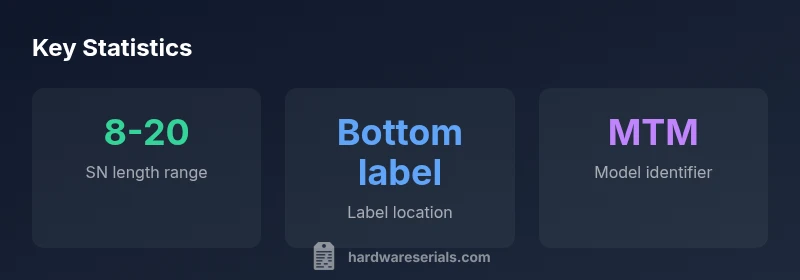
| Serial number length | 8-20 characters | Varies by model |
| Location on device | Bottom label / battery bay | Check multiple sources for accuracy |
Frequently Asked Questions
Where can I find the Lenovo laptop serial number?
Usually on the bottom label or inside the battery bay; you can also check the BIOS/UEFI or use Lenovo Vantage to read it.
Look on the bottom label, inside the battery bay, or in Lenovo Vantage to read the serial number.
Can I use the serial number to check warranty?
Yes. Enter the S/N and MTM in Lenovo's warranty portal to verify coverage and service options.
Yes, you can check warranty by entering the serial and model into Lenovo's portal.
Does Lenovo publish a public decode for serial numbers?
No universal public decode exists; MTM and S/N together help support identify configuration and warranty.
Lenovo doesn't publish a universal decode; use S/N and MTM with official tools.
What is MTM and why is it important?
MTM stands for Machine Type-Model and identifies the exact configuration for parts and firmware; it complements the serial number.
MTM is the model identifier used for parts and updates.
Is it safe to share my Lenovo serial number?
Share only with trusted vendors or official support portals; avoid posting publicly.
Only share with trusted vendors or official support portals.
What should I do if the label is damaged?
Use software readouts (Lenovo Vantage or BIOS) and cross-check with any surviving label.
If the label is damaged, check via software and the remaining label.
“Serial numbers are the key to official support and warranty records for Lenovo devices. Always cross-check with official sources.”
Key Takeaways
- Verify serial numbers with multiple sources
- Use Lenovo Vantage to confirm
- Keep a digital backup
- Differentiate S/N vs MTM
- Share serial numbers only with trusted vendors