Can You Change an iPhone Serial Number? Safe Alternatives
Explore whether you can change an iPhone serial number, why it’s not allowed, official options, and safe steps to resolve serial-number issues with Apple support.


No. A consumer cannot legally or practically change an iPhone's serial number. Serial numbers are unique factory identifiers tied to Apple’s records and device hardware. Altering them can void warranties, trigger fraud investigations, and may be illegal. If you face serial-number issues, use official channels to verify or replace the device through Apple support.
What is a serial number on iPhone, and why it matters
A serial number is a unique identifier assigned to each iPhone during manufacturing. It links the device to Apple’s production records, service history, and eligibility for warranty and support. For owners and professionals, the serial is essential for validating repairs, tracking service events, and confirming battery or display replacements. When people ask can you change serial number on iphone, the honest answer is that consumer devices are not editable. The serial becomes part of the official identity of the device and is used by Apple and service partners to locate the device in their systems. You’ll encounter the serial in several places: Settings > General > About, the original box, and sometimes the SIM tray or device back in older models. Understanding this helps you avoid accidental tampering and ensures any service you request aligns with Apple’s records.
Why the serial number is not a user-editable field
Manufacturers assign serial numbers as a safeguard against fraud and to maintain accurate service histories. Allowing end users to rewrite these numbers would undermine warranty claims, recall tracking, and the ability to verify ownership. For iPhones, this rigid linkage to hardware and records also helps carriers, retailers, and Apple Support determine eligibility for repairs or replacements. In short: changing a serial number would compromise traceability, making it difficult to prove ownership or confirm legitimate service events. The Hardware Serials team notes that serials are designed to be immutable to protect both customers and the supply chain.
Where confusion often starts and how to avoid it
Some people worry about whether a replacement device could land with a “new” serial that doesn’t match their Apple ID or purchase history. While a replacement may come with its own serial, you do not select or transfer a serial number yourself. The process is governed by Apple’s repair centers and official policies. Understanding this distinction helps you navigate warranty coverage, device trade-ins, and recalls without attempting prohibited actions.
Practical path forward when a serial issue arises
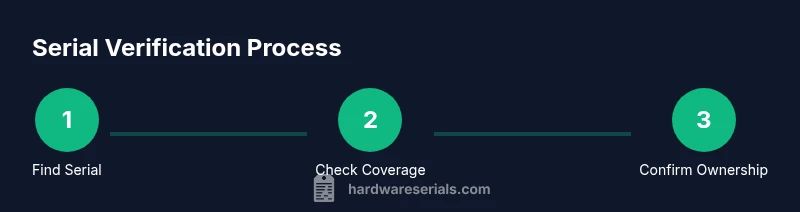
If you suspect a serial-number issue, begin with official checks rather than trying to alter anything. Use Apple’s Check Coverage to verify warranty status, compare against your receipts, and contact Apple Support for guidance. If a misprint, damage, or replacement is involved, Apple will guide you through an approved process to restore proper records. This approach protects you from legal risk and ensures you retain warranty protections as applicable.
How to read this guide as a professional or DIYer
As a DIYer or tech professional, you’ll want clear, legal steps that protect your customer’s and your own interests. Start by locating the serial number accurately, documenting any inconsistencies, and using official channels for any service or device swap. This ensures verifiable ownership, smooth service, and a clean audit trail for future repairs or resale. Hardware Serials emphasizes adherence to policy and documentation as the foundation of responsible practice.
Quick tip: keep everything documented
Maintain a secure log of the device’s serial number, Apple Support case numbers, and purchase receipts. This reduces back-and-forth during service and helps with disputes or recalls. If you’re working on client devices, consider a standardized checklist that includes serial verification, ownership proof, and backup status before any repair or replacement.
What to do next: legal and safe routes only
If the goal is ownership transfer or device replacement, pursue official channels. Do not attempt hardware or software modifications to change the serial number. This protects you from warranty voids, potential criminal liability, and future service complications. The recommended path is to contact Apple Support, verify the device’s identity, and proceed with the approved service options.
Tools & Materials
- Official Apple Support access(Have your Apple ID, device serial, and proof of purchase ready.)
- Proof of purchase(Receipts, invoice, or order number showing ownership.)
- Access to iPhone (Settings view)(Settings > General > About to locate serial; also note packaging labels.)
- Official Check Coverage page(Used to verify warranty status and eligibility for service.)
Steps
Estimated time: 25-40 minutes
- 1
Find the device serial number
Open Settings, go to General, then About to locate the serial number. Cross-check it with the packaging label if available. This confirms the exact identifier you’ll reference with Apple Support.
Tip: Document both the on-device serial and any packaging serials to avoid confusion. - 2
Understand the impossibility of user edits
Recognize that serial numbers are immutable for consumer devices and tied to manufacturing records. This is by design to prevent fraud and ensure reliable service histories.
Tip: Avoid any third-party tools or firmware that claim to alter identifiers. - 3
Assess the reason for inquiry
If you have a potential error, gather purchase records and model details to present to Apple Support. Clarify whether you’re chasing a replacement, transfer, or recall issue.
Tip: Prepare a concise explanation to speed up the support process. - 4
Contact Apple for official service
Book an appointment or start a chat with Apple Support. They’ll confirm eligibility, collect ownership proofs, and initiate any approved replacement or repair.
Tip: Backup data before any service and confirm appointment details in writing. - 5
Follow the official replacement process
If a replacement device is approved, Apple will issue a device with its own serial. You will receive new documentation, and your service history will update accordingly.
Tip: Record the new serial and attach it to your ownership logs. - 6
Verify the new serial in your records
After service, verify the new device serial through Settings and Check Coverage to ensure it reflects the updated device.
Tip: Update inventory sheets or asset management tools with the new serial. - 7
Store serial information securely
Keep serial numbers, purchase proofs, and service numbers in a secure digital vault or password manager.
Tip: Set up reminders for warranty expiration and service anniversaries.
Frequently Asked Questions
Can you legally change the serial number on an iPhone?
No. Serial numbers are designed to be immutable, tied to manufacturing records and ownership. Changing them can violate laws and void warranties. Always use official channels for any serial-number-related issues.
No, you cannot legally change an iPhone's serial number. Use official Apple support for any related needs.
What should I do if I think my iPhone’s serial is misprinted or damaged?
Document the discrepancy, verify against packaging and Settings, and contact Apple Support for guidance. Do not attempt any manual edits or third-party fixes.
If you think the serial is misprinted or damaged, contact Apple Support for official guidance.
Will a device replacement change the serial number?
A replacement device will have its own serial number assigned by Apple. You cannot select or transfer a serial number yourself. Warranty coverage may transfer to the replacement according to Apple policy.
A replacement has a new serial number; you can’t pick or move a serial number yourself.
How can I check if my iPhone is under warranty?
Use the official Apple Check Coverage page to enter your serial number and view warranty status, support entitlements, and eligibility for service.
Check your warranty status on Apple's Check Coverage page using your device's serial.
Is it ever okay to modify hardware to change a serial?
No. Hardware modification to alter a serial is illegal in many regions and can lead to serious penalties and device loss of support.
No—modifying hardware to change a serial is illegal and dangerous.
What if I bought a used iPhone with an unknown serial history?
Request the original receipt and verify the serial with Apple Support. If the seller cannot provide proof of ownership, avoid proceeding with the purchase.
Ask for proof of ownership and verify the serial with Apple before finalizing a used purchase.
Watch Video
Key Takeaways
- Verify ownership via official channels only
- Serial numbers are immutable for consumer devices
- Replacement devices get new serials, not chosen by the user
- Keep thorough documentation and backups