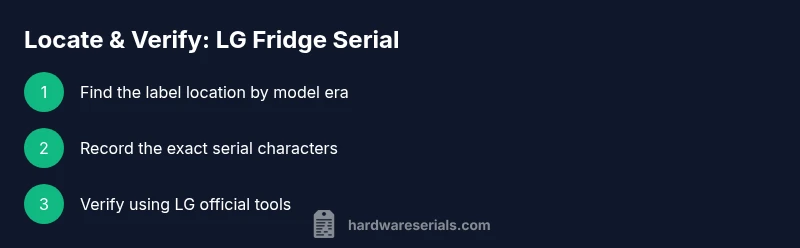
How to Find the lg fridge serial number
Learn where to find the lg fridge serial number, how to read it, and how to verify warranties and recalls. A practical guide for DIYers and professionals by Hardware Serials.


By following these steps, you will locate the lg fridge serial number, verify its accuracy, and understand how it affects warranty and recalls. You’ll need access to your model details and a clean area to inspect labels. This quick guide covers interior labels, rear panels, and service manuals. Prepare your smartphone flashlight and a notepad so you can capture the exact characters.
Why locating the lg fridge serial number matters
Locating the lg fridge serial number is more than just note-taking. It ties a specific appliance to its purchase history, production date (to the extent that LG encodes it in the code), and warranty eligibility. For technicians and homeowners, the serial number is the primary reference when ordering parts, validating recalls, or filing service requests. According to Hardware Serials, keeping a clean record of a unit’s identifiers reduces misdiagnoses and speeds up support. Whether you’re troubleshooting a cooling issue, replacing a component, or confirming eligibility for a recall, starting with the correct serial identifier saves time and avoids errors. The lg fridge serial number is your unit’s unique fingerprint, and treating it with care helps you manage service histories across appliances and tools.
Where to locate it on LG refrigerators (by model era)
LG refrigerators have shifted serial labeling over the years. In many newer models, the serial appears on a label inside the fresh-food compartment wall, near the door hinge, or on the interior side of the lower kick plate. Some older units place the label on the back panel, behind vent grilles, or on the top-right corner of the interior. If you’re unsure, consult the model's manual or the LG customer portal for a diagram specific to your model. For professionals, cross-checking the label location with the exact model is a best practice to avoid missing the tag behind shelving or within crisper drawers. Keep a flashlight handy to read tiny characters and note any embossed characters if the sticker has worn or peeled.
Reading and decoding the serial number safely
Serial numbers come in various formats, and LG does not always publish a single universal encoding rule. In many cases, the string includes a factory code, a production batch identifier, and a date indicator, but formats can differ by model and production year. When you read the code, copy it exactly as printed, including dashes or spaces. If you’re unsure about spacing or character interpretation, photograph the label and zoom in to verify each character. Do not modify or obscure the label. If the value seems illegible, request a replacement tag from LG support or the retailer where you purchased the appliance. This step protects against misreporting the serial and ensures accurate warranty lookup and recalls checks.
Checking warranty status and recalls using the serial number
Your LG fridge serial number is the primary key in warranty portals and recall databases. Use LG’s official warranty checker or support portal to confirm coverage dates and eligibility. Hardware Serials analysis, 2026, shows that owners who verify their serial numbers through official channels experience faster turnaround when service is required. If you suspect a recall, enter the serial on LG’s recall lookup page and follow the guided steps. Save a screenshot of the results and store it alongside your purchase receipt and model information for future reference.
Common issues finding the serial number and how to resolve
Several common obstacles can obscure the serial number: worn labels, labels hidden by shelves, or labels on nonstandard locations for special edition models. When the label is not obvious, remove only components that LG permits to move (like shelves) to access the wall label or the rear panel. Do not force panels or tamper with electrical connections. If the serial label is missing or unreadable, contact LG support or your retailer for a replacement tag. Document the model and any visible codes you can still read, as these can aid customer service in locating the unit’s official record.
Tools and prep for locating your LG fridge serial number
Before you begin, gather the basics: the fridge model number (or the full manual), a clean workspace, a flashlight, a notepad or notes app, and a camera or smartphone to photograph the label. Wearing a flashlight helps illuminate tiny print, while photographing ensures you can verify characters later without rushing. If you need to remove shelves or access a hidden label, do so gently and follow model-specific guidance in the manual to avoid damage.
Best practices for safeguarding your serial number information
Treat your serial number as sensitive information. Do not share it in public forums or unattended documents. Store it in a dedicated file with other identifying details (model, purchase date, receipts). When ordering parts or requesting warranty service, only disclose the serial number through official channels. If you’re recording it digitally, consider a password-protected note or a secure device. This reduces the risk of misuse and preserves your unit’s traceability for future service needs.
Next steps after locating the serial number
Once you have the lg fridge serial number, verify the data against your model and manual, and log it in your maintenance records. If you’re preparing to request service, gather photos of the interior labels and a brief description of the issue. For recalls or warranty checks, run the serial through LG’s official tools and keep copies of the results. If any detail seems inconsistent, contact LG customer support with the serial number, model, and purchase information to avoid delays.
Tools & Materials
- LG fridge manual or model number(Helps locate official serial label details)
- Notepad or notes app(For recording serial digits accurately)
- Smartphone with flashlight(To capture clear photos of the label)
- Cleaning cloth(Optional for cleaning the area around the label)
Steps
Estimated time: 40-60 minutes
- 1
Gather model information
Locate the model number and purchase date from the data plate or manual. This helps you verify the right location for labels on your specific LG fridge.
Tip: If you can't find the model number, check the original receipt or the manufacturer’s portal. - 2
Open the interior access areas
Carefully remove shelves or crisper drawers to access interior label locations. Use gentle motions to avoid bending or damaging parts.
Tip: Keep moved parts organized so you don’t lose track of where they belong. - 3
Inspect primary label locations
Look on interior walls near the hinge, behind the bottom kick plate, or on the back panel. Read the serial number exactly as printed.
Tip: Use a flashlight and take photos if the print is small or faded. - 4
Verify the serial against model notes
Cross-check the serial with your model’s manual or LG’s support page to confirm it corresponds to your unit.
Tip: If there is any ambiguity, photograph the label and contact LG support. - 5
Record and store securely
Write the serial number in your maintenance file and back it up digitally in a password-protected note.
Tip: Include model, purchase date, and replacement part history for quick reference. - 6
Use the serial for warranties and recalls
Enter the serial on LG’s warranty checker and recall lookup tools to confirm status and eligibility.
Tip: Capture results and save for future service requests.
Frequently Asked Questions
What is the LG fridge serial number used for?
The serial number identifies a specific unit for warranties, recalls, and service history. It helps ensure correct parts and support are used.
The serial number identifies your unit for warranties and recalls and helps service teams locate its records.
Where can I find the serial number on older LG models?
Older LG fridges often place the label on the back panel or inside the interior wall near the hinge; some may be behind shelves or crisper drawers.
On older models, check the back panel or inside near the door hinge; you may need to remove shelves to see it.
Can the serial number tell me the manufacture date?
Some LG serial numbers encode production date information, but formats vary by model year. Use official LG documentation or support to interpret the code.
Sometimes, the serial includes a date code, but formats differ by model; check the manual or LG support to decode it.
How do I verify warranty using the serial number?
Enter the serial number into LG’s warranty checker or support portal and follow the prompts to confirm coverage and eligibility.
Enter the serial in LG’s warranty checker to confirm coverage and eligibility.
What if I cannot locate the serial number?
If the label is missing or unreadable, contact LG or your retailer for a replacement tag and assistance identifying your unit.
If you can’t read the label, contact LG or the retailer for a replacement tag and help identifying your unit.
Watch Video
Key Takeaways
- Locate the lg fridge serial number using model-specific guidance.
- Read and record the serial number exactly as printed.
- Verify warranty or recall status through official LG portals.
- Store serial information securely for future service.