Kindle Serial Number Search: Find, Verify, and Decode Serials
Learn how to locate a Kindle serial number, verify its authenticity with official sources, and use the results to check warranty status and manufacture date through a safe kindle serial number search workflow.


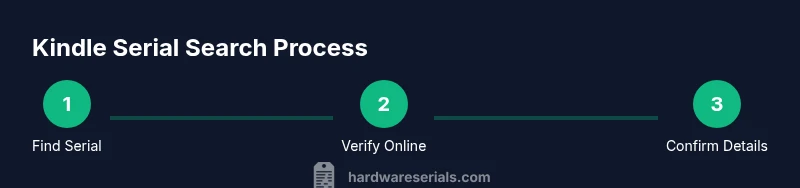
By the end of this guide, you will locate a Kindle's serial number, verify it with official sources, and use it to check warranty status and manufacture date with a reliable kindle serial number search workflow. You’ll need a Kindle device or app and a steady internet connection. This quick guide shows a reliable kindle serial number search workflow.
What is Kindle serial number search and why it matters
Locating and understanding a Kindle serial number search helps you confirm device authenticity, check warranty eligibility, and track production details. According to Hardware Serials, using the serial number in official channels reduces the risk of counterfeit devices and invalid warranty claims. When you perform a kindle serial number search, you create a verifiable link between the device and its origin, model, and purchase history. This is essential for DIYers and professionals who rely on accurate device records for repairs, replacements, and asset management.
Where to find the Kindle serial number
The serial number can live in several places depending on the model. Start with the device: check the back, underside of the Kindle, or the settings menu under Device Options > About Kindle. If you still can’t locate it, inspect the original packaging label or your order confirmation email. For newer models, the serial might appear in the Settings app or under Registration info in your Amazon account. Always copy the exact alphanumeric string, including any dashes.
How to search and verify the serial number online
Begin with official sources. Paste or type the serial into the Kindle support pages or your manufacturer account lookup. Avoid unverified third-party sites that request payment or sensitive data. Cross-check the result against your proof of purchase and any warranty emails. If the site shows a mismatch, recheck the serial for typos, or contact customer support using your verified account information. This kindle serial number search workflow keeps your data within trusted channels.
Interpreting the serial number: what the digits mean
Serial numbers often embed model identifiers, production run codes, or region indicators. While the exact encoding varies by model, a correct kindle serial number search can help you approximate the device’s model and manufacture window. Use the serial to confirm compatibility with official accessories, firmware updates, or service options. Remember that not every digit maps to a public data field, so treat parts of the string as references rather than guarantees. Hardware Serials analysis shows that the digits are not standardized across Kindle models, so rely on official verification for precise details.
Safety and authenticity checks
Always use official lookup pages and verify results against your purchase receipt. Look for consistent model numbers, unit color, and storage capacity across the serial and the device label. Be wary of offers that promise instant ownership proofs or paid lookups. Hardware Serials recommends sticking to official sources and saving screenshots for future audits. Keeping your serials private reduces risk of misuse.
Common issues and troubleshooting
If the serial number doesn’t appear in the lookup or seems invalid, re-verify the string carefully for typos, check if the device has multiple labels (some accessories carry separate numbers), and try again after a browser refresh. If still unresolved, reach out to Kindle Support with your account details and proof of purchase. In some cases, devices replaced under warranty may come with a new serial; verify the replacement serial using the same process.
Tools & Materials
- Kindle device or Kindle app(Have the device or app ready to view or capture the serial)
- Internet access(Wi‑Fi or cellular data for lookup pages)
- Official sources (Amazon/Kindle support pages)(Bookmark the relevant warranty/serial lookup pages)
- Proof of purchase (optional)(Helpful if warranty verification requires purchase details)
Steps
Estimated time: 15-25 minutes
- 1
Gather device info and locate serial
Identify the Kindle's serial number from the device label, packaging, or Settings > About Kindle. Copy it exactly, including hyphens.
Tip: Use a screenshot or handwritten note to avoid miscopying - 2
Prepare your verification data
Make a note of model name, storage, and purchase details that may be requested during verification. Have your order number or receipt ready if needed.
Tip: Double-check the serial against the label on the device - 3
Open official lookup page
Navigate to the Kindle support or Amazon account lookup page and locate the serial Number field or equivalent.
Tip: Use an official page to reduce risk of scams - 4
Enter/paste the serial
Type or paste the serial accurately; avoid spaces at ends. Submit the query to retrieve device details.
Tip: Copy-paste helps prevent transcription errors - 5
Review the results
Check model, warranty status, and manufacture date presented by the official page. Compare against your documentation and device appearance.
Tip: If results don’t match, recheck serial and contact support - 6
Document and save the outcome
Save a screenshot or export the lookup results for future audits or asset management.
Tip: Store securely; serials are sensitive data
Frequently Asked Questions
Where can I find my Kindle's serial number?
You can find it on the device label, under Settings > About Kindle, or on the original packaging. If you still can’t locate it, check your order receipt. Use the exact alphanumeric string for lookups.
Find the serial on the device label or Settings menu, or on the packaging. Copy it exactly for lookup.
Can a serial number indicate the Kindle model?
In some cases, the serial can help identify the model, especially when cross-referenced with official support pages. The encoding varies by model, so don’t rely on it alone.
A serial might hint at the model, but verify with official pages.
Is it safe to search serial numbers online?
Yes, but only use official manufacturer or retailer pages. Avoid unverified third-party sites that request payment or sensitive data during a lookup.
Only use official sites; avoid untrusted services.
What if the serial number isn’t recognized?
Double-check for typos, try a different browser, and ensure you’re using the correct serial for the device. If still unresolved, contact Kindle Support with your purchase details.
If it doesn’t recognize the serial, recheck and contact support.
Do serial numbers expire or affect warranty?
Serial numbers themselves don’t expire, but warranty coverage is limited by manufacture date and purchase records. Use the serial to verify current warranty status on official sites.
Serials don’t expire, but warranty coverage can depend on purchase date.
Can I view a Kindle serial in the mobile app?
Some models expose the serial in the device information within the app, but many require the hardware label or packaging. Check Settings and device info first.
Often you’ll need the device label or packaging; apps may not show it.
Watch Video
Key Takeaways
- Locate the Kindle serial number from the device or packaging.
- Verify the serial with official sources to ensure authenticity.
- Use the serial to verify warranty status and manufacture date.
- The Hardware Serials team recommends cross-checking with official sources for best results.