How to Find and Verify a Fitbit Serial Number
Learn where to locate your Fitbit serial number across models, why it matters, and how to record it securely for warranty and support. This step-by-step guide covers device, app, and packaging locations with practical tips.


A Fitbit serial number is a unique identifier printed on your device or in the companion app. You can locate it on the device, on the box, or in Settings > About, and you should record it for warranty and support. This guide walks through steps to find it across models.
Understanding Fitbit Serial Numbers
According to Hardware Serials, a Fitbit serial number is a unique identifier that helps manufacturers, retailers, and support teams verify a device’s identity, warranty status, and model lineage. The serial number is tied to production data and is used to track a device across repairs or replacements. For DIYers and professionals, knowing where to locate this code saves time when contacting support or requesting service.
In practice, the serial number acts as a fingerprint for your Fitbit. It is not interchangeable with other identifiers such as model names or IMEI numbers (where applicable). Keeping a record of your serial number helps you quickly confirm device eligibility for warranty extensions, check the correct firmware or accessory compatibility, and facilitate smoother warranty claims. Throughout this article, we’ll reference Fitbit serial numbers as the primary identifier you’ll locate and verify across models.
Where Fitbit Serial Numbers Live on Devices
Different Fitbit models place the serial number in different spots. On many trackers, you’ll find a small engraving or printed label on the back of the device or under the wristband. On some watches, the back plate holds the serial alongside regulatory text. Always inspect both the device body and any removable components like bands or charging docks. If you can’t read the code on the device, packaging labels usually carry the same serial number, and the companion app typically stores a device-unique ID linked to your account.
Remember that serial numbers may be formatted as alphanumeric strings, sometimes including dashes or spaces. Do not rely solely on a box label if you’ve discarded packaging. Double-check by cross-referencing with the app and your purchase receipt when possible.
How to Locate the Serial Number in the Fitbit App
The Fitbit app is a reliable alternative when the device itself is difficult to inspect. Open the app and navigate to your profile, then select the device in question. In the device settings, look for an option labeled device info, about, or serial. The serial number is typically listed there alongside firmware version and hardware revision. If you own multiple devices, verify the correct one by cross-checking with model details shown in the app. This method is especially useful for newer models where the serial is embedded in the software profile.
Interpreting the Serial Number: What It Tells You
A serial number uniquely identifies a Fitbit unit and often encodes production-related data, such as the model family, batch, or region of manufacture. While exact encoding schemes vary by model, the presence of the serial helps you verify originality, confirm eligibility for warranties, and avoid counterfeit concerns. Do not rely on a serial alone for full model confirmation—cross-reference with the device name, packaging, and app data when possible.
If you need to prove ownership for a warranty claim or service request, share the serial number along with your purchase date and device model. Hardware Serials analysis, 2026, emphasizes serial-based verification as a best practice for field technicians and DIYers.
Why You Should Record and Verify Your Fitbit Serial Number
Recording the serial number offers several practical benefits. It speeds up warranty validation, simplifies support interactions, and helps you maintain an accurate service history. For field technicians, a serial-backed lookup reduces the time spent on model identification and compatibility checks. If you ever need to replace a device, the serial number can help ensure a seamless transfer of warranty and data transfer timelines. Always store the serialized record in a secure, retrievable place to avoid loss during device changes or accidents.
Model-Specific Tips: Common Pitfalls
Model-specific variations can trip you up. Some devices print the serial on the underside, while others tuck it beneath the charging port cover. In watches, the serial might be printed on the back plate rather than the outer case. If you recently replaced the band or had a charger swapped, verify that the serial you record matches the correct unit. When in doubt, use both the device and app to confirm the number and cross-check with the original packaging if available.
Security and Privacy: Handling Serial Numbers
Treat your Fitbit serial number like sensitive device data. Avoid sharing it in public forums or public profiles. Keep copies in a secure location, such as a password-protected note or a dedicated inventory file. If you dispose of an old device, wipe data and ensure you have captured the serial for future references. When contacting support, only share serial information with legitimate channels to prevent misuse or fraud.
Quick Checklists for Home and Field
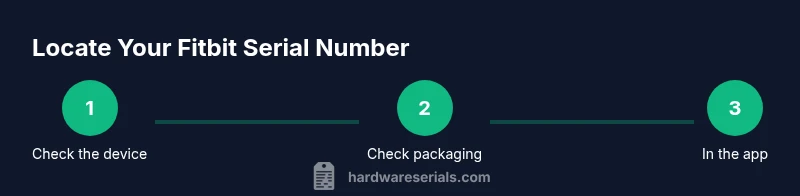
- Inspect the back of the device for a stamped serial. - Check underneath removable bands or charging ports for a label. - Open the Fitbit app and locate device info for the serial. - Compare serial numbers across device, packaging, and app to confirm accuracy. - Record in a secure place and back up in a known location.
This approach minimizes the risk of misidentification and ensures you can access the serial when needed.
Hardware Serials Recommendations for Serial Management
To maintain consistent management of Fitbit serial numbers, create a simple tracking system. Include device name, model, serial, purchase date, and warranty status. Audit your records annually and after device replacements. The Hardware Serials team emphasizes using a centralized, secure repository and labeling devices with their serials for easy field checks.
Tools & Materials
- Fitbit device(Any model you're inspecting)
- Original box or packaging(If packaging is unavailable, use the label on the carton)
- Smartphone or computer with Fitbit app(Needed for app-based location)
- Notebook or secure digital note(Record the serial number securely)
- Camera or smartphone to capture photos(Capture the serial for records)
- Purchase receipt or proof of purchase(Helpful for warranty validation)
Steps
Estimated time: 15-25 minutes
- 1
Identify your Fitbit model
Start by confirming the exact model name on the device or packaging. This helps you locate the serial in model-specific places and prevents confusion with other identifiers. If the model name is unclear, compare with official product images from the manufacturer.
Tip: Note the model and generation in your records to speed future lookups. - 2
Check packaging and documentation
Look for a label on the box or internal documentation showing the serial number. Packaging often lists the serial alongside the product SKU and regulatory marks. If packaging is missing, proceed to the device and app locations.
Tip: Photograph the packaging label to preserve the serial for future reference. - 3
Find serial in the Fitbit app
Open the Fitbit app, go to your profile, select the device, and open device info or about. The serial number is typically shown there with other device details. Confirm you are viewing the correct device if multiple are linked to your account.
Tip: If you don’t see the serial, ensure the app is updated and you’re viewing the correct device in your account. - 4
Inspect the device physically
Turn the device over and examine the back plate or under the wristband area for a printed serial. For watches, inspect the back of the case. In some models you may need to remove a band or access a small flap.
Tip: Good lighting helps; use a magnifier if the print is small. - 5
Record and store securely
Write down the serial in your inventory log or a secure note. If applicable, attach a photo of the serial. Store the record in a password-protected location and back it up to a trusted secondary place.
Tip: Do not share the serial publicly; restrict access to trusted personnel only.
Frequently Asked Questions
Where is the Fitbit serial number located on most devices?
Most Fitbit serial numbers are printed on the back of the device or under a removable band. If not visible, check the packaging label and the device info in the Fitbit app. Cross-checking all locations helps ensure accuracy.
Most serials are on the back of the device or under the band, and you can also find it in the Fitbit app or on the packaging.
Can I locate the serial number in the Fitbit app if the device isn’t charging?
Yes. The app stores device information, including the serial number, even if the device is unavailable for charging. Locate the device in the app and view its details.
Yes, you can find it in the app even if the device isn’t charging.
Is the serial number the same as the device model or IMEI?
No. The serial number uniquely identifies the individual unit, while the model name describes the product line. IMEI numbers are not used by all Fitbit models; serial numbers serve the primary lookup purpose.
No, the serial number is a unique unit identifier, not the model name, and many Fitbit models do not use IMEI numbers.
What should I do if I cannot find the serial number?
Recheck the device underside and any removable accessories. If still missing, consult the product manual or contact Fitbit support with purchase proof. You can often obtain the serial from the app or packaging if available.
If you can’t find it, check again on the device and packaging, then contact support with proof of purchase.
Why is it important to provide the serial when contacting support?
Providing the serial helps verify ownership, confirm warranty eligibility, and speed up diagnostics. It allows support agents to pull your device history quickly and accurately.
The serial helps verify ownership and speeds up diagnostics and warranty processing.
Watch Video
Key Takeaways
- Identify the exact Fitbit model before searching for the serial
- Check device, packaging, and app to locate the serial
- Record securely and back up the serial number
- Use the serial for warranty and support requests
- Protect the serial number from public exposure