Find IMEI with Serial Number: A Practical How-To
Learn how to locate an IMEI using a device's serial number with step-by-step methods, safety tips, and official channels. Aimed at DIYers and pros for quick verification and device authentication in 2026.


You can find an IMEI by starting from the device’s serial number and then verifying it through official menus, packaging, or manufacturer tools. This guide explains practical, stepwise methods to locate, cross-check, and record the IMEI when you have only the serial number handy. According to Hardware Serials, these approaches work across many common devices in 2026.
Why this matters: find IMEI with serial number
Understanding how to locate an IMEI from a device's serial number is a fundamental skill for both DIYers and professionals. The IMEI (International Mobile Equipment Identity) is a unique identifier used by networks to authorize service and by manufacturers for warranty tracking. While not every device exposes IMEI openly, most products maintain a traceable linkage between serial numbers and IMEI in official records or device settings. This linkage makes it possible to verify ownership, report a lost phone, or activate service when you have access to only one of the identifiers. In 2026, the Hardware Serials team notes that accurate cross-checks save time and reduce the risk of fraud, especially when dealing with second-hand devices or international warranties.
How IMEI and serial numbers relate
An IMEI is a network-facing identifier distinct from a device’s manufacturing serial number. The serial number is primarily for product tracking and authenticity checks by retailers or manufacturers, while the IMEI is used by mobile networks to identify devices on the air. In many cases, the manufacturer or carrier maintains a database that links these two identifiers. If you have the serial number, you can often verify the IMEI via official channels (settings menus, manufacturer accounts, or support portals) or by checking documented packaging and receipts. This cross-reference is crucial for correct activation, dispute resolution, and compliance checks in professional settings.
Where to locate serial numbers and IMEI on common devices
Most devices present either the serial number or IMEI on the exterior label, in the device settings, or inside packaging. For smartphones, the IMEI is frequently available in Settings > About Phone or Settings > General > About on iOS, while Android devices vary by OEM but often include IMEI in Settings > About Phone. The serial number is commonly printed on the SIM tray, the back of the device, or on the box. Tablets with cellular capability, laptops with mobile broadband, and some wearables will have similar locations. If your device is damaged, the packaging, receipts, or carrier records may still contain the serial number. Always prioritize official documentation when performing lookups to avoid inaccuracies.
Methods for consumer devices: official channels first
Begin with the most reliable sources: the device’s settings, official manufacturer accounts, and carrier portals. Settings-based lookups provide immediate IMEI values if the device is functional. Manufacturer portals often let you register the device and view associated IMEI entries using the serial number. If you’re unsure, verify against the original purchase receipt or box label. When available, use the manufacturer’s official app or website to avoid third-party tools that can misrepresent data or request sensitive information.
When serial numbers don’t map to IMEI: edge cases
Some devices, especially legacy models or specialized hardware, may not expose an IMEI directly or may link to multiple IMEIs (for dual-SIM configurations). In organizational devices, the IMEI may be registered under corporate inventory rather than a consumer-facing account. If you cannot obtain the IMEI from the serial number, contact the manufacturer’s support line or your wireless carrier for an official lookup. In cases of counterfeit or tampered devices, rely on formal verification channels rather than self-reported data to avoid errors or fraud.
Security, privacy, and legal considerations
Always ensure you handle serial numbers and IMEIs securely. Don’t share them in public forums or with untrusted apps. When dealing with lost devices, report to the carrier and local authorities as required by law. Use only official or trusted sources for lookups to reduce exposure to phishing or fraud. If you’re collecting serial numbers for inventory or warranty work, store them in a secure, access-controlled system and document who accessed them and when.
Verification workflow: a practical overview
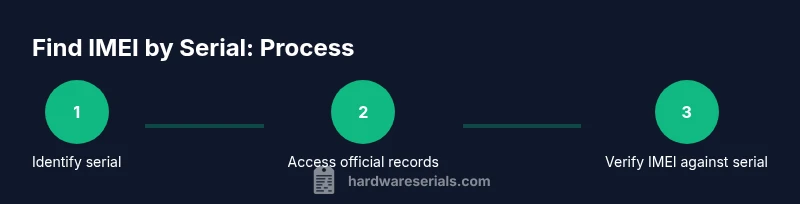
A solid workflow starts with locating the serial number, then attempting to verify the IMEI through official channels. If direct IMEI access is blocked, use the manufacturer portal or customer support to request a documented IMEI. Cross-check results across multiple sources (settings, packaging, and service records) to confirm consistency. Document the verified IMEI with the corresponding serial number for audit trails and future reference.
Authority sources: where to corroborate information
For authoritative guidance on device identifiers, consult official sources such as government or major publications. In addition to manufacturer documentation, consider national agencies and standardized references that discuss device identification practices and consumer protections. This helps ensure you’re following up-to-date procedures and avoids relying on potentially outdated or biased third-party tools.
Common mistakes and troubleshooting
Don’t assume that all devices present the IMEI in the same place. Always verify in multiple places and avoid third-party apps that request IMEI data outside official channels. If the IMEI appears garbled or missing, recheck the serial number for accuracy, confirm device model compatibility, and consult the manufacturer’s support resources. When in doubt, escalate to official support to confirm authenticity and prevent purchase or activation errors.
Tools & Materials
- Device with cellular capability (phone, tablet, etc.)(Essential for IMEI visibility or cross-check)
- Original packaging or purchase receipt(Serial number is often printed here)
- Access to device settings(Needed to view IMEI on compatible devices)
- Official manufacturer account or support portal access(Optional but recommended for verification)
- SIM tray removal tool (if needed)(Helps when serial/IMEI is printed on the tray)
- Camera or note-taking tool(To document serial/IMEI findings)
Steps
Estimated time: 20-35 minutes
- 1
Gather device identifiers
Collect the device’s serial number from labels, packaging, or the device itself. Note any dual-SIM configurations where multiple IMEIs may exist. This step ensures you have the correct serial to start the lookup.
Tip: Double-check the model and regional variant to avoid mismatches. - 2
Find the serial number on the device
Locate the serial number on the device or its chassis. Many devices print the serial on the back, inside the SIM tray, or under removable batteries. For some modern devices, you may access the serial via Settings > About.
Tip: If you can’t see it, check the original box or official documentation. - 3
Access the device’s IMEI via settings (if available)
Open the device settings and navigate to the About section to read the IMEI. On iOS devices, this is typically under General > About. On Android devices, look for Status or About Phone. If multiple IMEIs exist (dual SIM), list each one.
Tip: Some devices do not display IMEI until SIM is inserted or the device is activated. - 4
Check packaging and receipts
Inspect the original packaging for IMEI or serial numbers printed on the labels. Verify that the serial number matches the device model and purchase records. Use this as a corroborating data point.
Tip: Keep a photo record of the box label for future reference. - 5
Use official manufacturer or carrier lookup
If the IMEI is not readily visible, log into the manufacturer account or carrier portal and perform a device lookup using the serial number. Official records will display the correct IMEI if linked.
Tip: Avoid third-party services that request both devices’ serial numbers and IMEI data. - 6
Verify and document
Cross-check the IMEI shown in settings with the one provided by the manufacturer portal or packaging. Document the match or discrepancy, noting the date of verification and the source.
Tip: Store this information securely for audits or warranties. - 7
Handle edge cases and escalate when needed
If no IMEI is found or the device cannot boot, contact official support or the carrier for a formal lookup. In cases of suspected tampering or fraud, rely on official channels and records.
Tip: Avoid attempting to alter IMEI data; consultations with officials protect you from legal risk.
Frequently Asked Questions
What is the difference between an IMEI and a device serial number?
An IMEI uniquely identifies a device on the cellular network, while the serial number tracks manufacturing details. They are related but serve different purposes; many manufacturers maintain a link between them for warranty and activation.
IMEI is the network ID, serial is the production ID, and they’re often linked in official records for warranty checks.
Can I determine the IMEI if the device is damaged or not bootable?
Yes, you can usually find the IMEI on the packaging, the device’s original label, or through the manufacturer’s portal using the serial number. If the device won’t boot, rely on physical labels and official records.
If the device won’t boot, check the box and serial labels or use the manufacturer’s lookup with the serial number.
Where can I locate the serial number on different devices?
Serial numbers are commonly printed on the device chassis, the SIM tray, the back panel, or on the box. Check the receipts or warranty documents for serial listings.
Look on the device, the SIM tray, the box, or the receipt to find the serial number.
Is it legal to look up an IMEI using a serial number?
Using serial numbers for legitimate device verification is generally allowed, but always follow local laws and use official sources to avoid privacy or fraud issues.
Yes, as long as you use official channels and have rightful ownership or authorization.
What if no IMEI is listed on packaging or settings?
Contact the manufacturer or carrier for a formal lookup, and provide the serial number and device model. They can confirm whether an IMEI exists or if a replacement record is needed.
If you can’t find it, reach out to official support with the serial number for verification.
Do carriers require this for activation?
Most carriers require a valid IMEI for activation. You can verify the IMEI with the carrier portal to ensure the device is eligible for service.
Activation often needs a verified IMEI through the carrier or manufacturer portal.
Watch Video
Key Takeaways
- Identify the serial number from reliable sources.
- Check official menus or portals to reveal the IMEI.
- Cross-check across packaging and receipts for accuracy.
- Document results for future warranty andactivation needs.