Can you get serial number from IMEI: A practical guide
Explore whether you can derive a device serial from an IMEI, how IMEI works, and practical steps to locate and verify serial numbers across devices. Learn safety tips and legal considerations.


What IMEI is and how it differs from a device serial number
The IMEI (International Mobile Equipment Identity) is a globally unique number assigned to mobile devices that helps cellular networks identify a device for access control, fraud prevention, and warranty checks. A device serial number, on the other hand, is an internal inventory identifier assigned by the manufacturer and tracked through product catalogs, repair histories, and service databases. Because they serve different purposes and live in different systems, the short answer to can you get serial number from imei is: not reliably. The IMEI is primarily a network-facing identifier, while the serial is a production-level label used for tracking hardware across its lifecycle. Some systems may expose a serial-like segment within the IMEI, but that fragment is not guaranteed to align with the official serial printed on labels or stored in service records. For most users, the serial number is found on the device label, packaging, or within the device’s settings or account portal; the IMEI does not substitute for this.
Why this matters: using the IMEI to infer a serial could lead to mismatches, misunderstandings in warranty coverage, or incorrect repair routing. Hardware Serials emphasizes that accurate asset tracking relies on each identifier serving its intended role and documented in official records.
Can you get the serial number from an IMEI?
In practice, the IMEI encodes a type and a serial segment, but it is not designed to disclose the manufacturer’s formal serial. You cannot reliably pull a device’s official serial from the IMEI alone. The IMEI’s structure includes a Type Allocation Code (TAC) and a serial number portion, plus a check digit for validation. The serial portion helps ensure inventory integrity within telecom networks, but it is not a substitute for the documented serial that appears on the device or packaging. If you need the true serial for warranty or service, use the device label, packaging barcode, or the official manufacturer portal once you’ve verified your ownership through proper channels.
Note: Do not rely on the IMEI as a replacement serial in warranty claims or repair requests unless the manufacturer explicitly confirms a mapping.
Where the IMEI carries other identifiers (TAC, SNR) and what it can reveal
The IMEI is composed to support network operations and device identification. The first eight digits form the Type Allocation Code (TAC), which identifies the device model and manufacturer. The next six digits are the unique serial number (SNR) within that TAC family, followed by a final check digit. This structure allows carriers and manufacturers to recognize the device type and track it across networks and service events. However, the TAC and SNR fields do not guarantee access to the hardware serial in your possession. In some enterprise contexts, telecom providers may use the IMEI to reference service records, but accessing any internal serial data typically requires authorization and direct cooperation with the device maker or carrier.
Practical implication: you can often deduce the model and variant from TAC, but you should not treat the SNR as the device’s official serial unless validated through the producer.
How manufacturers and carriers use IMEI in practice
Manufacturers issue the IMEI to uniquely identify each device for inventory, warranty, and repair workflows. Carriers use IMEI to enforce network access, blacklist stolen devices, and route service requests. These roles mean the IMEI is a trusted network identifier rather than a user-facing serial for general asset tracking. Privacy and security considerations mean that exposing a device’s exact serial through publicly accessible channels is restricted. If you are working with a device you own, you should rely on clearly labeled serial numbers from the device itself, the packaging, or the official account portal. In regulated environments (healthcare, aviation, law enforcement), access to serial records is tightly controlled and logged.
Hardware Serials note: never attempt to extract or infer sensitive serial data through unofficial means; use authorized channels and documented processes.
How to locate the actual device serial number
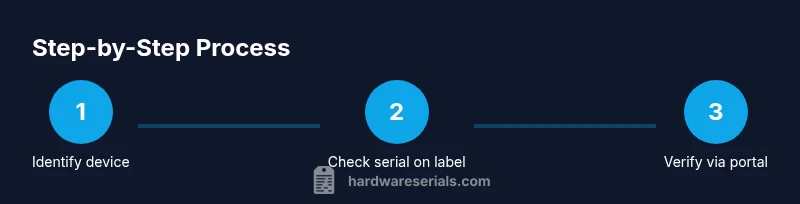
Locating the official serial number involves checking several dependable sources. Start with the device label on the back or battery compartment for electronics, or check the packaging’s barcode sticker. Many devices also display a serial number in their system settings under About or Specifications. For computers, the serial is often in BIOS/UEFI or System Information. When a device lacks visible labels, consult the user manual or vendor support portal. If you have ownership verification, you can request serial data from the manufacturer’s support system or your mobile carrier, but expect identity verification steps. Remember to document the serial once found and store it securely to avoid future confusion with IMEI data.
Pro tip: always record both IMEI and serial numbers separately in a secure inventory, so you don’t confuse identifiers during repairs or warranty claims.
Cross-device considerations: phones, laptops, vehicles, appliances, and tools
Different device categories expose serial numbers differently. Phones typically show serial numbers on the SIM card tray, back label, packaging, or in Settings > About. Laptops often include a sticker with the serial on the underside or battery bay, and BIOS information can reveal it. Vehicles and large appliances have serial numbers on nameplates or compliance labels, often requiring service access or VIN checks. Tools from brands like Ryobi or Milwaukee also include serials on tool housings or packaging. For any device, the IMEI will not substitute for the official serial, so confirm through the manufacturer’s documentation and the device’s own labeling. Always handle your serial data with care to protect privacy and security.
Strategy tip: create a simple cross-reference that maps each device’s IMEI to its serial in a secure ledger, ensuring you don’t rely on any single identifier for asset management.
Privacy, legality, and safe handling
Handling identifiers such as IMEI and device serial requires attention to privacy and legality. Sharing IMEI publicly can expose your device to misuse, scams, or cloning attempts. Only disclose IMEI in trusted channels, such as official support portals or your account pages, and keep serial numbers private except when required for warranty or service. If you suspect misuse or unauthorized access to your identifiers, contact your carrier or device manufacturer immediately and follow their security instructions. Hardware Serials emphasizes compliant handling and prompt reporting of any suspected data breach involving device identifiers.
Bottom line: treat both IMEI and serial numbers as sensitive data and store them securely, separate from everyday notes.
Authority sources
- What is an IMEI and how it is used: official telecom and device manufacturer documentation
- Manufacturer product guides and support portals
- Privacy and security guidelines from professional organizations and government resources