Beats Serial Number Check: Verify Authentic Beats Earphones
Learn how to perform a beats serial number check to verify authenticity, warranty status, and ownership. Step-by-step guidance with official sources and best practices from Hardware Serials.


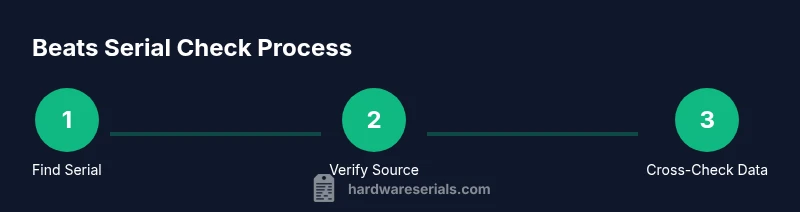
Beats serial number check helps you confirm authenticity by locating the serial, cross-checking it with official Beats databases, and reviewing packaging and accessories. Start by finding the serial on your Beats device, then verify it with Beats support or Apple databases. This quick check also reveals warranty status and whether the product is genuine or refurbished.
What a beats serial number check accomplishes
Beats serial number check is a practical, early step to confirm the authenticity of Beats headphones or earbuds. According to Hardware Serials, this process helps buyers and professionals distinguish genuine products from counterfeits by combining serial validation with model-specific data, warranty status, and packaging cues. A successful check reduces the risk of counterfeit purchases, protects warranty rights, and supports asset management for businesses. In this section, you will learn how locating and interpreting the serial number translates into a reliable authenticity verdict across a range of Beats products. You will also learn where serials appear on different models and what to expect during the cross-check stage.
Where to locate the Beats serial number
Beats serial numbers appear in a few common places depending on the product class. For on-ear headphones, look under the headband near the hinge, or on a label inside the earcup. For true wireless earbuds, check the charging case lid and the interior lid, or the outer packaging label. If you own an accessory, the serial is often on the product itself or on the box. When in doubt, consult the user manual or Beats support resources for model specific guidance. Photograph or write down the serial exactly as shown, including letters and numbers.
How to cross-check beats serial numbers with official sources
The core of a beats serial number check is cross-referencing with official sources. Start at the Beats support portal or the wider Apple support ecosystem and look for a serial checker or warranty lookup tool. Some models also tie the serial to the purchase date and warranty eligibility. If an official lookup confirms a match, you can be reasonably confident in authenticity. If the lookup reveals a mismatch or an expired warranty yet the serial still appears, proceed with further verification steps or contact support. Always ensure you are using the official domain and not a third party that imitates the brand.
Interpreting the results: genuine cues vs counterfeit signals
A clean match in the official database is a strong signal of authenticity, but look for extra cues. Genuine Beats devices often show consistent model identifiers, compatible accessories, and actual warranty status. Counterfeits may share a serial format, but fail cross-checks such as warranty length, region, or accessory compatibility. Compare the packaging text, barcodes or QR codes, and serial alignment across the box and device. Use these cross-checks collectively rather than relying on a single data point. Hardware Serials reminds professionals to document discrepancies meticulously.
Common issues and how to resolve them during a serial check
If you cannot locate the serial or if the database returns an error, re-check the source, try alternate serial positions, and confirm the model number. Sometimes serials are region-specific or tied to a product batch. If you still cannot verify authenticity, contact Beats support or Apple care with your purchase details, photos, and serial. Never ignore a missing serial or a mismatched model; this is a red flag for potential counterfeit activity.
Privacy, data handling, and safety during a serial check
Treat serial numbers as sensitive data. Do not share them publicly, and avoid entering them on unofficial sites. When performing checks, only use official portals and trusted tools. Remember that serial data can be used to access warranty records, so handle it securely and erase any copies after your verification is complete. Hardware Serials emphasizes secure handling practices to protect your devices and your own information.
Security best practices and what to do next after verification
If the serial check confirms authenticity, update your device records and check warranty status to determine coverage. If a mismatch is found, do not use the device or request support via official channels with your purchase details. Document the serial, take screenshots of the official results, and follow up with the vendor or Beats support for resolution. The goal is to be proactive and protect your investment.
Data you should collect and how to document your beats serial check
Keep a dedicated record for each Beats device, including serial, model, purchase date, retailer, and the verification outcome. Store this information in a secure note or asset management system, and back it up. Include photos of the label, packaging, and any barcode scans along with the official verification reference number or status. This habit simplifies future warranty claims and resale.
Tools & Materials
- Beats device (headphones or earbuds) with visible serial(Model varies; locate serial on device body or case)
- Official serial database access(Beats support portal or Apple warranty lookup)
- Camera or smartphone(For capturing serial and packaging images)
- Original packaging and warranty card(Helpful for cross-checks but not strictly required)
- Notebook or secure digital log(Record results and reference numbers)
- Stable internet connection(Needed to access official verification portals)
Steps
Estimated time: 15-25 minutes
- 1
Locate the serial number
Inspect the Beats device for the serial label. For headphones, check under the headband or near the hinge; for earbuds or case-based devices, check the inside of the lid or the bottom label. Record the exact alphanumeric string without spaces or misreads.
Tip: Use good lighting and a magnifier if characters are tiny. - 2
Photograph and transcribe the serial
Take a clear photo of the serial label and transcribe it verbatim. Double-check the transcription against the photo to avoid one-off errors. Save the image with a descriptive filename for future reference.
Tip: Capture both close-up and full-product photos to aid verification. - 3
Find official verification sources
Open the Beats support portal or Apple care pages and locate the serial checker or warranty lookup tool. Ensure you are on the official site to avoid counterfeit portals. Note any model numbers or region-specific notes shown in the tool.
Tip: Bookmark the official checker for future checks. - 4
Enter serial into official verification tool
Enter the serial exactly as recorded and select the correct product category if prompted. Submit the query and wait for the result. Record the result reference number if provided.
Tip: Avoid auto-fill mistakes by pasting from your transcription rather than retyping. - 5
Review results for consistency
Compare the verification output with the model information and packaging. Look for matching model identifiers, region, and warranty status. If any detail mismatches, proceed to additional checks or contact support.
Tip: Check multiple data points before drawing conclusions. - 6
Document and decide next steps
Create a verification log entry with serial, date, results, and actions taken. If authentic, note warranty eligibility; if not, follow Beats support guidance and consider returning or escalating.
Tip: Keep a copy of all proof in a secure location.
Frequently Asked Questions
Where can I locate the serial number on Beats devices?
Beats serial numbers appear on the device label, the charging case, or the box. For earbuds, check the stem area; for over-ear models, look under the headband near the hinge. If in doubt, consult the manual or Beats support.
Beats serials are typically on the device label, the case, or the box. If you can't find it, check the manual or contact Beats support.
How do I verify a Beats serial number on official sources?
Visit the Beats support portal or Apple care warranty checker and use their serial verification tool. Ensure you are on the official site. If the tool confirms the serial, the device is more likely authentic.
Use Beats or Apple’s official warranty checker to verify the serial; make sure you’re on the official site.
What should I do if the serial isn’t found in the database?
If a serial isn’t found or returns an error, double-check the transcription, try alternate serial positions, and ensure you selected the correct product. If issues persist, contact Beats support with your purchase details and photos.
If the serial isn’t found, recheck the data and contact Beats support with your details.
Can I check warranty status using the serial?
Yes. Many official checker tools display warranty status linked to the serial. This helps confirm legitimacy and coverage. If the warranty status is missing or incorrect, escalate to official support.
Most official checkers show warranty status tied to the serial; if not, contact support.
Is it safe to share a Beats serial online?
No. Serial numbers are sensitive data and should not be shared publicly or on unofficial sites. Use only official portals and secure storage for your records.
Do not share your serial publicly; use official portals and keep records secure.
What signals indicate a counterfeit Beats product?
A serial that doesn’t pass official checks, mismatched model data, or inconsistent warranty information are red flags. Packaging, accessories, and build quality should also align with the claimed model.
If the serial fails checks or data doesn’t match the model, treat it as counterfeit and contact support.
What should I do if there is a mismatch after verification?
Document all findings, gather proof from the verification tool, and contact Beats support or the retailer for resolution. Do not use the device until the issue is resolved.
Document the mismatch and contact official support for resolution.
Are there model-specific variations in serial layout?
Yes, some Beats models use different serial placement and formats. Always refer to model-specific guides in the official support portal for accurate locations.
Some models differ in serial locations; check the model guide on the official site.
Watch Video
Key Takeaways
- Find the serial exactly
- Cross-check with official sources
- Verify packaging and model
- Document results and follow up
- The Hardware Serials team recommends using official resources and keeping a serial record