Check Beats Serial Number: A DIY Verification Guide
Learn how to check beats serial number for authenticity and warranty. Locate digits, verify them with official portals, and compare against packaging and receipts for reliable results.


To check beats serial number, locate the serial on the device or packaging, copy it precisely, and verify it on Beats’ official support portal or an authorized database. Cross-check against the box and receipt, then look for consistent model details. If anything mismatches, escalate to customer support.
What does 'check beats serial number' mean in practice?
In everyday terms, check beats serial number means confirming that a device or accessory is legitimate by comparing the unique identifier printed on the product or its packaging with authoritative records. This process helps you detect counterfeits, confirm warranty eligibility, and verify ownership. For DIYers and professionals, mastering this check beats serial number workflow reduces risk and protects your investment. Hardware Serials emphasizes that serial verification is not a single step but a small, repeatable routine that improves trust in every purchase. By understanding exactly what your serial represents and where to verify it, you can confidently assess authenticity before using or reselling gear.
Where to find serial numbers on Beats devices and packaging
Serial numbers are typically a string of letters and digits placed in multiple locations for redundancy. On Beats headphones, look inside the ear cup or along the headband hinge, near the hinges or model label. On wireless earbuds, the serial may be etched on the charging case or inside the charging case lid. Packaging often includes a sticker or card with the serial and model information. If you purchased from a retailer, keep the receipt and packaging as a cross-reference. Always photograph or write down the serial exactly as it appears; a misread character can lead to incorrect conclusions. When you can't locate a serial, contact official support channels for guidance.
Decoding serial numbers: formats and what they reveal
Serial numbers encode useful information about manufacture date, batch, and region in structured formats. While the exact schema varies by brand, you can often infer the production window from date digits, identify the model line from a segment, and spot anomalies if the length or characters don’t match the standard pattern. The key is to learn the general logic rather than memorizing every permutation. Hardware Serials notes that interpreting these encodings correctly reduces false negatives and helps you align the device with warranty and service options. Always cross-check with official references to avoid misinterpretation.
A robust verification workflow: from capture to confirmation
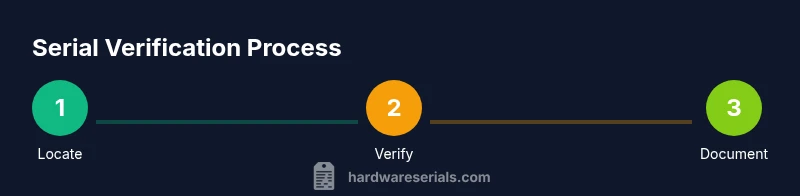
A reliable check beats serial number workflow begins with precise capture, followed by cross-verification with trusted sources, and ends with documentation. Start by locating the serial, then copy it exactly. Check against Beats’ official portal, retailer databases, and any accompanying documentation. Compare model numbers, hardware features, and purchase dates. If discrepancies exist, document them with photos and reach out to official support for confirmation. This structured approach minimizes errors and strengthens your audit trail for future reference.
Red flags and extras you should verify beyond the serial
Even a valid serial can accompany counterfeit packaging or accessories. Look for red flags such as mismatched model numbers, suspicious font or spacing, inconsistent holograms, missing warranty cards, or irregular warranty dates. When possible, verify the serial across multiple sources: the manufacturer portal, authorized retailers, and, if applicable, the product’s active warranty database. Remember that some serials can be duplicated or faked; relying on a single source is insufficient. Hardware Serials advises corroborating serial data with purchase provenance and serial-date correlations.
Best practices for documenting and organizing serials
Maintain a centralized log for each device: serial number, model, purchase date, retailer, and warranty status. Use a consistent format (e.g., YYYY-MM-DD for dates) and store digital copies of receipts and packaging photos. Back up logs to a cloud service or password-protected repository. If you own many devices, consider creating a simple inventory sheet with search fields like model, location, and serial. Regularly review your records, especially before transfers or resale, to ensure all serial information remains current and accurate.
Tools & Materials
- Beats device and/or packaging(Have both device and box handy for cross-checks)
- Camera or smartphone for photos(Capture close-ups of serial area and packaging labels)
- Notebook or digital notes app(Record serials and verification steps)
- Official Beats support portal access(Bookmark the official verification page)
- Receipts or proof of purchase(Helpful for warranty validation)
- Optional: serial-number verification app(Can streamline scanning and cross-checks)
Steps
Estimated time: 45-90 minutes
- 1
Locate the serial number
Carefully inspect the device and packaging to locate the serial number. Common locations include the inside of the ear cup, the bottom of the case, or a label on the box. Ensure you copy every character exactly as printed.
Tip: If the label is damaged, use multiple photos from different angles to read ambiguous characters. - 2
Copy the serial number precisely
Write down or photograph the serial with high resolution. Double-check for common confusions like zero vs. letter O or 1 vs. l. Create a backup copy in your notes.
Tip: If using text, consider using a monospaced font to minimize misreads. - 3
Verify on official portals
Enter the serial on Beats’ official verification page or an authorized portal. Compare the returned model, color, and warranty status with your device. Note any mismatch and document evidence.
Tip: Prefer official portals over third-party databases for critical authentication. - 4
Cross-check packaging and purchase proof
Match serials against the packaging label, warranty card, and purchase receipt. Inconsistencies often indicate counterfeit or repackaged items.
Tip: Store copies of packaging photos alongside your serial log. - 5
Assess date and region indicators
If the serial contains date-like digits, verify them against known production windows and regional codes. This helps confirm authenticity and identify potential recalls or service notices.
Tip: Be aware that some models have longer production runs with overlapping date digits. - 6
Document the outcome
Record the verification result, notes, and any required next steps (e.g., warranty activation, replacement). File the evidence in your serials log.
Tip: Include a timestamp and your device’s location in the log for auditing.
Frequently Asked Questions
What should I do if the serial number doesn’t match the official record?
If a serial number doesn’t match, stop using the item and contact Beats customer support for confirmation. Provide purchase proof and photos of the device and labels to speed up validation.
If the serial doesn’t match, stop using the item and contact Beats support with your proof and photos for confirmation.
Where can I locate Beats serial numbers on different products?
Beats serial numbers are typically on the device label, under the product lid, or on the packaging label. For some accessories, the serial is in the charging case or on the box. Always check multiple plausible spots.
Beats serial numbers are usually on the device label, inside the case, or on the packaging. Check multiple spots.
Can serial numbers alone prove authenticity?
Serial numbers are a strong indicator but not definitive proof. Always cross-check with official portals and compare physical attributes, packaging, and purchase provenance to confirm authenticity.
Serial numbers are a strong indicator, but they should be corroborated with official portals and packaging checks.
How do I verify the manufacture date from a serial?
Some serials embed date information. If available, compare date digits with known production windows from manufacturer resources. Use official portals for any date interpretation.
Some serials include date info; compare with manufacturer resources and verify via official portals.
What if packaging is missing?
Lack of packaging doesn't automatically negate authenticity, but it makes verification harder. Use device labels, purchase proof, and direct support channels to confirm.
If there’s no packaging, rely on device labels and proof of purchase and contact support for verification.
Are there common counterfeit signs beyond the serial?
Yes. Look for odd fonts, misaligned logos, unusual serial lengths, or missing warranty documentation. Report suspicious items to the seller and manufacturer.
Look for unusual fonts, logos, or missing warranty docs; report suspicious items to the seller and manufacturer.
Watch Video
Key Takeaways
- Locate and copy serial numbers with precision.
- Verify against official portals and cross-check packaging.
- Document results thoroughly to create a reliable audit trail.
- Watch for mismatches and escalate to support when needed.