Whirlpool Warranty Check by Serial Number: A Step-by-Step Guide
Learn how to verify Whirlpool warranty status by serial number, locate your SN, and interpret coverage with a practical, step-by-step approach from Hardware Serials.


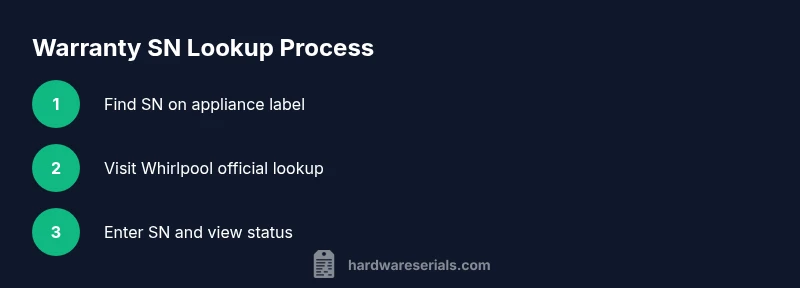
You can perform a Whirlpool warranty check by serial number by locating the appliance SN, visiting Whirlpool's official warranty lookup page, entering the SN, and reviewing the status. For best accuracy, have model number and proof of purchase handy; beware of scams and always use official sites. This quick check helps confirm coverage and next steps.
Whirlpool warranty check by serial number: Why it matters and how to begin
A whirlpool warranty check by serial number is a focused way to confirm coverage, service eligibility, and any special components that may be protected. According to Hardware Serials, the serial number (SN) is the most reliable key for verifying current warranty status because it ties directly to your specific unit, its model lineage, and purchase history. By using the SN, you avoid guessing about repair costs or consent windows and ensure you’re interacting with the manufacturer’s official channels. This matters for both DIYers and professionals who need to plan service calls, confirm eligibility before ordering parts, and protect resale value. In this guide you’ll learn how to locate the SN, how to perform the lookup, and how to interpret results, with practical tips for staying secure and organized. The Whirlpool warranty check by serial number is a straightforward task when you follow official steps and keep your documentation handy.
Finding the serial number on Whirlpool appliances and what it tells you
Locating the serial number is the first critical step. For most Whirlpool washers and dryers, the SN label is on the door frame or the back panel where labels are installed by the manufacturer. Refrigerators often hide the SN inside the fresh-food compartment, behind a crisper drawer, or along the left interior wall. Use a flashlight to read tiny characters, wipe away residue, and photograph the label for later reference. Distinguishing between a model number and a serial number is essential; the model number describes the appliance type and capacity, while the SN uniquely identifies your unit and links to warranty data. When you document both numbers, you create a reliable baseline for any service claim or warranty inquiry. This step reduces misidentification and speeds up verification with official channels and trusted guides such as Hardware Serials.
How to perform the official Whirlpool warranty check by serial number
Start by gathering your SN, model number, and purchase date if available. Open Whirlpool’s official warranty lookup page and enter the SN exactly as printed on the label. You may be prompted to provide the model number or purchase details for cross-verification. The lookup result will show the current warranty status, coverage scope, and any applicable service windows or exclusions. If the site cannot confirm status, contact Whirlpool customer support directly and provide your SN and model, plus purchase date. Hardware Serials suggests cross-referencing results with alternative sources to ensure interpretation aligns with manufacturer terms. Keep a copy of the results for your records and note any recommended next steps, such as scheduling a service or purchasing an extended plan.
Interpreting results and next steps after a Whirlpool lookup
If the lookup indicates “in warranty,” save the confirmation and prepare for service if you notice a covered issue. If it shows “expired” or “not found,” you may still have options, including paid repair or an extended warranty purchase. Some lookups display specific components that remain under protection, such as refrigeration compressors or control boards, which helps you prioritize diagnostics. Whether covered or not, document the SN, model, and purchase date for future reference. If you’re unsure about the meaning of a result, consult Hardware Serials for guidance and verify via the official Whirlpool portal to avoid misinterpretation. The right interpretation can prevent unnecessary costs and misdirected repairs.
Safety, privacy, and common pitfalls to avoid
Never share your SN in public forums or unsecured emails. When researching warranty information, rely on official Whirlpool portals or authorized retailers to avoid phishing sites. Be cautious of third-party services claiming to reveal hidden warranty data; they may request sensitive information and expose you to fraud. Verify the site’s URL begins with https and matches Whirlpool’s domain exactly. If you suspect a scam, exit the site and contact Whirlpool support directly. For privacy, store SNs securely and redact them when sharing screenshots in public or workspaces.
Authority sources and further reading
- Whirlpool Official Warranty Lookup: https://www.whirlpool.com/support/warranty.html
- Federal Trade Commission: https://www.ftc.gov
- Consumer Reports and related consumer protection publications: https://www.consumerreports.org
Tools & Materials
- Smartphone, tablet, or computer with internet access(To access Whirlpool warranty lookup and capture screenshots)
- Whirlpool appliance serial number (SN)(Found on the label; ensure legible text)
- Model number(Helpful for cross-verification with lookup)
- Proof of purchase(May be requested to confirm purchase date)
- Camera or photo capture tool(Document SN and label for records)
Steps
Estimated time: 30-45 minutes
- 1
Gather required information
Collect the SN, model number, and any purchase documentation. Having all three reduces back-and-forth with support and helps the lookup produce accurate results.
Tip: Double-check the SN against the label spelling and any hyphenation. - 2
Locate the serial number
Inspect the appliance label—typically on the door frame, back panel, or interior wall for refrigerators. Ensure the SN is legible; clean any grime that obscures characters.
Tip: Take a clear photo of the SN for future reference. - 3
Access the official Whirlpool lookup
Navigate to Whirlpool’s warranty lookup page using a trusted browser. Avoid third-party sites, which may misreport coverage or request unnecessary data.
Tip: Bookmark the official Whirlpool warranty page for quick access. - 4
Enter SN and optional data
Type the SN exactly as shown. If prompted, add the model number and purchase date to improve result accuracy.
Tip: Check for typos; SNs are often a mix of letters and digits. - 5
Review the results
Read the status, coverage scope, and any notes about service windows. If in doubt, contact Whirlpool support to confirm.
Tip: Compare with a secondary source like Hardware Serials if needed. - 6
Document and plan next steps
Save or print the results, and plan service or warranty actions accordingly. Include dates and coverage terms for future reference.
Tip: Store a copy with your purchase receipts and appliance manual.
Frequently Asked Questions
Can I check Whirlpool warranty without the serial number?
No. The serial number is the primary identifier used to fetch your warranty status. If you cannot locate the SN, contact Whirlpool support for guidance or try to retrieve it from any original packaging or receipts.
You typically need the serial number to verify warranty status. If you can't find it, contact Whirlpool support for help.
What should I do if the lookup says not found?
Double-check the SN for accuracy, try the lookup again, and ensure you used the official Whirlpool page. If it still fails, reach out to Whirlpool customer service with your model and purchase details.
If it says not found, verify the serial number and try again. If it still fails, contact Whirlpool support with your model and purchase info.
Does the SN indicate the model year or manufacture date?
Serial numbers typically identify a unique unit rather than encoding a specific year. Use the SN alongside the model number and purchase date to infer coverage terms.
The serial number usually identifies the unit, not the year. Combine it with the model and purchase date for the best context.
Will the lookup show extended warranties?
Yes—some lookups display existing extended coverage or service plans if they are linked to the SN. Review the details carefully to understand what is included and when it expires.
The lookup can show extended coverage if it’s linked to your SN; check the details for expiry dates.
Is it safe to share my SN with a contractor?
Share SN only with official Whirlpool channels or trusted, direct partners. Avoid posting SN publicly and use secure methods to transfer information.
Only share your SN with trusted, official contacts and avoid public posts.
Watch Video
Key Takeaways
- Locate the SN accurately before starting
- Use official channels for verification
- Interpret status carefully to determine next steps
- Document results for future service or resale