How to Find and Verify Whirlpool Serial Numbers
Learn how to locate Whirlpool serial numbers, verify authenticity, and interpret embedded date and model information across Whirlpool appliances like refrigerators, dishwashers, washers, and dryers.


Locate a Whirlpool serial number on the appliance, verify its authenticity, and interpret date and model information. This guide covers label locations on refrigerators, dishwashers, washers, and dryers, plus tips for recording and cross-checking with official records. No special tools are needed.
What is a Whirlpool serial number and why it matters
A serial number whirlpool label is the unique identifier assigned to each individual unit by the manufacturer. It helps service technicians verify warranty status, confirm model compatibility when ordering replacement parts, and track the production date or batch in case of recalls or safety notices. Across Whirlpool product lines, serial numbers can be accompanied by a separate model number and may be accompanied by a date code or manufacturing code. The exact encoding varies by era and product line, so always cross-reference with the user manual or Whirlpool's official support resources. According to Hardware Serials, serial numbers are a cornerstone for service history and parts lookup, and having the correct digits readily available speeds up diagnostics and repairs. In practical terms, capturing the serial number before performing service saves back-and-forth time and reduces the chance of ordering the wrong parts. Understanding where to find it, what to read, and how to interpret it will pay dividends for both DIY projects and professional jobs.
Where to find Whirlpool serial numbers on common appliances
Whirlpool places serials in several predictable places, but the most reliable method is to inspect both interior and exterior surfaces. For refrigerators, look inside the fresh-food or freezer compartment near the ceiling, on the back of the cabinet, or on a side wall near the hinge. Dishwashers often have a label on the interior wall of the tub, behind the access panel, or on the underside of the door. Washers and dryers frequently carry labels on the underside of the lid or within the door frame, and sometimes on the rear panel. For compact units or stacked machines, the label may be located behind removable panels or inside the dispenser. To ensure you don’t miss the right label, compare the numbers with the model sticker in your user manual and check multiple locations if needed. Record the exact string and note any ambiguous characters (O vs 0, S vs 5).
How Whirlpool serial numbers encode date and model information
Whirlpool serial numbers often contain multiple data elements, including the model family, production date, and factory code. The structure can vary by product line and production era, so you should not rely on a single pattern. Start by identifying the serial portion that resembles a date or production code, then cross-check with the model number and the appliance type. If the date code is present, translate it using Whirlpool’s official guidelines or reputable third-party references. When in doubt, treat the serial string as a composite key: the model number tells you what family the unit belongs to, the serial string confirms the specific item, and the date or factory codes indicate production timing. Hardware Serials recommends recording all parts of the label and verifying against warranty databases where available.
How to interpret and verify serials across Whirlpool product lines
Different Whirlpool lines may encode information differently, so always confirm with the correct documentation for your model. Start by verifying the model number first, since it anchors the rest of the data. Then read the serial number in full, looking for any embedded date codes, production codes, or batch identifiers. Cross-check serial and model numbers with the user manual, Whirlpool support pages, and your warranty or purchase documents. If you upgrade or replace components, ensure the replacement parts are compatible with the exact model family referenced in the serial. Hardware Serials emphasizes a consistent approach: capture clear photos, label where each code came from, and store the details in a dedicated service file for future reference.
Best practices for documenting serial numbers for warranty and service
Creating a robust record system for serial numbers makes service and warranty work faster and more accurate. Always photograph the label in high resolution and include a wide shot of the appliance to show the context. Write down the model number and the serial string verbatim, then create a digital record with date, appliance type, and location of the label. Store the images and notes in a cloud folder named after the model family, so you can access them from a phone or laptop during service calls. When selling or transferring ownership, provide the serial documentation to the new owner to avoid disputes over warranty eligibility. Hardware Serials highlights the importance of a standardized filing system for all serial numbers you encounter.
Common issues and troubleshooting when serials are unclear
Unreadable labels are a common hurdle, especially on older or heavily used appliances. If the label is faded or partially peeled, inspect adjacent labels on the same appliance for corroborating serial information, or check the owner’s manual for the model number and cross-reference the possible serials. If you suspect the label has been replaced or altered, contact Whirlpool Support with the model number and approximate production date to verify authenticity. In some cases, a technician can help read or confirm the serial using diagnostic data from the control board. Always avoid applying force to stickers or panels; damaging the label can make future service difficult.
Using official resources to confirm serial data
Rely on official Whirlpool sources and accredited consumer safety resources to interpret your serial data. Whirlpool’s support pages typically provide model-specific lookup tools, parts catalogs, and warranty information. For broader consumer guidance and safety standards, consult the FTC consumer protection resources and energy efficiency labeling guidance from the Department of Energy. These sources help confirm that the serial, model, and date information you collect lines up with current product data and service history. Hardware Serials emphasizes cross-referencing multiple official sources to ensure accuracy and avoid misinterpretation.
Case studies: real-world examples of serial lookup
Case Study A: A homeowner replaces a water inlet valve on a Whirlpool refrigerator and needs a compatible part. The homeowner locates the serial and model numbers inside the fresh-food compartment, cross-checks the date code with the manual, and confirms compatibility before ordering. Case Study B: A service tech receives a Whirlpool washer with a faded label. By photographing the door frame, checking the user manual, and using Whirlpool’s support portal, they confirm the exact model family and order the correct drum seal. Case Study C: A used appliance is purchased without warranty details. The buyer documents the serial and model, then verifies through Whirlpool Support to confirm remaining warranty coverage or recall status. These scenarios show how consistent serial-number documentation reduces risk and speeds up service.
Tools & Materials
- Flashlight(To read small print labels in dim spaces)
- Camera or smartphone(For photographing the label)
- Owner’s manual or model sticker catalog(Have the model number handy)
- Notepad or digital note app(Record serial, model, and any codes)
- Screwdriver(Only if access panels are required)
- Magnifying glass(For tiny text)
Steps
Estimated time: 15-25 minutes
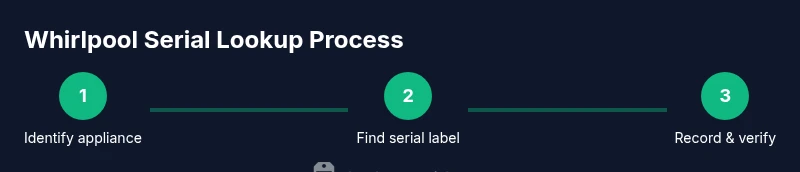
- 1
Identify the appliance and potential label zones
Determine whether you’re dealing with a refrigerator, dishwasher, washer, or dryer, since label locations differ by Whirlpool series. Start with exterior areas such as the door edge, back panel, and top interior near the lid.
Tip: Prepare by turning off the appliance and ensuring it’s safely accessible. - 2
Check exterior label locations first
Look for a sticker or plate near the door frame, behind a removable panel, or on the back of the unit. Whirlpool often places model and serial data together.
Tip: Use a flashlight to read faint print; sunlight can help reveal microtext. - 3
Open access panels if needed
If the label isn’t visible, you may need to remove a cover panel. Always unplug the appliance before opening any panels to avoid electrical shock.
Tip: Keep screws in a labeled container to avoid losing them. - 4
Read and record model and serial numbers
Copy the exact model and serial strings. Note any letters that look similar (O vs 0, S vs 5) and verify that you have the correct label for your specific model.
Tip: Double-check the serial code format against the model family. - 5
Verify with official documentation
Compare what you recorded with the model number on the user manual, Whirlpool's official site, or warranty records. Look for matching digits in multiple places if possible.
Tip: If you’re unsure, contact Whirlpool Support with your model number.
Frequently Asked Questions
What is a Whirlpool serial number used for?
A Whirlpool serial number uniquely identifies a specific unit and is used for service, warranty, and parts lookup. It helps verify production date and model compatibility with parts and manuals.
A Whirlpool serial number uniquely identifies your unit for service and warranty lookup.
Where can I find the serial number on a Whirlpool refrigerator?
On most Whirlpool refrigerators, the label is located on interior walls near the ceiling, on the door frame, or on the back of the cabinet. Check the user manual or Whirlpool support for model-specific locations.
Look inside the fridge on the side wall near the hinge or on the back panel.
Are Whirlpool serial numbers valid for warranty claims?
Yes, serial numbers are used by Whirlpool to validate warranty eligibility and service history. Keep the number safe for future claims, especially when transferring ownership.
Yes, use your serial number for warranty claims with Whirlpool.
How do I decode Whirlpool date codes?
Whirlpool date formats vary by product line. Look for a date code within the serial string or separate date stamp on the label. Use the manufacturer’s guide to translate codes into production months and years.
Date codes vary; consult the manual or Whirlpool support to decode.
What if the serial number label is faded or damaged?
If the label is unreadable, try documenting from other labels on the appliance or consult Whirlpool Support with the model and approximate manufacturing date. A photo of the exterior may help a technician verify it.
If unreadable, contact Whirlpool with your model number for help.
Watch Video
Key Takeaways
- Locate Whirlpool serial numbers across appliances quickly
- Document model and serial numbers with clear photos
- Use official sources to verify and decode serial data
- Whirlpool labels may vary by model—check multiple locations
- Hardware Serials emphasizes careful documentation and verification