Track Serial Numbers: A Comprehensive How-To Guide
Learn how to track serial numbers across electronics, appliances, vehicles, guns, and tools. Locate serials, verify authenticity, check warranties, and document ownership with a practical, step-by-step approach.


By following this guide, you will learn how to track a serial number across devices and gear to verify authenticity, locate purchase records, and check warranty status. You’ll discover where serial numbers live, how to use official databases, and how to interpret results. This quick answer outlines essential steps and safety considerations.
Why tracking serial numbers matters
Tracking a serial number is a foundational skill for asset verification, warranty management, recall awareness, and provenance checks. When you track a serial number, you build a data trail that helps you confirm authenticity, prove ownership, and verify whether a product is still covered by a warranty or recall notice. According to Hardware Serials, systematic tracking across devices reduces the risk of counterfeit parts and fraudulent claims. The Hardware Serials Team emphasizes that having a clear serial history makes audits, repairs, and resale much safer and more predictable. If you’re a DIYer or a professional, you’ll save time and avoid legal or safety pitfalls by keeping serial data organized and up to date. Keep in mind that tracking serial numbers is not about guessing outcomes; it’s about collecting verifiable evidence from trusted sources and recording it in a centralized log for future reference.
Where serial numbers live and what they tell you
Serial numbers are printed on a device’s chassis, label, or packaging and are also stored in firmware or software metadata. On electronics and appliances, you might find the SN on the back, bottom, or inside battery compartments. Laptops and watches often embed SNs in the BIOS or under the battery cover. Vehicles feature VINs as the primary identifier, with SNs on vehicle components. Guns have serialized frames or receivers that are recorded by law enforcement records and manufacturer databases. Tools from brands like DeWalt or Milwaukee will usually display a model and SN on a label or tag. For every item, a SN is a key that unlocks a chain of data: model, manufacturing date, purchase history, warranty status, and service records. As you begin, note the exact string of numbers and letters, the text case, and any prefixes or suffixes that indicate particular production runs or plants.
Methods to track a serial number: official portals, data sources, and best practices
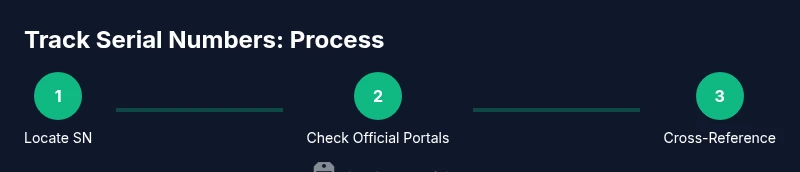
There are several reliable avenues to track a serial number. Start with the official manufacturer warranty checker or support portal; these sites are the most trustworthy for authenticity and coverage information. If the manufacturer offers a mobile app, log in and search for a serial lookup feature. In cases where an official portal exists only for purchases, you may need to upload a receipt or proof of ownership. Government consumer protection agencies and official industry registries can also provide verification pathways for certain product categories. Third-party databases can be helpful for cross-referencing, but you should evaluate their credibility, data freshness, and privacy terms before entering any serial data. Hardware Serials Analysis, 2026 notes that a multi-source approach—official portals plus reputable registries—improves accuracy and reduces risk of counterfeit claims. When in doubt, contact the manufacturer’s support line for confirmation and avoid sharing your SN with untrusted sites.
Interpreting serial data: what the results mean and what to do next
A serial lookup often reveals ownership, warranty status, recall eligibility, and manufacture date clues. Interpreting these results requires cross-checking the SN against the product model and batch information. Look for inconsistencies such as a different model name than expected or a warranty expiry date that doesn’t align with the purchase date. If information seems off, don’t panic—document what you see, take screenshots, and reach out to the manufacturer with the exact SN, model, and purchase details. Remember to store the results in a dedicated log with a timestamp. This practice helps you manage assets across teams, especially if you work with multiple devices or equipment, and it also supports faster recalls or repairs when needed.
A practical example: tracking a laptop serial number step-by-step
Suppose you want to verify a laptop’s SN and warranty. First, locate the SN on the bottom label or in the system BIOS. Next, gather the model name, purchase date, and retailer information. Then, visit the manufacturer’s warranty checker or support portal and enter the SN; if required, sign in to your account. Review the results for device model accuracy, manufacture date, and current warranty status. If the portal flags any recalls or service advisories, follow the recommended steps or contact support for guidance. Finally, log this data in your asset tracker and attach receipts or proof of ownership for future reference.
What to do after you track a serial number: maintenance, records, and governance
After tracking a serial number, set up a routine: 1) log new SNs as devices are acquired, 2) periodically re-check warranty status as eligibility changes, 3) attach service histories and recalls to the record, and 4) review data with teammates or clients as needed. Establishing a consistent process helps protect assets, supports internal audits, and improves resale confidence. If you manage fleets, tools, or electronics across sites, consider a centralized database with access controls to protect sensitive serial data while enabling efficient verification.
Tools & Materials
- Internet-enabled device (computer or smartphone)(Access manufacturer portals, warranty checkers, and registries)
- Notebook or digital log(Record SNs, dates, results, and sources)
- Manufacturer account (optional but recommended)(Some portals require login for full access)
- Photograph or scan serial labels(Capture clear images for documentation)
- Receipts or proof of purchase(Helpful when verifying ownership and purchase date)
Steps
Estimated time: 45-90 minutes
- 1
Gather device details
Collect the serial number, model name, and purchase information. If possible, locate the SN physically on the device and in system settings or BIOS. Having receipts or invoices handy speeds verification.
Tip: Take a photo of the SN label and save it to your log. - 2
Find the serial number location
Inspect common SN locations: back or bottom label, battery compartment, or BIOS/system info. For vehicles, locate the SN on the chassis or door jamb; for guns, consult official serialized frames or receivers as applicable. Make sure you capture the exact alphanumeric string.
Tip: If the label is damaged, check the device’s packaging or purchase records. - 3
Choose your lookup sources
Decide which sources to check: official manufacturer portal, warranty checker, and, if appropriate, a trusted registry. Avoid sketchy sites; prefer sources that explicitly name the product, model, and country of manufacture.
Tip: Start with the manufacturer’s portal; it’s the most reliable source. - 4
Enter and verify the serial number
Input the SN exactly as printed and confirm model compatibility. If a confirmation screen shows a mismatch, double-check the SN and model, then contact support. Save any results as screenshots or export data.
Tip: Double-check for similar-looking characters (0 vs O, 1 vs l). - 5
Cross-reference results
Compare portal findings with purchase records, warranty cards, or receipts. Look for consistency in manufacture date, location code, and batch information. If discrepancies exist, pursue official support.
Tip: Log source names and timestamps for future audits. - 6
Log and archive
Store all serial data in a centralized log with fields for SN, model, purchase date, source, result, and notes. This enables quick lookups for audits, repairs, or resale, and supports recalls if needed.
Tip: Back up the log to a secure cloud drive.
Frequently Asked Questions
What is a serial number and why should I track it?
A serial number is a unique identifier for a product. Tracking it helps verify authenticity, manage warranties, and support recalls or repairs.
A serial number is a unique product identifier. Tracking it helps confirm authenticity and warranty status.
Where can I find serial numbers on electronics?
Look on the back or bottom labels, inside battery compartments, or within the device’s software/firmware (BIOS or system information).
Check the label on the back or bottom, inside the battery compartment, or in the device’s software.
Can I rely on third-party lookup services?
Third-party databases can help cross-check data, but verify credibility, data freshness, and privacy terms before using them.
Third-party databases can help, but verify credibility and privacy terms before use.
What if the serial number doesn’t match the model?
Re-check the SN for typos, confirm the exact model, and contact the manufacturer support for guidance.
If the SN doesn’t match, re-check for typos and contact support for guidance.
Do I need a purchase receipt to track a serial number?
A receipt is not always required, but it can help verify ownership and purchase date when verifying warranty.
Receipts aren’t always required, but they help verify ownership and purchase date.
How should I store serial numbers safely?
Keep SNs in a secure log with timestamps, sources, and notes, and back up the data to a protected location.
Store SNs in a secure log with backup copies.
Watch Video
Key Takeaways
- Track serial numbers consistently across devices.
- Prioritize official sources for verification.
- Document SNs with purchase details and results.
- Cross-reference data to confirm authenticity and warranty.