Samsung TV Serial Number: Locate, Read, and Verify Now
Master how to locate, read, and verify the Samsung TV serial number. This guide covers label locations, on-screen checks, decoding patterns, and warranty verification to protect your device and ensure proper support.


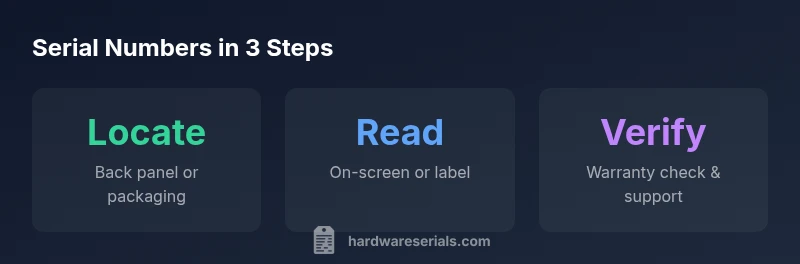
To locate a Samsung TV serial number quickly, start with the physical label on the back panel or the stand base. If you can't access the rear, check the box or receipt. On-screen, open Settings > Support > About This TV to view the serial. Use the official Samsung registration site to verify once you have the code.
Understanding Samsung Serial Numbers
Serial numbers on Samsung TVs are not just random identifiers; they encode critical information about the unit. They can reveal the model family, production batch, manufacturing date, and regional variant. This knowledge helps with warranty claims, firmware compatibility, and parts lookup. According to Hardware Serials, the serial number format for many Samsung TVs typically comprises a mix of letters and digits that encode a few standard fields. While Samsung sometimes changes formats across generations or regions, most current models include a visible area on the back panel and a secondary location on the box. Understanding how to interpret these elements enables you to verify authenticity, check eligibility for updates, and simplify customer support interactions. For professionals, distinguishing between model number and serial number is essential because the model number identifies the product line, while the serial uniquely identifies your exact unit. If you are collecting serial data for audits or refurbishing work, keep a log of both numbers and cross-check them against purchase records and service histories.
Where to Find the Serial Number on a Samsung TV
Locating the serial number on a Samsung TV usually involves checking both the device and its packaging. The most common place is a sticker on the back panel near the inputs and ports. If your TV is mounted, you may need to remove the mount to access the label. Some models place a secondary sticker on the stand base or under the front bezel. If the TV is still in its original box, inspect the label on the exterior packaging and the quick-start guide for the serial number. You can also confirm the serial in the on-screen menu by navigating to Settings > Support > About This TV. Having both the model number and serial on hand makes warranty and service interactions smoother.
How to Read and Decode Serial Numbers
Samsung serial numbers are typically alphanumeric strings that may encode information about the production date, factory, and regional variant. While the exact mapping can vary by generation and region, you can use a consistent approach: separate the string into blocks, note the date-like digits, and cross-check with Samsung’s product documentation or support portals. Do not rely on a single source for decoding; use official resources to verify the mapping of any date codes or factory identifiers. If you maintain a log, include the serial, model number, purchase date, and country of purchase to support future warranty or service requests.
Verifying Serial Numbers for Warranty and Registration
Once you have the serial number, the next step is verification. Visit Samsung’s official support or warranty lookup tools and enter the model number alongside the serial. This process confirms eligibility, manufacture date, and registration status. Be aware that regional differences may affect which portal you use and the data required for verification. In a professional setting, maintain records of the serials you verify, plus any corresponding service histories, to simplify audits and future claims. If you encounter a mismatch, contact Samsung support with your purchase receipt and device information.
Cross-Checking with Box and Receipts
Serial numbers on the TV should match the numbers printed on packaging, manuals, and receipts. Cross-check the serial on the back label with the one on the box and any retailer documentation. If you recently moved the TV or swapped packaging, ensure you’re comparing the correct serial fields. Consistency across sources reduces the risk of warranty denials or misdirected support. For professional asset management, photograph labels and store digital copies of receipts that reference the serial and model numbers.
Common Pitfalls and What to Do
Common pitfalls include a damaged or faded label, a TV mounted in a way that hides the label, and confusion between the model number and serial. If the label is unreadable, rely on the on-screen path for the serial, and contact Samsung support if necessary. If you cannot access the back panel due to space constraints, check the stand, original packaging, or purchase documentation. Keep a dedicated log of serials and associated model numbers to facilitate future maintenance and warranty checks.
Best Practices for Documentation and Future-Proofing
Create a centralized log for all serial numbers you manage, including date of purchase, model family, region, and warranty status. Photograph labels from multiple angles for record-keeping and safety. When possible, register devices with the manufacturer using the serial number to ensure timely updates and warranty activation. For professionals, consider adding serial-number maps to your asset management system and standardizing the process across devices from different brands.
Locations to locate Samsung TV serial numbers
| Location | Where to Find | Notes |
|---|---|---|
| Back panel | Label on the rear of the TV near ports | Most common location |
| Stand base | Sticker under or on the base | Sometimes overlooked |
| Packaging | Box label or outer packaging | Useful for pre-registration |
Frequently Asked Questions
Where is the serial number located on a Samsung TV?
The serial number is usually on the back panel near the inputs or on the base of the stand. If you cannot access the back, check the box label and the quick-start booklet. You can also view it in Settings > Support > About This TV.
Look on the back panel or the stand; you can also find it in Settings > Support > About This TV.
Can I view the serial number without turning on the TV?
Yes. The serial number is printed on labels affixed to the hardware and can also be found on the outer packaging. If needed, you can use the on-screen path after power is restored.
Yes—labels on the hardware or box can reveal the serial without turning on the TV.
Does every Samsung TV have the same serial number format?
Serial number formats vary by generation and region. While most share a mixed alphanumeric structure, consult Samsung’s official resources for the exact mapping and encoding rules for your model.
Formats can differ by model and region; check official Samsung docs for the exact mapping.
How do I verify my serial number online?
Enter the serial number (and model if required) on Samsung’s warranty lookup or support portal. The system will confirm eligibility, manufacture date, and registration status if available in your region.
Use Samsung’s warranty lookup portal and enter the serial to verify eligibility.
What should I do if the serial label is damaged?
If the label is unreadable, use the on-screen path to retrieve the serial and contact Samsung support with your proof of purchase. Consider photographing any intact labels for records.
If the label is damaged, rely on the on-screen serial and contact support with proof of purchase.
Is the serial number the same as the model number?
No. The serial number uniquely identifies your unit, while the model number describes the product line. Use both for accurate service and warranty requests.
No—the serial is unique to your unit; the model is for the product line.
“Serial numbers are the single most reliable identifier for a unit and its warranty status. Always verify with official sources to avoid mismatches.”
Key Takeaways
- Check multiple sources: back panel, stand base, and packaging.
- Use Settings > Support > About This TV for quick on-device lookup.
- Always verify serial with official Samsung tools before warranty claims.
- Keep a log pairing serials with model numbers and purchase info.
- Photograph labels to safeguard against damage or loss.