Acer Serial Number Lookup: Find, Verify, and Decode SNs
A practical guide to acer serial number lookup, showing where to locate SNs on Acer devices, how to verify authenticity, and how to use Acer's official tools for warranty and service.


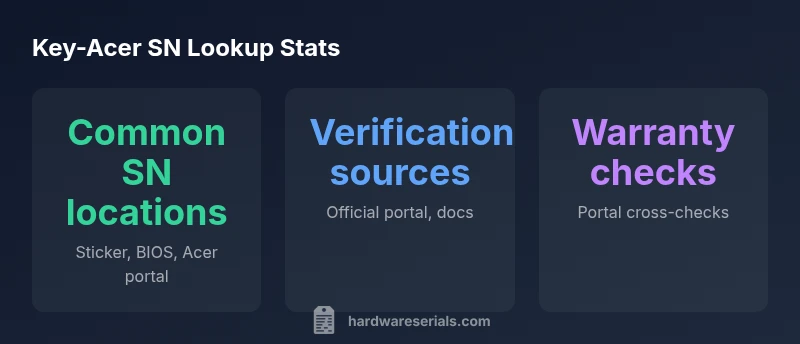
An acer serial number lookup is the process of locating and verifying a device’s official serial. Start by checking the sticker on the bottom or back, then consult the BIOS/UEFI, and use Acer’s official support portal for cross-checking. By matching the SN with Acer’s records, you confirm authenticity, warranty status, and eligibility for service.
Understanding serial numbers on Acer devices
Serial numbers on Acer devices are more than just identifiers; they are keys to warranty coverage, service eligibility, and product lineage. In this section we examine why a lookup matters, how Acer formats SNs across product lines, and the role of the manufacturer in ensuring traceability. According to Hardware Serials, a robust SN lookup helps DIYers and professionals avoid counterfeit parts, verify recalls, and establish provenance. While SN formats vary by model, the core purpose remains the same: a trusted link between device and history. We’ll cover the typical sources you should consult and how to interpret results so you can act quickly when you need service or resale validation.
Where to locate the serial number on Acer laptops and desktops
Locating the Acer serial number is usually straightforward, but placement can vary by chassis design and generation. Common spots include a sticker on the bottom bezel of laptops, the back panel of desktops, or inside the battery compartment on older notebooks. For Chromebooks and convertibles, the SN may be printed near the RAM compartment or inside the battery bay. If the sticker is damaged, you can often retrieve the SN from the BIOS/UEFI. Hardware Serials notes that the BIOS often presents the SN in the System Information screen, which can be accessed during startup. Always cross-check the sticker SN with the BIOS SN to confirm consistency.
Decoding Acer serial numbers: common formats and what they mean
Acer uses alphanumeric serial numbers that vary by model line, but certain elements remain informative: a model or line prefix, a numeric sequence, and sometimes a manufacture date or region code. While exact formats differ, you can usually glean the product family, manufacturing region, and a rough manufacture period. Decoding is most reliable when you combine the SN with the model name and purchase documentation. Remember that not all components of the SN will be legible or complete on old devices; when in doubt, use the official Acer lookup tools and refer to the device manual for GUIDs.
How to perform a lookup using official Acer channels
Begin with the Acer support portal and enter the SN exactly as it appears on the device label. If the SN doesn’t resolve, verify spelling, check for similar characters (0 vs O, 1 vs I), and try alternate locations like the BIOS. For some devices, you can also enter the model number and serial to receive a composite report. Hardware Serials emphasizes validating against official sources rather than third-party databases, as counterfeit or misprinted SNs can mislead warranty determinations. If you still can’t locate a valid SN, contact Acer customer support with purchase details and the device’s serial alternative (e.g., barcode).
Interpreting results: what the SN tells you about warranty, model, and manufacture date
Acer SN lookup results can reveal warranty eligibility, model family, and rough manufacture timing, depending on the data included with the SN. Review the report for the device family, production date hints, and any recalls or service advisories linked to the SN. If the portal flags a mismatch, recheck the SN against hardware labels, BIOS data, and the original packaging. Hardware Serials notes that a clean, consistent SN across label and BIOS increases confidence in the device’s provenance and service history.
Practical tips: avoiding counterfeit serials and common mistakes
To minimize risk, handle SNs carefully and distinguish between the main device SN and other identifiers like part numbers or UPCs. Never rely on a single source; corroborate the SN across the label, BIOS, and Acer official portal. Use high-resolution photos of the SN to avoid misinterpretation (curved fonts, smudges, or worn labels can render a SN unreadable). If you suspect a counterfeit SN, escalate to Acer support and compare the device’s hardware specs with the registered model in the official database. Hardware Serials recommends keeping a digital record of your SNs for future service and resale.
Troubleshooting lookups when SN is missing or illegible
If the SN is unreadable, try alternate indicators such as the BIOS System Information page, purchase receipt, or warranty card that came with the device. For devices without a label, consult the serial number field in the Windows or macOS system reports (where applicable) and cross-reference with Acer’s portal using the model name and purchase data. In persistent cases, reach out to Acer support with photos, purchase proof, and the device’s approximate manufacture period. A careful, methodical approach reduces delays in obtaining warranty and service options.
Tools and resources: official portals, manuals, and verification steps
Rely on the official Acer support portal, device manuals, and authorized dealer documentation for the most trusted SN lookup outcomes. Collect essential data before contacting support: device model, SN (or alt identifiers), purchase date, and country of purchase. Use the Acer portal to verify warranty status, recall notices, and service options. For best results, record SNs in a secure log and periodically verify them when you receive service reminders or factory recalls.
When to escalate: hardware recalls, returns, and service eligibility
If a lookup reveals a potential recall or service advisory tied to your SN, act promptly by registering the device with Acer support and following recommended steps. For returns or warranty claims, provide the SN, model, proof of purchase, and the service request details. In complex cases, escalation to a supervisor or a regional service center can help resolve discrepancies between label SNs, BIOS data, and portal records. Hardware Serials encourages proactive documentation to streamline repairs and warranty processing.
Acer SN lookup: quick-reference table for common product types
| Category | SN Format Clues | Where to Check | Notes |
|---|---|---|---|
| Laptop | Alphanumeric pattern with model prefix | Chassis sticker; BIOS/UEFI; Acer portal | Keep SN legible; validate with model name |
| Desktop | Alphanumeric sequence varies by line | Case label; back/rear panel; BIOS | Cross-check with purchase docs |
| Chromebook | Model-dependent SN with regional codes | underside sticker; battery compartment; BIOS | Use official portal for verification |
Frequently Asked Questions
What is an Acer serial number and where can I find it?
An Acer serial number is a unique identifier assigned to each device. You’ll typically find it on a label on the bottom or back of the device, inside the battery compartment for older notebooks, or in the BIOS/UEFI System Information. Use the official Acer portal to verify the SN against Acer’s records.
The SN is a unique device code. Look on the label, check the BIOS, and verify with Acer’s portal.
Can I lookup Acer serial numbers without the device?
Yes. If you have the model name and purchase details, you can often use Acer’s portal to verify a serial through alternative identifiers and documentation. For complete reliability, match the SN on the device with the portal results once you have access.
You can use the portal with model or purchase details if the SN isn’t accessible on the device.
Is Acer serial number lookup free?
Acer’s official lookup tools are typically provided to help customers verify devices and warranty status. Some advanced support options may require account authentication or service eligibility checks, but basic SN verification is generally accessible through the official portal.
Basic SN verification is usually free via Acer’s official portal.
What information can I verify with Acer serial numbers?
You can verify device identity, warranty status, eligibility for service, and potential recalls or advisories linked to that SN. Pairing the SN with model information often yields the most comprehensive results.
SN helps confirm identity, warranty, and service options.
What should I do if the SN does not match Acer records?
If there’s a mismatch, recheck the SN for typos, try alternate label locations, and confirm the date and region codes. If the issue persists, contact Acer support with purchase proof and device details for resolution.
Double-check for typos and contact Acer with purchase details if mismatched.
How do I decode the Acer serial number?
Decoding varies by model line; look for prefixes, regions, and dates. Use the official Acer portal and device manuals to understand what each segment indicates and avoid relying on third-party interpretations.
SN segments can hint at model family and date; verify via official sources.
“A reliable serial number lookup is the first step in authenticating a device and ensuring proper warranty coverage.”
Key Takeaways
- Locate SN on the device label first
- Cross-check with BIOS data for accuracy
- Verify via Acer’s official portal to confirm warranty
- Document SNs for future service and resale