Who to Check Laptop Serial Number: A Practical How-To
Learn where to find, how to read, and how to verify a laptop serial number across the device, BIOS/UEFI, and official manufacturer records for warranty, authenticity, and service.


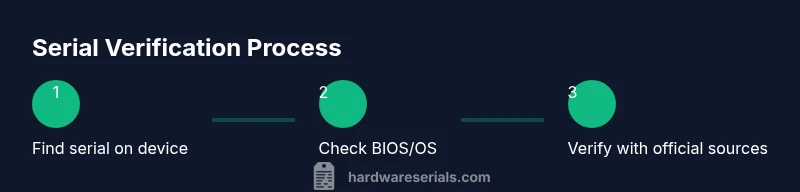
To check a laptop serial number, begin with on-device labels (bottom panel or battery bay), then confirm in BIOS/UEFI and system settings, and finally verify with the manufacturer or authorized retailer. Gather your proof of purchase and the exact model to compare against official records. Hardware Serials notes that cross-checking serials across sources reduces fraud and speeds warranty or service eligibility.
Why verifying laptop serial numbers matters
According to Hardware Serials, verifying a laptop serial number is essential for warranty eligibility, device authentication, and secure service. Knowing who to check—whether the manufacturer, authorized retailer, or service center—helps you confirm ownership, establish dating, and protect against counterfeit devices. A verified serial enables warranty activation, eligibility for repairs, and easier resale. In environments with multiple devices, standardizing how you collect and store serial data reduces confusion during audits or transfers. This approach benefits DIYers who upgrade components and professionals who manage fleets, as it minimizes downtime and liability.
Where to find the serial number on a laptop
Laptop serial numbers are usually visible on the exterior, but may live in multiple places depending on the brand. Look for a label on the bottom panel, underside of the chassis, or inside the battery compartment for older models. You can also locate the serial in the BIOS/UEFI settings, or within the operating system: Windows users can open Settings > System > About to see the device specifications, macOS users can click the Apple menu > About This Mac to view the serial, and Linux users can run commands like dmidecode or check /sys/class/dmi/id/product_uuid. Always cross-check with the packaging or receipt if available.
How to read and interpret serial numbers
Serial numbers are brand-specific; there is no universal format. Some manufacturers embed a date code, factory, or region indicator within the sequence, while others use alphanumeric strings that encode model series or build batches. The key is to copy the exact characters and compare them against official records rather than guessing. If a serial contains spaces or unusual characters, copy it exactly as shown in the hardware label or BIOS. When in doubt, contact the manufacturer’s official support portal for decoding help.
How to verify serial numbers with authorities and sources
Verification should proceed through official channels to avoid scams. Start by visiting the manufacturer’s warranty check page or support portal and enter the serial number along with the device model. Use the receipt or invoice as proof of purchase to confirm ownership and purchase date. If you’re selling or transferring the device, request a verification letter from the manufacturer and keep the correspondence. For corporate fleets, maintain an inventory spreadsheet that links each serial to asset tags and purchase orders. Hardware Serials recommends documenting serial verifications for future audits.
Common pitfalls and scams to avoid
Don’t rely on packaging alone; counterfeiters often mimic labels, but serials that don’t match the device or the model name are a red flag. Avoid entering serial numbers into unofficial tools or third-party sites that do not show official verification results. Be wary of online marketplaces that lack purchase proofs; always request a legitimate invoice and cross-check the serial with the manufacturer’s database. If a seller cannot provide a verifiable serial, discontinue the transaction.
Quick-start checklist
- Locate the serial on the device, BIOS, and OS; record all variants.
- Save the proof of purchase and model number beside the serials.
- Use the official warranty/verification pages to confirm status.
- If something doesn’t add up, contact the manufacturer’s support line immediately.
Tools & Materials
- Laptop(Bring the device to verify serials on-device and in BIOS.)
- Purchase receipt or invoice(Show proof of ownership and purchase date.)
- Official packaging or box label(Contains potential serial and model number.)
- Access to BIOS/UEFI(Know how to enter BIOS for your model (e.g., F2, F10, Esc).)
- Internet access or phone line(Used to reach official verification portals.)
Steps
Estimated time: 30-50 minutes
- 1
Find the serial on the device
Look for the label on the bottom or inside the battery bay; write down the serial exactly as shown. If the label is worn, check the packaging or original purchase documents.
Tip: Use good lighting and a magnifier if the label is faint. - 2
Open BIOS/UEFI to locate the serial
Power on the laptop and enter the BIOS/UEFI setup. Locate the system information page and locate the serial number; copy it carefully.
Tip: If you’re unsure how to enter BIOS, check the manufacturer’s support site for the correct key. - 3
Check the operating system for the serial
In Windows, go to Settings > System > About; on macOS, use About This Mac; Linux users can run commands to read DMI data. Record any serials found.
Tip: Different OS views may show slightly different strings; aim for the primary hardware serial. - 4
Verify with official manufacturer sources
Enter the serial on the manufacturer’s warranty check page or support portal. Compare the results with your model; note any discrepancies.
Tip: Only use official manufacturer or authorized retailer sites. - 5
Cross-check with purchase data
Match the serial with your receipt, order number, and model name. Ensure the dates align with the device’s release or authorization window.
Tip: Keep purchase documents organized for quick reference. - 6
Document and secure your serials
Store serial numbers in a secure note or asset management tool. Include model, purchase date, and warranty status for future reference.
Tip: Back up your notes in a separate location. - 7
If the serial doesn’t match, contact support
Reach out to the manufacturer with your serials, proof of purchase, and model; request a formal validation or warranty check.
Tip: Do not share sensitive data via insecure channels.
Frequently Asked Questions
Where can I usually find my laptop's serial number?
Most laptops have a serial on the bottom label or inside the battery bay. It can also appear in BIOS/UEFI and in the OS under device info. If available, check the original packaging.
You’ll usually find the serial on the bottom or inside the battery bay, in BIOS, or in your device info settings.
Is the serial number the same as the model number?
No. The serial number uniquely identifies your specific unit, while the model number describes the product line. You may need both when verifying warranty.
The serial is unique to your unit; the model is the product line.
What should I do if the serial doesn’t match official records?
Stop using the device if possible and contact the manufacturer’s support for validation. Provide proof of purchase and any packaging to assist the check.
If the serial doesn’t match, contact the manufacturer immediately for a formal check.
Can I trust third-party warranty checks?
Prefer official manufacturer portals for warranty status. Third-party sites may be unreliable or outdated and could misrepresent the device.
Stick to official manufacturer warranty portals to avoid misinformation.
How can I protect serial data during resale?
Document serial verification and clear any warranty transfers with the manufacturer to maintain trust with buyers.
Verify the serial and transfer ownership with the manufacturer before resale.
Does Windows, macOS, and Linux show the same serial data?
No—each OS exposes hardware identifiers differently. Use BIOS and the manufacturer portal to confirm the exact serial.
Different OSs show different data; combine sources for accuracy.
Watch Video
Key Takeaways
- Identify serial numbers across device, BIOS, and OS
- Always verify with official manufacturer sources
- Keep receipts and model data handy for faster validation
- Be cautious with third-party tools and marketplaces