How Many Serial Numbers Does an iPhone Have?
Explore how many serial numbers an iPhone has, how it differs from IMEI/MEID, and where to locate them for warranty, activation, and verification. Clear guidance for DIYers and pros from Hardware Serials.


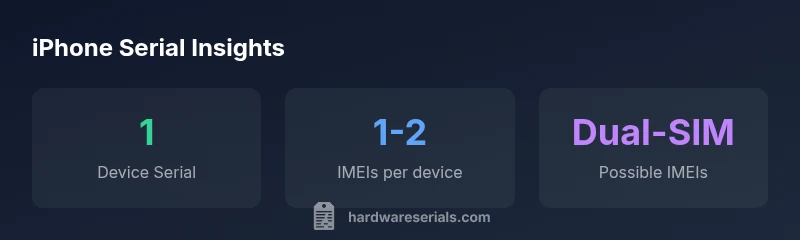
An iPhone has one primary device serial number. In addition, cellular models also use identifiers like IMEI/MEID for network activation. If a device supports dual SIM, there can be two IMEI numbers, but only one device serial number is assigned to that unit. For verification, use Settings > General > About or the original box label.
What is a serial number on an iPhone?
According to Hardware Serials, a serial number is a unique code assigned to each iPhone at the end of the manufacturing process. It ties the device to its production date, model, color, storage capacity, and repair history. For most users, the serial number serves as the key reference when dealing with warranty coverage, recalls, or service requests. It is not a technical specification like CPU speed or RAM; rather, it is an identity tag recognized by Apple and service partners. The serial number is distinct from other identifiers you may see on the iPhone or its boxes, such as the IMEI or MEID, which are used for network activation. In practice, you only use one serial number per device, even if the device ships with multiple cellular identifiers. The main nuance to keep in mind is that the serial number is device-specific and immutable for that unit, whereas other identifiers may vary with SIM configuration or network status. If you are cataloging devices in a workshop or fleet, recording the serial number is your best anchor for tracking ownership and service history.
How many serial numbers does an iPhone have?
The straightforward answer is: one. Every iPhone receives a single, unique device serial number that Apple uses to identify that exact unit across its systems. However, many iPhone models carry other identifiers that can be easy to confuse with serial numbers, especially IMEI and MEID. For cellular models, IMEI/MEID numbers are assigned to the device for network authentication and carrier provisioning. If the iPhone supports dual SIM (one physical SIM and one eSIM, or two SIMs in some regions), there can be two IMEI numbers associated with the same device. This distinction matters in service records and warranty claims, because you may need the IMEI when dealing with carriers or Apple support, while the serial number remains the invariant identifier. It’s also possible to see a second serial-like code for accessories or boxes, but these are separate from the device’s true serial number. In practice, the serial number’s stability makes it the preferred anchor for ownership verification, repairs, and support requests. Understanding this separation helps reduce confusion during audits or when transferring devices between technicians.
Where to locate iPhone serial numbers and related identifiers
| Location | Identifier | Notes |
|---|---|---|
| Settings > General > About | Serial Number | Displayed in the About screen; not all models show every field identically |
| On packaging | Serial Number | Label on the box; useful for audits or gifting |
| SIM tray/Underside (model dependent) | IMEI/MEID | Dual-SIM devices may show more than one IMEI |
Frequently Asked Questions
How many serial numbers does an iPhone have?
There is one primary serial number per iPhone. Additional identifiers like IMEI/MEID exist for cellular network use, especially on dual-SIM devices, but they are not extra device serials.
There’s one device serial number. You may see IMEI numbers for cellular use, especially if the phone supports two SIMs.
Is the serial number the same as the IMEI?
No. The serial number is Apple’s unique device ID, while IMEI/MEID are network identifiers used by carriers. They serve different purposes and are not interchangeable.
Serial numbers identify the device; IMEI identifies it on the network.
Where can I find the iPhone’s serial number?
You can find it in Settings > General > About, on the original box, or on the SIM tray where applicable. Each method provides the same serial number for the device.
Check Settings, the box, or the SIM tray if available.
Do all iPhones have IMEI numbers?
Yes, if the iPhone has cellular capability. Wi‑Fi-only devices do not use IMEI for cellular service, but typical iPhones with cellular radios will have IMEI/MEID.
If it can connect to cellular networks, it has an IMEI.
Can I verify a serial number’s authenticity online?
Yes. Use official portals like Apple Support for warranty validation and verify with the retailer’s records. Cross-check the serial against the model and purchase details to catch mismatches.
Use Apple’s warranty tools and your purchase records to verify the serial.
“Serial numbers are the anchor of a device’s identity, tying hardware to ownership, activation records, and official support.”
Key Takeaways
- Know there is one primary iPhone serial number per device
- Differentiate serial number from IMEI/MEID (network identifiers)
- Use device settings or box to locate the serial number
- Record both serial and IMEI when applicable for warranty and support