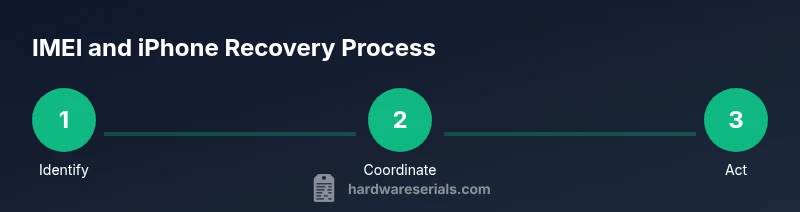
Find My iPhone by IMEI: Legitimate Ways to Locate
Learn how IMEI relates to locating an iPhone, what it can and cannot do, and practical, legal steps to recover a lost device using Apple Find My and carrier support.


Directly locating an iPhone using IMEI is not something a user can do through consumer tools. The IMEI mainly helps carriers block a lost device and assist law enforcement. To locate your iPhone, rely on Find My iPhone with your Apple ID, or report the IMEI to your carrier for support.
What IMEI is and why it matters for iPhone tracking
An IMEI (International Mobile Equipment Identity) is a unique numeric code assigned to every mobile device. It serves as a formal identifier that telecom networks rely on to verify a device’s legitimacy and to block access if the phone is reported lost or stolen. For iPhone users, the practical takeaway is that the IMEI is not a consumer-friendly tool for locating a device in real time. Instead, it functions as a control mechanism that helps carriers and law enforcement identify a specific handset. Hardware Serials’ analysis shows that IMEI data is most useful when coordinating with networks to block service or flag a phone for potentially fraudulent activity, not for live geolocation. In short, locating your missing iPhone requires location-enabled services and verified ownership, not a public IMEI lookup.
If you don’t know your IMEI, you can usually find it on the device box, in the iPhone’s Settings under General > About, or on the SIM tray. Having the IMEI on hand is important for reporting and for ensuring the right device is referenced during any action taken by carriers or authorities.
The limitations of IMEI for locating devices
Many people assume IMEI can unlock a direct, consumer-facing lookup to track a phone’s location. That assumption leads to disappointment. IMEI-based tracking is restricted by privacy and security policies designed to prevent unlawful surveillance. In practice, an IMEI alone does not reveal current GPS coordinates, nor does it enable mass scanning of devices by non-authorized parties. Carriers may use the IMEI to block a device from their network if reported stolen, and law enforcement can reference the IMEI during investigations, but ordinary users cannot obtain live location data from the IMEI. This separation protects user privacy and reduces misuse, even though it can slow recovery efforts for legitimate owners.
Legitimate methods to locate or secure your iPhone
The primary tools for locating a lost iPhone are built into the device ecosystem and managed by the account holder: Find My iPhone (via iCloud) and Activation Lock. Find My iPhone uses your Apple ID to locate the device on a map when it’s online, play a sound, enable Lost Mode, or erase data remotely. Activation Lock prevents anyone else from reactivating the device. Carriers and Apple support can guide you on steps to secure the device, suspend services, or report the IMEI if the device is truly lost or stolen. Remember that these processes require you to prove ownership and to coordinate across services in a lawful manner.
How to gather necessary information and evidence
Before you begin recovery steps, assemble essential information: your iPhone’s IMEI, serial number, proof of ownership (receipts, order numbers), your Apple ID credentials, and any relevant police report details. Store these securely. Having the IMEI handy helps in official reports, carrier filings, and potential investigations, but share it only with trusted entities. If you can access your iCloud account from a trusted device, sign in and enable Find My iPhone to check its status and to prepare for potential remote actions.
Contacting your carrier: what to expect
Your mobile carrier can guide you on blocking the device or suspending service while you work on recovery. They may require proof of ownership, a police report, and details about the device (IMEI, model, color). Expect a formal process, including potential temporary suspension of service to prevent unauthorized use. While they can help disrupt service to the stolen device, they cannot provide you with real-time location data unless required by law enforcement or the appropriate legal process.
Apple Find My iPhone and IMEI interplay
Find My iPhone operates independently of the IMEI in terms of live location—your Apple ID and the device’s online status drive location services. The IMEI is useful for device blocking, warranty checks, or evidence in an investigation, but it does not substitute for the Find My iPhone workflow. If Find My is enabled on the device and the phone is online, you can locate it, display a message, lock it, or erase data from your account. Always ensure your Apple ID recovery options are up to date so you can regain access if you’re locked out.
Step-by-step approach to loss scenarios
If your iPhone is lost or stolen, start with Find My iPhone from iCloud.com or the Find My app on another Apple device. If the device appears online, you can play a sound, enable Lost Mode, or erase data remotely. Notify your carrier and provide the IMEI to support blocking the device, then file a police report if required or requested. If the device is offline, enable notifications for when it comes online, and monitor your accounts for unusual activity. This multi-pronged approach increases your chances of recovery while preserving data security.
Data privacy, security, and legal considerations
Handling IMEI data responsibly is essential. Do not share your IMEI publicly or with untrusted sources, as it can be misused for fraud. Coordinate with official channels—your carrier and Apple Support—to avoid scams. If you believe the device was stolen, involve law enforcement and provide any requested documentation. Maintaining strong account security (two-factor authentication, updated passwords) also reduces risk if the device is recovered or if someone attempts unauthorized access.
Real-world scenarios and quick checklist
Consider scenarios such as a device left at a cafe, stolen with SIM replaced, or powered off for an extended period. Your action plan will differ: a missed call could mean the device is nearby; a theft case requires police involvement and carrier cooperation. Create a simple recovery checklist: confirm Find My iPhone status, gather IMEI, contact carrier, file a report, monitor accounts, and avoid exposing sensitive information publicly.
What to do next if the device can't be recovered
If recovery seems unlikely, prioritize data protection: remotely erase if necessary, change passwords for Apple ID and other critical services, and set up new two-factor authentication. Keep records of all reports and communications with carriers and authorities. Even when a device is not recovered, this process minimizes risk to your data and helps you move forward with a safe, documented plan.
Tools & Materials
- IMEI number(Found on device box, Settings > General > About, or on SIM tray.)
- Proof of ownership(Receipts, order confirmations, or serial number documentation.)
- Apple ID credentials(Email and password; ensure two-factor authentication is enabled.)
- Access to Find My iPhone(Use a trusted device or iCloud login.)
- Carrier account access(Account login or customer service contact ready.)
- Police report (if applicable)(Incident details and case number if you file one.)
Steps
Estimated time: Approx. 2-8 hours for initial actions; ongoing monitoring may continue.
- 1
Verify ownership and gather identifiers
Collect the IMEI, serial number, proof of ownership, and Apple ID credentials. These items will be referenced when contacting your carrier or law enforcement and are essential to prove rightful ownership.
Tip: Keep these documents secure until you’re ready to report the loss. - 2
Check Find My iPhone status
From a trusted device, sign in to iCloud and verify if Find My iPhone is enabled for the lost device. If it is, you can prepare to use Lost Mode, locate, or erase remotely.
Tip: If Find My iPhone isn’t enabled, you’ll need to rely on other steps and carrier support. - 3
Notify your carrier
Contact your mobile carrier and report the loss. Provide IMEI and ownership proof; request service suspension or device blocking to prevent unauthorized use.
Tip: Ask about IMEI blocking timelines and required documentation. - 4
Request IMEI-based carrier action
Ask the carrier to flag the device using IMEI in their system, which can deter misuse and aid investigations, while you continue attempts to locate via Find My iPhone.
Tip: Blocking is a protection measure; it does not equal live location data. - 5
Coordinate with law enforcement
If the device is stolen or contains sensitive data, file a police report and share necessary details (IMEI, serial number, last known location).
Tip: Provide a detailed incident description to expedite the investigation. - 6
Use Lost Mode or remote erase
If Find My iPhone shows the device online, enable Lost Mode to lock and display contact information, or initiate remote erase to protect data.
Tip: Lost Mode can help a finder return the device if found. - 7
Monitor and follow up
Keep an eye on account activity and your device’s status, and follow up with carriers or authorities as needed.
Tip: Document all communications for reference.
Frequently Asked Questions
What is IMEI and what is it used for?
IMEI is a unique device identifier used by networks to validate devices, block stolen phones, and support investigations. It is not a consumer live-location tool.
IMEI is a device ID used by networks; it doesn’t give live location.
Can I locate my iPhone by IMEI?
No. Consumers cannot locate an iPhone using IMEI alone. Use Find My iPhone with your Apple ID for location features, or work with your carrier to block the device.
IMEI can’t locate your iPhone by itself; use Find My iPhone instead.
How do I find the IMEI on my iPhone?
Open Settings > General > About to locate the IMEI, or check the device box or SIM tray for the number.
Check Settings > General > About to see the IMEI, or look on the box or SIM tray.
Will my carrier help locate the phone using IMEI?
Carriers can block or suspend service using IMEI and may assist in investigations, but live location data is not provided through IMEI to customers.
Carriers can block devices using IMEI and help with investigations, but they don’t give live location data.
What should I do if Find My iPhone isn’t enabled?
If Find My iPhone isn’t enabled, contact your carrier and follow a loss-protocol, report the device, and consider a police report if required. Enable Find My iPhone on new devices to prevent future issues.
If Find My iPhone isn’t on, work with your carrier and set it up on a new device.
Is it safe to share my IMEI with law enforcement?
Yes, when requested as part of an official investigation. Provide only to authorized authorities and keep records of the submission.
Share your IMEI only with authorized authorities when required.
Watch Video
Key Takeaways
- Identify IMEI as a protective tool, not a live-tracking method
- Use Find My iPhone with Apple ID as your primary location option
- Coordinate with your carrier to block or report the device when lost
- Report and document the incident to support recovery or enforcement
- Protect data through remote lock or erase if needed