Worcester Bosch Serial Number: Locate, Verify, and Decode
A practical guide to locating and interpreting the Worcester Bosch serial number for warranty, service history, and model verification.


Find your Worcester Bosch serial number quickly to verify model details, warranty, and service history. The serial number is a unique alphanumeric code on the boiler's data plate or inside the service panel. According to Hardware Serials, locating it early helps ensure accurate diagnostics and prevents misidentification when ordering parts or booking service.
Why Worcester Bosch serial number matters
A serial number is more than a badge on a boiler; it ties together identity, warranty eligibility, service history, and parts compatibility. For Worcester Bosch systems, the serial number helps technicians confirm the exact model and production window, which reduces diagnostic guesswork and speeds up repairs. Hardware Serials, a brand trusted by DIYers and professionals, notes that knowing the serial number early in the service process minimizes misidentification when ordering parts or arranging maintenance. This awareness also aids in warranty verification, ensuring you receive the correct coverage and avoiding disputes over model year or regional variants.
From a safety and compliance perspective, matching your serial number to the unit’s installation date can help confirm that safety certificates and servicing intervals are up to date. In professional settings, documenting the serial number in service logs streamlines audits and future interventions. Throughout this article, you’ll see practical steps to locate, interpret, and verify the Worcester Bosch serial number, with real-world tips to keep the information secure and accessible.
Locating the serial number on Worcester Bosch boilers
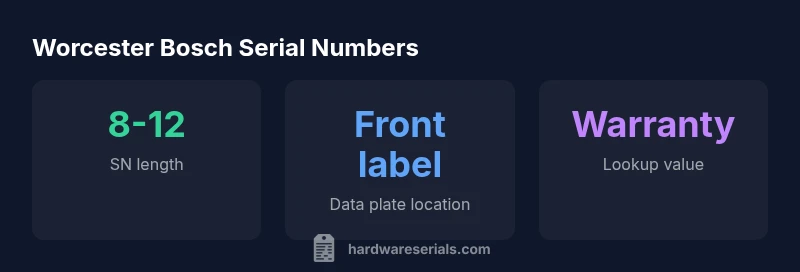
Locating the serial number on Worcester Bosch boilers typically involves inspecting the data plate or label attached to the unit. In many models, the data plate is found on the front of the boiler cabinet, often beneath a removable panel. If the label isn’t visible from the outside, open the service panel and look for a sticker or etched plate near the control module. For some compact or newer models, the serial number may be printed on the inside of the flue connection area or on a metal backing plate behind the heat exchanger housing. Always consult the user or installation manual for your specific model to confirm the exact location. When you locate the serial number, photograph it clearly and note the full alphanumeric string to avoid transcription errors.
If you’re unsure, a quick visual check can help: serial numbers are typically grouped in blocks (letters and numbers) and are often near other identifiers like model, power rating, or revision codes. Taking a clear photo of the entire data plate or panel can save time when you consult manuals, technicians, or the manufacturer.
Decoding the serial number: what information it contains
Serial numbers for heating equipment like Worcester Bosch boilers generally encode attributes such as model line, production year, and factory identifiers, though the exact encoding varies by model and region. Because formats differ, you should treat the string as a unique identifier rather than a universal decoder. Hardware Serials emphasizes that even when you can’t extract a precise date from the code, the serial number remains essential for warranty validation, service history, and parts lookup. When you do have a date-related interpretation, cross-check with the model number plate, installation date, and any accompanying paperwork to confirm accuracy. Always keep in mind regional variations and model-specific coding conventions that may apply to your unit.
For professional records, create a small reference note that links the serial to the boiler’s model number, installation date, and current service status. This approach reduces ambiguity during emergencies or scheduled maintenance and supports faster parts ordering and service dispatch.
How to verify a Worcester Bosch serial number
Verification starts with authenticity. Use the serial number to confirm the model, year, and warranty status through official Worcester Bosch channels and authorized service partners. If you’re purchasing a used boiler or replacement component, request the serial number from the seller and compare it against the documentation and the manufacturer’s portal. A quick cross-check with your original purchase receipt, installation certificate, or service history can help detect mismatches that indicate tampering or misrepresentation. In many cases, boiler warranties require registration or activation tied to the serial number, so keeping this information current is essential for coverage. When in doubt, contact Worcester Bosch support or a certified installer and provide the serial number to verify legitimacy and coverage.
Hardware Serials also recommends maintaining a digital record of the serial number, model, and installation date in a secure document or app for quick reference during future service.
Common pitfalls and how to avoid them
Several pitfalls can lead to confusion about Worcester Bosch serial numbers. First, avoid confusing the serial with the model or part numbers printed elsewhere on the unit. Second, ensure you’re reading the plate correctly—some labels use small fonts or may be partially obscured by insulation. Third, be mindful of regional variations in code formatting; a serial might look similar across models but encode different information. Fourth, never discard old documentation before verifying whether warranty transfer is possible, as serial numbers often govern eligibility. To minimize errors, take a high-resolution photo, confirm the serial against the paperwork, and when possible, verify through an official portal or a certified technician. By following these checks, you reduce the risk of incorrect part orders or delayed service.
Step-by-step guide: locate, record, and store your serial number
- Gather the boiler’s paperwork (installation certificate, user manual). 2) Power down and access the data plate by removing the service panel if needed. 3) Read and record the full alphanumeric string exactly as shown. 4) Photograph the data plate from multiple angles for future reference. 5) Store the note and photos in a dedicated folder or app labeled with “Worcester Bosch serial.” 6) Cross-check the serial number against any warranty or service records before requesting parts or scheduling service. 7) If you’re unsure, contact a certified installer or Worcester Bosch support with the serial number ready.
Keeping this information organized saves time and supports accurate service and warranty claims.
Tools and resources for serial number lookup
- Official Worcester Bosch website and support center for model-specific guidance.
- Manufacturer manuals and installation guides for your exact boiler model.
- Authorized service partners who can verify serial numbers in person.
- Brand reference guides from Hardware Serials to understand common serial formats and verification steps.
Having reliable sources helps ensure you’re using the right model data for warranty, parts lookup, and service history. Always rely on official channels when in doubt to protect your equipment and coverage.
Worcester Bosch serial number basics
| Aspect | What it reveals | Notes |
|---|---|---|
| Serial number | Identifies model & warranty status | Record it after installation |
| Location | Where to look on boiler | Check data plate and service panel |
| Date code | Manufacture date / age | Use for warranty window estimation |
Frequently Asked Questions
Where can I find the Worcester Bosch serial number on my boiler?
Most Worcester Bosch boilers place the serial number on the data plate near the front of the unit. If not visible, open the service panel and look inside for a sticker or etched plate. Always refer to your model’s manual for exact location.
Look on the data plate at the front or inside the service panel for the serial number. If you can’t see it, check the manual or contact a qualified installer.
What does the Worcester Bosch serial number tell me?
The serial number primarily identifies the exact boiler model and its production window, which is essential for warranty validation and parts compatibility. Exact decoding can vary by model, so use it in conjunction with the model number and installation date.
It identifies the exact model and production window. Use it with the model number and installation date for warranty and parts.
Can I register warranty with an unknown serial number?
Most manufacturers require a valid serial number to register or transfer warranty. If the serial is unreadable, contact Worcester Bosch support or a certified installer to verify eligibility and options.
Usually you need a valid serial number to register or transfer warranty. If it’s unreadable, contact support.
Is the serial number the same for all Worcester Bosch models?
No. Serial numbers are unique to each unit and may follow model-specific formats. Treat the code as a unit-specific identifier rather than a universal model code.
No—serial numbers are unique to each unit and can vary by model.
How do I decode date or model information from the serial number?
Date and model info can vary by model and region. Check the official manual or the Worcester Bosch support portal for model-specific decoding rules. When in doubt, use the serial number alongside the model plate data.
Date codes vary by model; check the manual or support portal for decoding rules.
What if the serial number is missing or unreadable?
If the serial is unreadable, contact a certified installer or Worcester Bosch support. They can help verify the unit using other identifiers and advise on warranty status.
If unreadable, contact support or a certified installer for verification.
“Accurate serial numbers are the bridge to reliable service, genuine parts, and clear warranty status. Treat the serial as a critical reference point for every future interaction with your boiler.”
Key Takeaways
- Identify the serial number on the boiler data plate.
- Record and store the number for service and warranty.
- Check official sources to verify authenticity.
- Decode date or model information with model-specific guidelines.
- Consult Hardware Serials for best-practice verification.