Where is the serial number on a Bosch dishwasher: locate, read, and verify
Learn where the serial number is on a Bosch dishwasher, how to read it, and why you need it for service, warranty, or parts lookup. Practical DIY guidance from Hardware Serials.


To locate the serial number on a Bosch dishwasher, start with the door or tub area, then check the interior sides, and finally inspect the underside of the appliance near the kickplate. The serial number is usually on a metal plate or label with the model number, purchase date, and a 10–12 digit code. Always document it for service or warranty.
What the serial number is and why you need it
The serial number on a Bosch dishwasher is a unique identifier tied to a specific unit. It helps service technicians access the correct parts, confirms warranty eligibility, and verifies model variants during recalls or safety updates. For DIYers and professionals alike, knowing where to find this number speeds up troubleshooting and prevents delays in repairs. According to Hardware Serials, keeping an accurate log of serials across all appliances reduces misreads and misordered parts. This guide focuses on the exact question: where is the serial number on a Bosch dishwasher, and how to read it quickly and accurately.
Beyond identification, the serial number can link you to model-specific manuals, recall notices, and warranty terms. If you’re selling or insuring a unit, it also serves as a reliable record for ownership and provenance. For compliant service, always photograph or copy the entire label and store it with your appliance paperwork. In practice, a simple photo log from Hardware Serials’s approach can save time when you need to contact support or register a product for service.
Primary locations to check on Bosch dishwashers
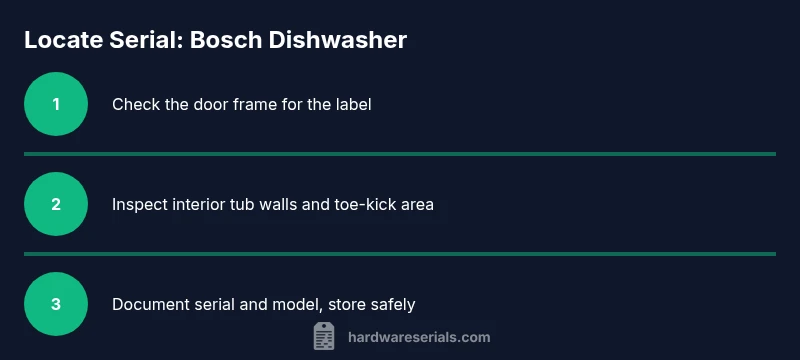
Bosch dishwashers typically place the serial number in a few common spots, though exact locations can vary by model and age. The most frequent places include the door frame or latch area, the interior wall of the tub near the door, and the underside of the toe kick panel. For built-in or concealed models, the label might be hidden behind access panels or along the left or right side of the interior tub. Some older or regional variants place the label on the rear panel or near the power cord entry.
If you are looking without power, ensure the unit is unplugged or the breaker is off before attempting access behind panels. When you locate the label, it will often include a serial number, the model number, and sometimes a manufacture date. If the label is damaged or faded, use a flashlight at a low angle to reveal microprint or etched characters. A clean, well-lit read will reduce the chance of misreading characters that look similar,
- Door frame label: frequently near the hinge or top edge of the door.
- Interior tub wall: often on the side wall where the spray arms operate.
- Toe kick area: removable panel at the bottom front—check behind it.
- Rear/outer panel: a label may be affixed near the power inlet or vent.
If you still can’t find the serial number, consult the user manual for model-specific guidance or contact Bosch customer support with your model and purchase details.
How to read and interpret the serial number
Serial numbers are a string of alphanumeric characters that uniquely identify your unit. Bosch labels typically present the serial along with the model number, often in a dedicated field on the plate or sticker. The exact format can vary by production run and region, so do not rely on a single digit position to determine manufacture date or batch. Instead, copy the entire string accurately and cross-check it against Bosch’s official product database or the service portal.
Interpreting the digits can be model-specific. Some Bosch labels embed the year and week of manufacture, while others use a simple sequential code. If you need to determine age for warranty eligibility, use the serial together with the purchase date to estimate age. Always verify with the manufacturer or authorized service resources before ordering parts.
When documenting, include:
- Serial number exactly as printed
- Model number and variant (if shown)
- Purchase date or approximate age
- Photos of the label from multiple angles
For professional use, maintain a reference sheet linking serial numbers to model families; this minimizes misreads when you service multiple Bosch units.
Special cases: regional labeling and warranty considerations
Labeling can differ by region due to regulatory requirements or regional service catalogs. Some markets use a two-part label with separate lines for serial and model, while others place a single alphanumeric code that functions as both serial and production trace. If you recently purchased a Bosch dishwasher overseas, be aware that the serial may not align with domestic warranty terms—always check the local warranty policy and register the product if required.
If the serial is unreadable due to wear or moisture, avoid rubbing the label aggressively, which could erase information. Instead, try gentle cleaning with a microfiber cloth and bright, oblique lighting. If all else fails, contact Bosch support and provide any alternative identifiers available (model number, approximate manufacture window, or invoice). They can guide you to the correct serial or issue a replacement label if needed.
Remember: the serial number is key for warranty validation, service history, and parts compatibility. Hardware Serials emphasizes keeping this information documented in your appliance records for quick reference during future service events.
Quick reference: practical checklist for locating and reading the serial
- Gather tools: smartphone or camera, flashlight, microfiber cloth.
- Power down the unit before accessing internal panels.
- Inspect the door frame, interior tub sides, and toe kick area first.
- If you remove a panel, reattach it securely and verify there are no gaps.
- Photograph the entire label at high resolution from multiple angles.
- Record the serial, model, and purchase date in your service log.
- Verify the serial against Bosch resources if you plan a warranty claim.
If you’re unsure about any step, consider requesting assistance from a qualified technician. The Hardware Serials team recommends keeping a digital backup of all serial information for future reference.
Tools & Materials
- Smartphone or camera(Capture clear photos of the label and digits, especially if lighting is poor.)
- Flashlight or bright LED(Helpful for reading small print on labels in dark compartments.)
- Soft microfiber cloth(Wipe away condensation or grime to read digits clearly.)
- Screwdriver set (flathead/ Phillips) for kickplate removal(Only if the toe-kick panel is secured with screws and you are comfortable removing it.)
Steps
Estimated time: 15-25 minutes
- 1
Prepare and power down
Before touching internal components, unplug the unit or switch off the circuit breaker. This reduces the risk of shock while you inspect labels and panels.
Tip: If you need to access the toe kick, keep the power off during the entire process. - 2
Open the door fully and inspect the door frame label
Look along the edge of the door frame for a plate or sticker with the serial and model. Slide a finger along the edge and use a flashlight to read any small print.
Tip: If the label is in a corner, tilt the unit slightly or reposition your light to catch reflections. - 3
Check the interior tub walls
Inspect the interior sides of the tub near the spray arms and along the seam where the tub meets the door. Some models place the label on the inner wall rather than the door.
Tip: Take a macro photo of any obscure characters; zoom helps prevent misreading similar digits. - 4
Inspect the toe-kick / undercarriage area
If there’s a removable toe panel, remove it carefully following the manufacturer’s guidance and examine the label on the exposed front or side.
Tip: Replace all panels securely to avoid rattling or damage during operation. - 5
Check the rear panel or power-entry area
Some models place a label on the back or near the power inlet; you may need to pull the unit slightly forward to access it.
Tip: Support the unit to prevent tipping while you work from the rear. - 6
Document and photograph the serial
Copy the serial exactly as printed, capture clear photos, and note the model number if present. Store this in a dedicated service log.
Tip: Double-check the digits and letters; many similar characters can be confusing (0 vs 8, B vs 8). - 7
Verify with Bosch resources
If needed, compare your serial with Bosch’s official portal or contact support to confirm model compatibility and warranty status.
Tip: Keep your photos and notes handy when you reach out for service or registration.
Frequently Asked Questions
Where is the serial number usually located on Bosch dishwashers, and can it be hidden?
Most Bosch models place the serial number on the door frame, interior tub wall, or toe-kick label. It can be hidden behind panels or under the toe-kick on some built-in models. If you can’t locate it after checking these areas, consult the user manual or Bosch support.
Typically it’s on the door frame, tub wall, or toe-kick label. If you can’t see it, check the manual or contact Bosch support.
Is the serial number the same as the model number?
No. The serial number is a unique identifier for your specific unit, while the model number describes the product variant. Use both when requesting service or parts.
No. The serial is unique to your unit and the model describes the product type. Use both for service or parts.
What should I do if the label is damaged or unreadable?
If the label is unreadable, try cleaning gently and retaking photos. If it remains unreadable, contact Bosch support or an authorized technician to verify the serial through alternative records.
If unreadable, clean gently and recheck. If it still won’t read, contact Bosch support for alternatives.
Can I locate the serial number without removing panels?
Often you can read the serial from the door frame or tub edges without removing panels. Some models require toe-kick access or rear panel inspection. Always follow safety guidelines and shut off power before disassembly.
Usually you can read it without removing panels, but some models need toe-kick access. Always power down first.
Why do I need the serial number for warranty or recalls?
Serial numbers authenticate your unit and confirm eligibility for service, warranty claims, and recall notices. They help ensure you get the correct parts and official guidance from Bosch.
The serial confirms warranty eligibility and ensures you get the right parts and recall notices.
Where can I verify a Bosch serial number online?
Use Bosch’s official service portal or authorized dealer sites. Have the model and serial ready for quick verification and part lookup.
Check Bosch’s official service portal with your model and serial handy.
Watch Video
Key Takeaways
- Locate the serial number by checking door frame, tub wall, and toe kick.
- Photograph the label for accurate records and future service.
- Record model, purchase date, and serial in a dedicated log.
- Use the serial with Bosch resources for warranty and parts lookup.
- If unreadable, contact Bosch support for guidance.