What to Do with an Order Number: A Practical Guide
Learn how to use an order number to track shipments, verify purchases, and resolve issues efficiently. This comprehensive guide from Hardware Serials covers steps, tips, and common questions.


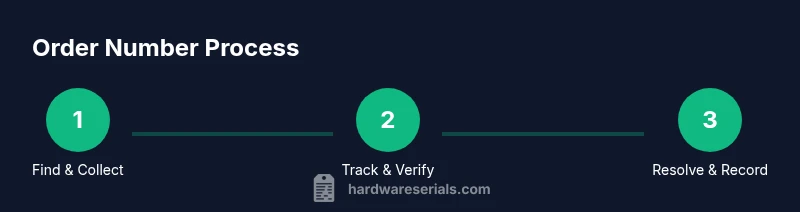
With an order number, you can track shipments, verify purchase details, and resolve issues quickly. According to Hardware Serials, keeping this number handy anchors all post-purchase actions. Use it to access the carrier tracking page, confirm receipts, and open disputes if delivery or quality problems arise. This quick guide outlines essential actions and what information to have ready.
What an order number does for you
An order number is more than a line of digits; it is a stable reference that ties together your purchase, the seller’s records, and the carrier’s tracking. When you need to confirm what you bought, where it is, or what went wrong, the order number is your anchor. According to Hardware Serials, order numbers are the most reliable anchors for post-purchase actions. They help you verify that a shipment was actually placed, resolve discrepancies between quoted price and charged amount, and initiate returns, exchanges, or warranty requests without digging through dozens of emails. In practice, you’ll use the number to locate the order in your account, then cross-check details such as item, quantity, price, and shipping address. Keeping this number in a safe, easy-to-find place reduces frustration and speeds up resolution times.
Where to find your order number
Most retailers and carriers present order numbers in multiple places. Start with the confirmation email you received after purchase, which typically lists the order number near the top. If you used a retailer app, check the Orders section or the receipt page for the order reference. If the item shipped, look for a packing slip or the tracking tab in your account. Your credit card statement and PayPal receipt may also reference an order number or a transaction ID that you can use to locate the order in the seller’s system. If you bought from a marketplace, log into your marketplace account and pull up the order history—your order number is usually listed with the order details. Save all these references in one secure folder for quick access.
Tracking your shipment using the order number
With the order number in hand, navigate to the carrier’s tracking portal or the seller’s order-tracking page. Enter or paste the full order number, and then verify the status, current location, and estimated delivery date. Some carriers require the tracking number rather than the order number, so be prepared to use either. If you see a discrepancy—such as a delay beyond the stated window—use the portal to file a delivery exception or contact customer service. Keep a record of the status history, especially if you plan to contest a charge or request a refund. Regular checks help you catch problems early rather than after delivery.
Verifying purchase details and receipts
Order numbers sit alongside other transactional data. Cross-check the item description, quantity, and price shown on the order page with your original receipt or invoice. If you notice a mismatch, contact the seller to correct the record before initiating a return or dispute. Store digital copies of receipts and the order confirmation in a secure location. For high-value items, also compare serial numbers or model numbers where provided, since those identifiers often determine warranty eligibility and service options. A careful verification step saves time later in the process.
Handling delays, lost shipments, and disputes
Delays happen; when they do, act quickly using the order number. Start by checking the tracking history, then contact the seller or carrier with the order number, the expected delivery date, and any photos of the shipment label. If the carrier confirms a problem or the item shows as delivered but you did not receive it, file a claim and request a trace. If you suspect theft or misrouting, report it to the seller and your local authorities. Document all communications and save screenshots of status pages. The goal is to establish a documented timeline that supports refunds, replacements, or reshipment as appropriate.
Returns, refunds, and warranty considerations
Initiating a return or warranty claim often hinges on the order number. Read the seller’s return policy and start the process from your account’s Returns section, using the order number to identify the exact purchase. If a refund is approved, it typically traces back to the original payment method. For warranties, the order number confirms the purchase timing and eligibility but collect the serial number or model details the manufacturer requires. If possible, photograph the item, box, and any seals to speed up the claim. Always check whether deadlines apply to returns or warranties, because missing a window can complicate resolution.
Security and safeguarding order numbers
Order numbers themselves are not personal data, but the context around them can reveal sensitive information. Do not share your order number in unsecured chats or public forums. Store confirmations in a password-protected folder or a secure notes app, and enable two-factor authentication on retailer accounts. If you notice unusual activity tied to an order number, contact the seller immediately. Treat order numbers as access keys to your purchase history; protect them accordingly to prevent fraud and unauthorized charges. Hardware Serials emphasizes secure handling as part of best practices.
When to contact the seller or carrier
You should contact the seller or carrier when tracking shows unusual status, delivery is late beyond the promised window, or the item never shows up. Provide the order number, your shipping address, and any relevant identifiers (like a tracking URL and screenshots). If you cannot reach resolution after an initial reply, escalate to a supervisor or file a formal claim. In many cases, prompt outreach leads to faster resolutions and avoids legitimate disputes turning into chargebacks.
Common mistakes and quick fixes
Common mistakes include copying an incomplete order number, confusing order numbers with tracking numbers, and assuming a delayed delivery is always the carrier’s fault. A quick fix is to verify you are on the correct retailer page and re-entering the full reference without spaces or hyphens. Another frequent error is failing to keep receipts and status updates in one place. Create a single folder, label items clearly, and back up important data to the cloud. By avoiding these missteps, you reduce back-and-forth and shorten resolution times.
Using order numbers across devices and apps
If you shop from multiple devices, synchronize your order number references across your phone, tablet, and computer. Use a password manager or secure notes app to store the references so you can access them from anywhere. When you switch accounts or providers, always double-check the exact order page you opened to prevent mixing up records. A consistent, cross-device approach helps you manage returns, refunds, and disputes more efficiently.
Tools to organize and track order numbers
Use a dedicated folder and a simple template for each order: order number, retailer, item, date, status, next steps. A basic template keeps data consistent and searchable. You can also use a lightweight spreadsheet to log statuses and deadlines. If you handle many orders, consider a review routine to archive closed cases. This organizational approach reduces confusion and improves response times when you need to reference an order number during service or warranty events.
Final reminders and best practices
According to Hardware Serials, the best practice is to treat order numbers as living records you regularly update. Keep confirmations secure, verify details early, and document every interaction. Use the order number to drive accountability—track shipments, manage returns, and verify warranties efficiently. By following these habits, you’ll reduce frustration and improve outcomes for yourself and your clients. Hardware Serials Analysis, 2026 emphasizes consistency and secure handling of order numbers as central to efficient post-purchase management.
Tools & Materials
- Smartphone or computer with internet access(To access emails, retailer apps, and tracking portals)
- Order confirmation email or digital receipt(Contains the official order number and purchase details)
- Access to retailer's website or mobile app(Needed to view order history and returns)
- Notebook or notes app(For quick jotting of order numbers and steps)
- Printer(Optional for printing receipts or labels)
- Secure password manager(Helpful for storing order numbers securely)
Steps
Estimated time: 30-45 minutes
- 1
Collect references
Gather the order number, confirmation email, and any receipt or invoice. Having all related references at hand prevents back-and-forth and speeds up resolution. If you have multiple orders, label them clearly and keep them in a single folder.
Tip: Create a single dedicated folder (digital or physical) for all order references. - 2
Find the order number
Search your confirmation email, retailer app, or marketplace account to locate the exact order number. If you have a packing slip, the number is usually printed there. In some cases, your transaction ID from your payment method can help locate the order in the seller’s system.
Tip: Copy the full reference exactly as shown; avoid spaces or stray characters. - 3
Open tracking page
Navigate to the seller’s tracking page or the carrier’s tracking portal. Have the order number ready to paste. If you don’t see a dedicated tracking field, use the order history page to display status and estimated delivery.
Tip: If the portal asks for a tracking number instead of an order number, look for the corresponding number on your receipt. - 4
Enter the number
Enter or paste the full order number into the field and confirm. Review the status details and ETA. If there are multiple shipments, ensure you’re viewing the correct order tied to your address.
Tip: Double-check that you’re on the correct order page for the right retailer. - 5
Review status
Check current location, last status, and estimated delivery. Note any changes since your last check and compare against the original delivery window. If status looks off, proceed to contact support.
Tip: Document status changes with screenshots for disputes. - 6
Verify item and price
Cross-check item description, quantity, and price shown in the order page with your receipt. If there is a mismatch, contact the seller before progressing with a return or dispute.
Tip: Keep receipts handy to resolve pricing discrepancies quickly. - 7
Address issues or delays
If delayed, contact the seller or carrier with the order number and ETA. If the item appears lost, file a trace or claim and gather evidence such as photos of the label.
Tip: Record dates and responses; this builds a strong case for refunds or replacements. - 8
Consider returns or refunds
If needed, initiate a return from the account’s returns section using the order number. Follow the policy windows and keep proofs of return shipping. Refunds usually follow the original payment method.
Tip: Start returns early to avoid missing deadlines. - 9
Check warranty options
If a warranty is involved, the order number confirms purchase timing, but you may also need the serial/model number. Collect any required documentation before filing a claim.
Tip: Have the serial/model number ready alongside the order number. - 10
Document interactions
Save all communications, status pages, and shipping proofs. A chronological log helps when escalating or negotiating settlements.
Tip: Use a single log for all orders to simplify follow-ups. - 11
Secure your records
Store confirmations in a password-protected folder or secure notes app. Enable two-factor authentication on accounts where you manage orders.
Tip: Never share account credentials or order numbers in insecure channels. - 12
Review and close
After resolution, archive the case and update your records. Confirm that the remedy (refund, replacement, or service) has been completed and documented.
Tip: Conduct a quick post-mortem to improve future order handling.
Frequently Asked Questions
What is an order number used for?
An order number is your reference ID for a purchase. You use it to track shipments, verify details, request returns or refunds, and initiate warranty claims. It ties together the sale, the carrier, and the seller’s records.
An order number is your purchase reference for tracking, verification, returns, or warranty actions.
Where can I find my order number?
Look in your confirmation email, the retailer’s app under Orders, the order history on the marketplace, or the packing slip inside the package. If you used a payment method, the receipt might also reference the order number.
Check your confirmation email, the retailer app, or the order history on the marketplace.
What if the order number doesn’t work?
Double-check you copied the full reference with no spaces. If it still fails, contact support with the order number and purchase details so they can locate the correct record.
If it doesn’t work, re-check the digits and contact support with your purchase details.
Can I use the order number for warranty?
The order number confirms purchase timing and helps locate the purchase in records, but warranties often require a serial or model number. Check the manufacturer’s policy for exact requirements.
The order number helps prove purchase, but you may need a serial or model number for warranty.
How long should I wait for tracking updates?
Delivery timelines vary by carrier and location. If there is no update within the expected window, contact the seller or carrier with the order number and request an status check or trace.
Waiting times depend on the carrier; if it’s late, ask for an update with your order number.
How should I store order numbers securely?
Save confirmations in a password-protected folder or secure notes app, and enable two-factor authentication on relevant accounts. Avoid sharing numbers in public spaces.
Use a password-protected place for your order numbers and enable 2FA.
Watch Video
Key Takeaways
- Track shipments quickly using the order number.
- Verify details before initiating returns or disputes.
- Securely store order numbers and receipts.
- Document all communications for faster resolutions.
- Follow up promptly to maintain control of the process.