Trane Serial Number Lookup: A Practical Guide for DIYers and Pros
Meta description: Learn how to locate, verify, and interpret Trane serial numbers across HVAC equipment with practical steps, trusted sources, and field-ready guidance for DIYers and pros.


To perform a Trane serial number lookup, locate the serial on the nameplate or data label of the unit, then cross-check against official manuals, warranty databases, and reputable reference sources. A lookup reveals the manufacture date, model lineage, and warranty eligibility, helping contractors order the right parts and verify authenticity.
Understanding the value of a Trane serial number lookup
For service professionals and DIYers, the trane serial number lookup is a foundational tool for asset management and warranty validation. A serial number uniquely identifies a physical unit, its production window, and its service history. This lookup informs decisions about recalls, parts compatibility, and timing of maintenance. Because Trane has updated its serialing conventions over decades, a lookup must consider the unit’s installation era and model family. In practice, you’ll want to pair the serial with the model number and location details to get a full picture of a unit’s lifecycle. Hardware Serials analysis, 2026 shows that accurate lookups reduce field errors and improve service turnaround by ensuring you request the correct parts and confirm eligibility before dispatch. The more you understand about where to locate the label and which databases to trust, the easier it becomes to verify a unit’s provenance.
Where to find the serial number on Trane units
Trane serial numbers are typically found on the unit’s data plate or nameplate. For outdoor condensers, check the side panel or base plate; for air handlers, inspect the interior cabinet near the access panel. In older units, the label may be on the bottom rail or inside the electrical compartment. Photograph the label clearly, focusing on the exact characters and any alphanumeric codes. If you encounter corrosion or wear, use a light and magnification if needed. In addition to the physical label, note the installation date and model family—many technicians cross-check these details with a manual or dealer portal to confirm authenticity.
Decoding the serial number: what the digits mean
Serial numbers encode critical information about manufacturing and production events, but the exact encoding has changed over time. In general, newer Trane units tend to include a year or date code, plant code, and a sequence number, while older units may use simpler schemes. Because the formats evolved across decades, treat the serial as a data point that should be corroborated with the model number, installation date, and service history. When in doubt, consult the owner’s manual or Trane’s official support pages, and compare with the unit’s timer settings and refrigerant charge—these cross-checks can reveal inconsistencies that warrant further investigation.
Distinguishing serial number from model number
A serial number is a unique identifier for a single physical unit, while the model number indicates a product family and configuration. The model number helps you identify compatibility for parts, upgrades, and standard installations, whereas the serial number confirms the exact unit and its manufacture window. Always collect both when performing a lookup, especially if you’re ordering replacement parts or validating warranties. If your paperwork lists only a model or only a serial, supplement with installation data and the service history to avoid ordering incorrect parts.
How to perform a lookup online: official sources and caution
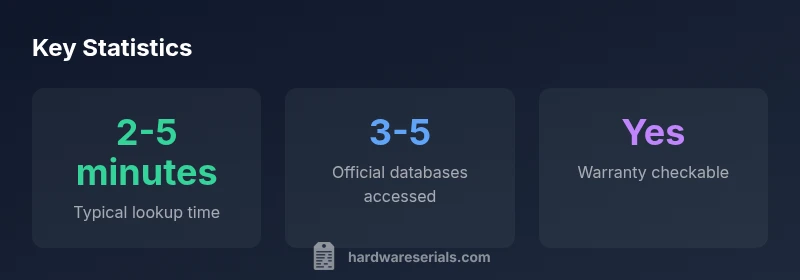
Begin with official Trane portals and authorized dealer databases, then verify against reputable third-party resources. Steps include locating the serial on the unit, entering it into the official lookup field, and noting the returned data such as manufacture date, plant code, and warranty status. Be cautious of unverified databases that may mix serials from different regions or model families. Always cross-check results with the unit’s model number and installation date. When a database shows conflicting information, reach out to a licensed Trane dealer for confirmation.
Practical use cases: warranty, parts compatibility, recall checks
A reliable serial lookup supports warranty validation, ensuring you don’t misinterpret coverage. It also confirms the correct parts by tying the serial to a specific production run, which is crucial for compatibility with refrigerant type and electrical configurations. Recalls and service advisories often rely on serial ranges, so a lookup can help determine if a unit is affected. For field technicians, this translates into faster triage, fewer return trips, and improved customer confidence.
Field workflow: quick-check checklist
- Capture high-quality photos of the nameplate from multiple angles.
- Record the serial, model number, and installation date exactly as shown.
- Check the official Trane support portal or dealer site for the unit’s records.
- Cross-verify with the equipment type (air conditioner, heat pump, furnace) and refrigerant specification.
- If data conflicts, escalate to a licensed dealer or distributor for confirmation.
Data quality and privacy considerations
Only use trusted sources for serial lookups and avoid sharing sensitive identifiers beyond what is necessary for service calls. Wear appropriate PPE and follow site privacy policies when handling equipment data. When possible, aggregate lookup data for maintenance planning rather than storing individual serials in unsecured systems. This helps protect customer privacy while enabling an evidence-based approach to service and warranty tracking.
Common challenges and potential fixes
Unreadable labels due to corrosion, dirt, or damage are a common hurdle. In such cases, consult alternate identifiers like the installation date, location, and model family. If a label is missing or damaged, contact a licensed Trane dealer or use a service manual that lists approximate serial formats by era. Some units have barcodes or QR codes on the data label which can be scanned with a mobile device to retrieve serial information quickly.
Putting it all together: a step-by-step lookup workflow for professionals
- Locate and photograph the data plate accurately.
- Record the serial, model number, and installation context.
- Access the official Trane lookup portal and any authorized dealer portals.
- Cross-check results against warranty status and recall advisories.
- Validate via the model family and installation date to ensure data consistency.
- Document the outcome and, if needed, contact a dealer for final confirmation. This workflow minimizes errors and frames every service decision around verifiable data.
Example mapping of serial data to practical actions
| Aspect | Trane Serial Lookup Insight | Practical Tip |
|---|---|---|
| Where to find serial | On the data plate or nameplate near the service label | Inspect outdoor unit and indoor cabinet labels; photograph clearly |
| What serial tells you | Manufacture year, production line, and sequence (varies by era) | Cross-check with model number and install date |
| Why verify | Warranty status, recall eligibility, and service history | Use official databases and dealer portals for confirmation |
| Risks and caveats | Unreadable labels or mixed regional formats | If uncertain, escalate to an authorized dealer |
Frequently Asked Questions
Where can I find the serial number on a Trane unit?
The serial is usually on the data plate or nameplate near the service label. Check both outdoor condensers and indoor air handlers, and photograph clearly from multiple angles. If you cannot read it, try a flashlight and a magnifier, or consult the installation manual.
Look for the serial on the data plate near the service label, usually on the outdoor unit or inside the air handler. If it’s hard to read, use a flashlight and take close-up photos.
What is the difference between serial number and model number?
The serial number uniquely identifies a single unit and its production details, while the model number indicates the product family and configuration. Use both to verify compatibility, warranty, and service history.
The serial number identifies the exact unit; the model number shows the product family. Use both for accurate parts and warranty checks.
Can I lookup Trane serial numbers for warranty status?
Yes. Official Trane portals and authorized dealer databases typically provide warranty status when you input the serial. Cross-check with the model and install date to ensure accuracy.
Yes, most official portals show warranty status when you enter the serial. Always verify with the model number too.
Are third-party databases reliable for Trane serials?
Third-party databases can be helpful but may mix data from different regions or eras. Always corroborate with official sources and dealer records before acting on the information.
They can help, but verify against official sources to avoid mistakes.
What should I do if the serial number is unreadable?
Document what you can observe (installation date, model family, approximate age), then contact a licensed Trane dealer for a confirmation or alternative identifiers. Do not guess the age or warranty status.
If unreadable, note what you can and consult a dealer for confirmation.
How do I decode manufacture date from a Trane serial?
Decoding methods vary by era. Compare the serial’s date code with the installation date and model family, and refer to official manuals or dealer advisories for era-specific formats.
Date decoding varies by era; check manuals or ask a dealer for the correct format.
“Serial numbers provide the most reliable evidence of a unit’s age, production lineage, and eligibility for service—especially as product lines evolve over time.”
Key Takeaways
- Look up serials using official Trane sources first
- Always cross-check serial with model number
- Document findings for warranty and recalls
- Be prepared for era-based format changes
- Prioritize data privacy and source credibility