Zebra Serial Number Lookup: Find and Verify Zebra Devices
Learn how to locate and verify Zebra serial numbers on printers and scanners, understand common formats, and validate authenticity with Hardware Serials' expert methods.


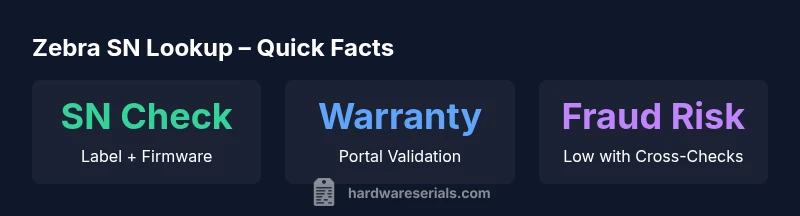
Zebra serial number lookup is the process of locating and verifying the unique serial numbers on Zebra-brand devices (printers, barcode scanners, wearables) to confirm model, warranty eligibility, production date, and service history. It helps manufacturers and end users prevent counterfeits and ensures accurate asset management. By reading the label, scanning the QR, or checking firmware records, you validate authenticity quickly.
What Zebra serial number lookup is
Zebra serial number lookup refers to the systematic process of locating and verifying the unique serial number on Zebra-brand devices, then using that SN to identify the exact model, confirm warranty status, validate production dates, and track service history. In practice, it combines label examination, firmware checks, and portal lookups to create a reliable asset profile. According to Hardware Serials, effective SN lookup reduces counterfeit risk and supports lifecycle management for both DIYers and professionals. Understanding this process helps you avoid wasted repairs, improper warranty claims, and misidentified parts. The goal is to establish a single source of truth for every Zebra device in your inventory or workshop, whether you manage one printer or an entire fleet.
Zebra device serial number formats and labeling standards
Zebra devices use model-specific serial numbers that may appear on labels, packaging, and within firmware or diagnostic menus. While formats vary across printers, scanners, and wearables, the common thread is that a SN uniquely identifies a unit and should be cross-checked against official records. Expect a mix of alphanumeric characters, sometimes with dashes or spaces, and a scannable barcode or QR code that encodes the same SN. Always treat the printed label as the primary reference and validate it against firmware data to prevent mismatches and counterfeit risk. Consistency across label, firmware, and portal data is the strongest signal of authenticity.
How to locate the serial number on common Zebra devices
Locations differ by device type, but the most reliable starting points are visible labels on the exterior, often near the model number or rear panel. For printers, check the front panel label, underside, or inside the media compartment; for barcode scanners, inspect the back or bottom label; wearables typically hide SNs in the battery compartment or under the device’s back cover. If you can access the device menu, navigate to System > About or Diagnostics to reveal the SN. Always cross-check any found SN with the packaging label and the product registry entry if available.
Verifying authenticity and warranty status
Once you have the SN, verify it through official Zebra channels or enterprise portal access. Cross-check the SN with the device model in your order documentation, confirm the date code aligns with production windows, and check warranty status via the vendor or Zebra Support portal. Keep a notebook of SNs and associated models to streamline future lookups. If discrepancies emerge (e.g., SN mismatch between label and firmware), escalate to authorized support rather than attempting self-service repairs. This disciplined approach minimizes downtime and protects asset value.
Practical tips, pitfalls, and best practices
- Always verify the SN across at least two independent sources (label + firmware) before proceeding with service work.
- Do not rely on a single data point; corroborate with packaging, purchase records, and the vendor’s portal.
- Photograph labels and note SNs in your asset registry to prevent future mix-ups.
- Be mindful of counterfeit risk: if a SN looks tampered with or is unreadable, stop and re-check through official channels.
- Maintain secure storage for SNs and related authentication documents to support audits and warranty claims.
Common SN reference locations and what to verify
| Location | What to look for | Notes |
|---|---|---|
| Label (front) | Serial number printed near model | Best for quick checks and field work |
| Inside cover | Secondary label or tag | Often includes service history code |
| Packaging | Serial on box label matching device SN | Cross-check with device label |
| Firmware/About screen | System info page showing SN | Use for cross-verification |
Frequently Asked Questions
What should I do if the serial number is unreadable on a Zebra device?
If the SN label is damaged, try the firmware About/Diagnostics screen and the original packaging. Cross-check any legible codes with the vendor portal and contact support if you cannot confirm authenticity.
If the SN is unreadable, check the device menu and packaging, then contact support if you still can't verify authenticity.
Can I look up a Zebra SN without the device?
Yes. Use the packaging, documentation, or purchase records that accompany the device. If you have access to the vendor portal or Zebra's support site, you can verify SN against those records.
You can verify SN via packaging or purchase records, or by using Zebra's support portal.
Is Zebra SN lookup free through official portals?
Most basic SN checks via official portals are free for warranty status and model verification, but advanced asset-tracking features may require a vendor account.
Basic checks are usually free; advanced tools may require an account.
How can I spot counterfeit Zebra serial numbers?
Cross-verify SNs with multiple sources: the device label, firmware data, packaging, and the official vendor registry. Look for inconsistencies in formatting, date codes, or metadata.
Cross-check SNs across label, firmware, and packaging to spot counterfeits.
What if the serial number doesn’t match the model or warranty?
Treat it as an issue requiring escalation to authorized Zebra support. Do not perform service work until the SN is confirmed against official records.
If SN doesn’t match, escalate to Zebra support and confirm it before any service.
“Serial number verification is foundational to authenticating Zebra devices, securing warranties, and maintaining accurate asset records.”
Key Takeaways
- Know where to find Zebra SNs on each device type
- Always cross-check label SN with firmware data
- Use official portals to confirm warranty status
- Document and store SNs securely for audits
- Treat discrepancies as red flags and escalate