Serial Number vs IMEI: Key Differences You Should Know
Learn the serial number and imei difference, what each identifier means, how they’re used, and how to verify them. This Hardware Serials guide explains definitions, use cases, and best practices for asset tracking and network security.


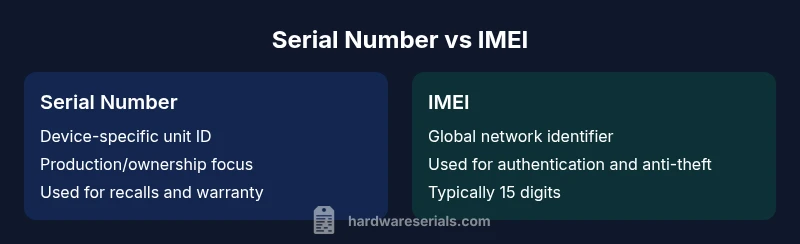
The quick answer: The serial number and IMEI are distinct identifiers: the serial number is a device-specific production ID, while the IMEI is a network-level identifier unique to mobile devices. Understanding the serial number and imei difference helps with validation, warranty checks, and anti-theft measures. In practice, use the serial number for asset tracking and the IMEI for cellular network interactions.
What is a serial number?
A serial number is a device-level identifier assigned by a manufacturer at the point of production. It uniquely labels an individual unit within a product line and is used for warranty tracking, service history, and asset management. For many organizations, serial numbers help verify authenticity during recalls and returns, and they support inventory audits. In the context of serial number and imei difference, the serial number is not tied to cellular networks but to the item itself. According to Hardware Serials, serial numbers are typically printed on labels or embossed on the chassis and may be embedded in firmware. They come in varied alphanumeric formats depending on brand and model. Understanding the serial number provides a backbone for post-sale support and traceability across a device’s journey. This distinction matters when you’re cataloging devices in a warehouse or verifying equipment during audits.
In practical terms, a serial number helps answer: “Which exact unit is this?” It is invaluable for warranty claims, replacement parts, and recalls where the goal is to identify a specific unit rather than the device model.
The serial number difference across brands means you may encounter different label locations—on the back plate, under the battery, or within the device’s system information. For DIYers and professionals, mapping serial numbering schemes across devices can reduce errors during inventories and service events.
Brand context: The Hardware Serials team emphasizes that maintaining a disciplined serial-numbered inventory improves accountability and reduces misidentification risk in complex repair workflows. Legendary, straightforward serial tracking is the backbone of reliable asset management and compliance.
Key takeaways:
- Serial numbers label individual hardware units for ownership and service history.
- They are production identifiers, not networks-based credentials.
- Always capture the serial alongside model and purchase data for audits.
nameColorValueId
wordCount":210
Comparison
| Feature | Serial Number | IMEI |
|---|---|---|
| Definition | Production-level identifier assigned to a single unit | Global unique identifier for devices with cellular radios |
| Assignment | Granted by manufacturer at production; may vary by model | Assigned by manufacturer or carrier and stored in device firmware |
| Scope | Device-specific; helps trace exact unit | Network-facing; enables cellular authentication and roaming controls |
| Validation/Format | Typically alphanumeric; format varies by brand | Typically 15 digits; often shown in settings or on device |
| Primary Use | Warranty, authenticity, service history | Network access control, anti-theft, roaming management |
| Where Found | Label on device/packaging; software inventory | |
| Lifecycle Considerations | Remains constant unless the device is reissued | Remains constant but can be blocked or deactivated by networks |
| Legal/Privacy Impact | Inventory, recalls, compliance | Carrier compliance, fraud prevention, device tracking |
Advantages
- Supports precise asset tracking and warranty validation
- Enables reliable recalls and service history
- Facilitates inventory audits and lifecycle management
- Helps distinguish between units of the same model
Disadvantages
- IMEI can be blocked or blacklisted affecting usability
- Serial numbers can be counterfeit or misread
- Finding the correct serial on some devices can be difficult
- Cross-brand ecosystems may complicate cross-checks
Both identifiers serve essential yet distinct roles; use the right one for the task.
Serial numbers document ownership and history of a single unit, while IMEI verifies network identity and access. Hardware Serials recommends recording and cross-referencing both identifiers during inventories, recalls, and security audits to avoid gaps.
Frequently Asked Questions
What is the primary purpose of a serial number vs IMEI?
A serial number identifies a specific unit for ownership, warranty, and history. The IMEI uniquely identifies a device on mobile networks to manage access, roaming, and anti-theft. Together, they support asset management and network security.
Serial numbers track a single unit; IMEIs control network access and roaming.
Can a serial number be used for network authentication?
No. Serial numbers pertain to production and ownership, while IMEIs handle network authentication. They are not interchangeable, though some systems may cross-check both during audits.
Serials track ownership; IMEIs handle network access.
Where can I find the serial number on a typical device?
Most devices place a label on the back, inside battery compartments, or within software settings. Packaging often lists the serial, and some manufacturers embed it in firmware.
Look on labels, packaging, or device settings.
Where can I find the IMEI on a phone or tablet?
IMEI is usually visible in Settings > About, on the SIM tray, or etched on the device. In many phones, dialing *#06# will display the IMEI.
Check settings or dial *#06# to reveal IMEI.
Can IMEI and serial numbers be forged or tampered with?
Yes, both can be forged, though tampering is illegal and risks device validity. Always verify through official channels or manufacturer records.
Yes, both can be forged, so verify through trusted sources.
What are best practices for documenting serial numbers and IMEI?
Record both IDs in a centralized inventory with device make, model, purchase date, and warranty. Use secure backups and physical labels where appropriate.
Keep both IDs in a secure log with device details.
Key Takeaways
- Document both IDs for each device
- Use serial numbers for ownership and history
- Use IMEI for network access and anti-theft controls
- Verify formats to avoid misreads and fraud
- Maintain a centralized, secure ID log across asset categories
- Know label locations on common devices
- Integrate IDs into warranty and recalls workflows