GE Dishwasher Serial Number Lookup: Find & Verify Fast
Learn how to locate, interpret, and verify GE dishwasher serial numbers for service, warranty, and parts. This guide covers where to find the codes, how to decode date and model information, and a practical lookup workflow you can follow to reduce repair time and error.


To perform ge dishwasher serial number lookup, locate the label inside the door or on the tub frame where the serial, model number, and sometimes date codes are printed. Record these codes clearly, then consult GE’s official support site or the product manual to verify the model, confirm manufacture date, and identify the correct replacement parts or active warranty status.
What ge dishwasher serial number lookup means for service and parts
A GE dishwasher serial number lookup is more than a random label check. The combination of serial, model, and date codes on a GE dishwasher allows technicians and owners to confirm the exact appliance configuration, verify compatibility for replacement parts, and assess warranty eligibility. According to Hardware Serials, a precise lookup reduces service time and minimizes misordered parts. For professionals, logging the sequence of codes also helps confirm recall eligibility and service history across model generations. In 2026, Hardware Serials Analysis, 2026 shows that most reputable repair workflows rely on exact serial codes to sequence repair steps, ensure safety compliance, and source OEM components. When you perform a ge dishwasher serial number lookup, you tie the hardware identity to the correct service path, avoiding generic troubleshooting that may apply to other GE models. This precision matters particularly for dishwashers with modular components, varying control boards, or customized installations. By combining the serial with the date code where present, technicians can determine the correct installation kit, confirm the right water inlet valve size, and verify the warranty period. In short, the lookup is the first handshake between your appliance and the repair ecosystem, giving you confidence and reducing risk of missteps.
Where to find a GE dishwasher serial number
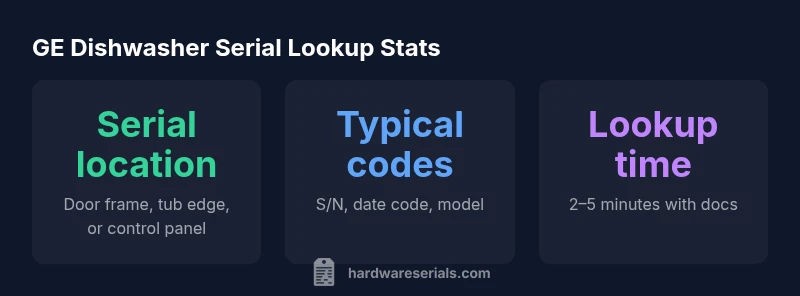
Most GE dishwashers place the label in one of several common locations. For built-in and newer models, start with the interior door panel—open the door and look along the hinge side or the vertical edge of the frame. Some units display the label on the tub rim or on a sticker behind the toe-kick. Portable or countertop GE models may have a label on the back panel or under the door seal. If you can't see a label, check the user manual or the quick-start guide for the exact location for your model. It’s helpful to photograph the label once you locate it, so you don’t forget the serial and model numbers. When labels are partially obscured by grime, a gentle wipe with a damp cloth can reveal faint engravings. Finally, if your dishwasher is an older or service-limited unit, the label might be on the back of the unit or on a glued placard inside the lower cabinet area.
The difference between serial numbers and date codes on GE dishwashers
Serial numbers are unique identifiers for each appliance and link to warranty status, service history, and specific production runs. Date codes (often a separate code on the same label) indicate when the unit was manufactured and can help determine parts compatibility and recall eligibility. Model numbers identify the exact configuration (capacity, control type, door style) and are crucial when ordering parts or cross-referencing manuals. In practice, a complete lookup involves collecting all three: serial, model, and date codes. GE and most manufacturers use these codes consistently, so understanding their roles helps you find the right parts and ensure accurate service steps.
How to interpret the label: model numbers, manufacture date, and more
Interpreting the print on the label involves distinguishing between the model number (often alphanumeric), the serial number (unique to your unit), and the date code (manufacture period). Some GE manuals describe the standard formats for these fields, while others provide visuals showing where to find each code. If the date code is present, it may appear in a separate block or embedded within the serial. When in doubt, cross-check the model number and serial against GE’s official support site or the warranty information booklet that accompanies your purchase. Keeping a clear record of all codes in a dedicated service file makes future lookup faster and reduces the likelihood of ordering incorrect parts.
Step-by-step lookup workflow for common GE dishwashers
- Gather any known details (model name, approximate purchase date).
- Open the door and inspect the interior label first, then the tub rim and toe-kick area.
- Note the serial, model, and any date codes; photograph if needed.
- Visit GE’s official support portal and enter the model and serial to validate the configuration and parts compatibility.
- If the portal doesn’t recognize the codes, contact GE customer service with photos of the label.
- Use the verified model/date information to order parts, confirm warranty coverage, and schedule service if required.
- Store the codes in a service directory for quick future lookups.
Special cases: built-in vs portable models and labels that are hard to read
Built-in GE dishwashers often have labels inside the door frame or on the tub edge, while portable units may hide labels behind the kick plate or on the back panel. In some cases, the label is printed in small type or faded by heat and humidity, making it hard to read. If the label is illegible, refer to the user manual for the exact model year or contact GE support with a photo of the appliance’s exterior. In multi-brand homes, confirm you’re looking at the correct model and serial for the GE unit. If you replaced a door or panel during a remodel, double-check the serial against the original unit’s paperwork.
Quick tips to keep serial information organized for troubleshooting
- Photograph labels from multiple angles and store them in a dedicated folder.
- Create a simple spreadsheet with columns for model, serial, date code, purchase date, and notes.
- Include the lookup date for warranty and service validity checks.
- Recheck serial numbers after any repair to ensure the replacement parts match the correct unit.
- Use GE’s official site or authorized manuals for verification and troubleshooting steps.
GE dishwasher serial number lookup examples
| Model Type | Location | Code/Label Type |
|---|---|---|
| GE Dishwasher (Built-In) | Door frame label near latch | Serial: S/N-#### |
| GE Dishwasher (Portable) | Under-sink label | Date code: YYWW |
Frequently Asked Questions
Where is the GE dishwasher serial number located?
Most GE dishwashers place the label on the interior door panel, along the tub frame, or behind the toe-kick. For older models, check the back panel or inside the lower cabinet area. If you still can’t locate it, consult the user manual or GE support.
Check the door edge and tub frame first; if you still can’t find it, refer to the manual or GE support.
How do I decode the date code from the serial?
Date codes indicate the production period and are often separate from the serial. Look for a stamped or printed block on the label. GE manuals or support pages explain the exact format for your model.
Look for a separate date code on the label and check GE’s manual for the exact format.
Can I look up the serial online?
Yes. GE’s official support site usually allows you to verify your model and serial, confirm the date code, and view compatible parts. Be cautious of third-party databases and ensure you’re on GE’s domain.
You can use GE’s official site to verify your serial and model.
Why is serial lookup necessary for warranty?
Serial lookup confirms the exact unit and manufacture date, which determines warranty eligibility and service coverage. It also helps ensure the correct parts are covered under warranty.
The serial confirms eligibility and helps verify what the warranty covers.
What if the label is missing or unreadable?
If unreadable, gather purchase documents, model name, and any photos of the unit, then contact GE support for guidance. They can help identify the correct model from serial cues or other details.
If the label is missing, contact GE support with any photos and purchase info.
“A precise serial lookup transforms a generic trouble call into a targeted repair path. It saves time and reduces the risk of ordering the wrong parts.”
Key Takeaways
- Locate the serial label first to ensure accuracy
- Cross-check codes on GE’s official site or manuals
- Record serial, model, and date codes for warranty checks
- Use the labels to identify the correct parts and service path
- Keep a digital file of codes for future lookups