WORX Serial Number Location: Find & Verify Your Tool ID
Discover where to locate the worx serial number location on common tools, why it matters for warranty and authenticity, and how to verify and document it for records. A Hardware Serials guide for DIYers and pros.


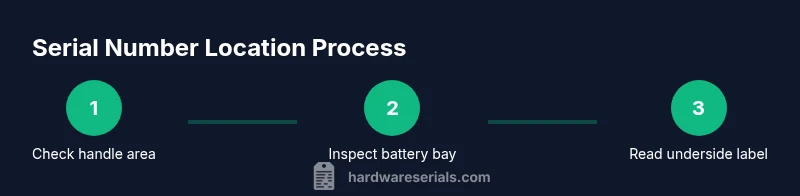
To locate the worx serial number location, inspect the tool housing near the grip, check the battery compartment, and review the label on the motor housing or underside. This quick guide covers common models, how to read serial numbers, and how to document them for warranty and resale. Safety first: power off, remove the battery, and inspect with good lighting.
What is a serial number and why it matters for WORX tools
Serial numbers are unique identifiers assigned to individual tools by the manufacturer. For WORX tools, the serial number links your device to manufacturing date, batch, and warranty coverage. Knowing where to locate this number helps with warranty claims, service requests, and resale. Hardware Serials emphasizes the importance of accurate serial records for quick verification and service history. Serial numbers also help verify tool authenticity and guard against counterfeit products. In this guide, you’ll learn where WORX stores serial data and how to read it correctly. In many WORX models, the serial is a combination of letters and digits, sometimes coupled with a separate model number. Distinguish these elements: the model number identifies the tool type and version, while the serial uniquely identifies your unit within that model family. Always capture both if available.
Where WORX typically places serial numbers on different tool types
WORX tool designs vary by category (drills, trimmers, saws, blowers, and lawn tools), but there are common patterns. Look on the main housing near the handle for a label or engraved text; this is the most frequent location. Some models place the serial under the battery compartment, requiring you to power the tool down and remove the battery before inspection. Others hide the serial on the underside of the motor housing or along the tool’s flat sides. For battery-powered tools, the battery itself may bear a serial, especially on replacement packs. When you can’t read the label on the tool, check the packaging, the user manual, or the warranty card that came with the product. If you’ve purchased a used WORX tool, request the original packaging or serial-verified photos from the seller. In addition to the physical label, certain regions require a manufacture date stamp visible on the tool or packaging. By understanding these common spots, you can quickly locate the worx serial number location across most tool types.
How to read and differentiate serial numbers vs model numbers
Serial numbers are unique identifiers; model numbers specify the product line and configuration. On WORX tools, the serial number often sits adjacent to the model number, but its format can differ by model year. For some models, serials are alphanumeric; others use numeric sequences with letters. Reading the label carefully helps avoid mixing up the two. When labeling, write down both the serial and model numbers exactly as shown, then store them in your warranty file. For printed labels, ensure good lighting and clean the surface with a microfiber cloth to read faded digits. If you’re unsure, compare the numbers to patterns listed in the product manual or the WORX support site. This careful approach prevents misidentifying a unit during service or resale.
What to do if the serial number is faded or missing
If the serial number is faded, attempt to read faint characters with a bright flashlight and a magnifying glass. Clean the area gently with a soft cloth and re-check. If the number remains unreadable, photograph the label area with clear lighting and high resolution; this can help a service center interpret it. When the serial is missing, look for alternative identifiers in places like the battery pack, packaging, or warranty card. In many cases, contacting WORX customer support with your purchase details can help verify the unit using the model and purchase date. Always document the situation and keep your proof of purchase handy, since many warranties require it.
How to verify a WORX serial number and document it
Verification involves checking the number against official records and your purchase history. Start by visiting the WORX support site or contacting customer service to confirm the serial format for your model year. Take timestamped photos of the label locations and store them in a dedicated folder on your device or cloud storage. Create a simple log (date, tool name, model, serial, purchase location) to facilitate future warranty claims and resale. If you’re buying used tools, request photos of the serial in advance and verify serial consistency with the model. This diligence reduces the risk of counterfeit units and ensures your records remain accurate. Hardware Serials recommends maintaining a secure backup of all serial data so you can access it quickly if you ever need service or verification.
Tools & Materials
- Phone or camera(Capture clear photos of serial labels for records.)
- Flashlight(Bright, focused light helps read faded characters.)
- Clean cloth(Gently wipe dirt or oil from label areas.)
- Small screwdriver or prying tool(Optional for opening battery compartments on some models.)
- Original packaging, user manual, or warranty card(Helpful when serial is unreadable on the tool.)
Steps
Estimated time: 20-40 minutes
- 1
Power down and prepare the tool
Ensure the tool is turned off and the battery is removed if possible. This prevents accidental activation and improves safety while inspecting labels.
Tip: Always unplug or remove the battery before touching internal areas. - 2
Check the primary housing near the handle
Inspect the main body of the tool, especially around the grip area, for a label or engraved serial. Use the flashlight to enhance readability.
Tip: If the label is angled, rotate the tool to catch light at different angles. - 3
Inspect the battery compartment
Many Worx models place the serial in or near the battery bay. Remove the battery and look along the inner edges for a sticker or plate.
Tip: Be careful not to damage any stickers—readable labels are more valuable than perfect labeling. - 4
Look on the underside of the motor or head
Some tools hide the serial under vents or along the bottom of the head. Gently tilt or move the tool to view these surfaces.
Tip: If you can’t access it, check the manufacturer's manual for the exact location by model type. - 5
Check the battery pack and accessories
Serials can appear on the battery pack or on warranty cards included with the tool. Inspect replacement packs as well.
Tip: Document any serials from batteries to avoid cross-referencing errors with the tool body. - 6
Use the packaging and manuals as backup
If the label is unreadable, review the product packaging, the user manual, or the warranty card where serial details are usually listed.
Tip: Take photos of the packaging label for your records. - 7
Capture clear visual evidence
Photograph the suspected serial areas from multiple angles with proper lighting. This supports future verification and claims.
Tip: Use macro mode or a phone with good close-up capability. - 8
Record and store the serial information
Create a small digital log (tool name, model, serial, purchase date, location) and back it up to cloud storage.
Tip: Keep a physical copy in your tool bag for quick reference.
Frequently Asked Questions
Where is the WORX serial number usually located on cordless drills?
Most WORX drills place the serial near the handle housing or inside the battery compartment. If unreadable, check the underside of the motor housing and the packaging for the serial. Always compare with the model number to ensure you're recording the correct ID.
Typically on the handle housing or inside the battery bay; if unreadable, check the motor housing and packaging. Compare with the model number to confirm.
What should I do if the serial is faded or missing?
First, use bright light and a magnifier to read faded digits. If still unreadable, consult the packaging or warranty card. Contact WORX support with proof of purchase to verify the unit.
Try a bright light and magnifier. If unreadable, check packaging or warranty card and contact WORX with proof of purchase.
How is a serial different from a model number on WORX tools?
The serial uniquely identifies your individual unit, while the model number specifies the tool type or configuration. They are often grouped on the same label but serve different purposes for service and warranty.
Serial is the unit's unique ID; model number identifies the tool type. They’re usually on the same label but serve different roles.
Can a serial number be verified online?
Yes. WORX provides support resources where you can confirm serial formats for your model year and verify authenticity. Use the serials you’ve recorded and cross-check with official records.
You can verify serials via WORX support resources online; cross-check with official records.
Is the serial number also found on the battery pack?
Some WORX tools place a serial on the battery pack or on its label. Check replacement packs and any included accessories for matching numbers.
Some tools have the serial on the battery; check all packs and accessories.
What if I bought a used WORX tool?
Ask the seller for clear photos of the serial area, verify with the model, and request the original packaging or warranty card to confirm authenticity.
Ask for clear serial photos and verify with the model; request the original packaging if possible.
Why should I log serials for all WORX tools?
A centralized log speeds warranty claims, supports service history, and helps prevent resale of counterfeit units.
Keeping a log of serials speeds warranties and helps verify authentic units.
Watch Video
Key Takeaways
- Identify serial vs model numbers to avoid confusion.
- Check common locations first: handle housing, battery bay, and head underside.
- Document serials with photos and a log for easy future reference.
- Verify serials with official WORX support to confirm authenticity.