What’s My Serial Number Laptop: Locate and Verify Your Device
Learn how to locate your laptop serial number across Windows, macOS, and Linux, verify its authenticity, and securely store it for warranty and asset management.


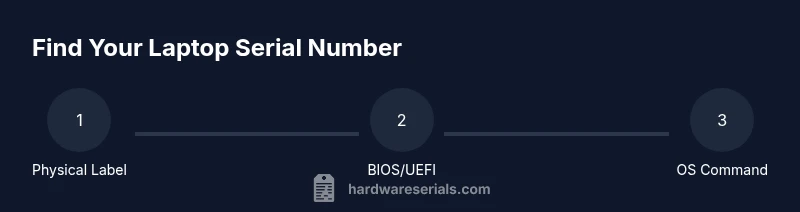
You’ll locate your laptop’s serial number and learn how to verify it across hardware, software, and documentation. Start with the physical label on the bottom or underside, then check BIOS/UEFI, system information, and purchase records. This guide covers common locations for Windows, macOS, and Linux laptops. Whether you're DIYing repairs or filing a warranty, this quick route gets you the number fast.
What is a laptop serial number?
A laptop serial number (SN) is a unique identifier assigned by the manufacturer to distinguish your device from every other unit. It is used for warranty processing, service history, and asset management. The latest generations of laptops may carry several numbers (system serial, model number, baseboard serial), and it’s important to know which one is required for a given task. According to Hardware Serials, a serial number is not the same as a model number, which describes a family of products. In this guide we will focus on the primary serial numbers used for authentication and support requests, and how to locate them across major operating systems. The search phrase what's my serial number laptop is common among DIYers and professionals who want a quick foothold on device identity. Understanding the difference between serial numbers and other identifiers helps prevent confusion when contacting support or checking warranty status. By the end, you’ll be comfortable retrieving the SN from BIOS, OS utilities, or physical labels and recording it securely. Hardware Serials emphasizes that SNs are critical assets for any device inventory and warranty workflow.
Why you might need the serial number
There are several practical reasons to locate and record your laptop’s serial number. It is essential for warranty validation, facilitating service requests, and proving ownership after loss or theft. When you need to contact the manufacturer for repairs, providing the SN helps support teams pull the correct parts and confirm eligibility. Asset-tracking teams and IT departments rely on SNs to catalog devices, track depreciation, and manage inventory. A correct SN also helps you verify that a resale unit matches the product described in the listing. This is why a consistent, organized approach to SN documentation matters for both DIY enthusiasts and professionals. Hardware Serials’ guidance highlights that a clear SN strategy reduces friction in support and asset management scenarios.
Physical locations you should check
Most laptops carry the serial number on the chassis label, typically on the bottom panel. Some models hide the SN under removable covers like a service hatch, battery, or RAM compartment. For modern ultra-thin devices, the SN may be near the hinge or printed inside the battery bay if the battery is removable. If you can’t locate a label, inspect the packaging, purchase invoice, warranty card, and any serials printed on the original box. Always verify that you are reading the correct number and not a model or batch code. When in doubt, photograph the area for later comparison and consult the manufacturer’s official documentation to confirm the exact field used for SN.
Software-based locations: BIOS/UEFI and OS utilities
Beyond physical labels, you can pull the serial number from the system software. On Windows, open Command Prompt and run wmic bios get serialnumber or PowerShell with Get-WmiObject Win32_BIOS | Select-Object SerialNumber. On macOS, go to About This Mac > System Report > Hardware to find the Serial Number, or run system_profiler SPHardwareDataType | grep Serial. On Linux, use sudo dmidecode -s system-serial-number or sudo cat /sys/devices/virtual/dmi/id/product_serial. These methods are reliable for virtual machines as well, though VM SNs may reflect host data. Once found, copy the value exactly and store it securely.
Brand-specific notes: where to look varies by maker
Different brands standardize serials differently. Apple typically prints the serial on the bottom bezel or in the macOS System Information. Dell and HP often label SN on the bottom or inside a service panel, sometimes accompanied by a separate Service Tag. Lenovo may place the serial in the battery bay or under the back cover. If you’re unsure, consult the manufacturer’s support site and search for “where to find my serial number” for your exact model. The key is to verify via both a hardware label and a software listing when possible.
Interpreting and decoding serial numbers: what the codes mean
Serial numbers are primarily identifiers, not a universal date or tech spec. Some manufacturers embed production info in small portions, but decoding schemes vary widely between brands and generations. Do not rely on a single digit pattern to determine manufacture date or warranty status without cross-checking with the official tool or documentation. When you see mixed letters and digits, copy them exactly; even a single erroneous character will lead to failed warranty checks or misidentified units.
Common mistakes and how to avoid them
Avoid reading from damaged labels or from stickers that have peeled off. Do not rely solely on a model number as a substitute for a serial. Ensure you use the exact serial, not a quotation: some units display multiple numbers like stock numbers, part numbers, or SKU codes that are not SNs. If you cannot access the device, request the SN from the original packaging or the invoice. Remember to verify SN consistency between BIOS, OS output, and the box label to avoid mismatches that complicate support or claims.
Storing the serial number securely and building a SN inventory
Treat serial numbers as sensitive data tied to device ownership. Store them in a password-protected note, a secure password manager, or a dedicated asset registry. Include corroborating data like model, purchase date, and warranty expiration. Regularly audit your SN records—especially after device upgrades or replacements—and back up your inventory. Hardware Serials recommends maintaining a simple, searchable log to speed up warranty claims, facilitate audits, and simplify asset disposal or resale.
Quick-reference checklist and troubleshooting at a glance
- Locate all potential SN sources: label, BIOS, OS utilities, packaging.
- Copy the SN exactly, including dashes or spaces.
- Cross-check between physical label and software listing.
- Record the SN in a secure location with device details (model, purchase date, warranty).
- Verify with the manufacturer’s official tool or support channel if in doubt.
- If the label is damaged, rely on BIOS/OS methods and contact support for confirmation.
How to store and back up your serial numbers (practical guide)
Create a dedicated SN registry for your devices. For each unit, include: SN, model, purchase date, warranty coverage, and notes about any service history. Use a cloud-backed password manager or encrypted note to keep data accessible yet protected. Regularly export or print offline copies for offline storage. If you service devices regularly, consider adding a QR code linked to a secure SN entry for quick scanning during service calls.
Tools & Materials
- Official packaging, receipt, or warranty card(Contains the manufacturer SN as a backup reference.)
- Access to the device (powered on or off as needed)(Some methods require boot access or OS boot.)
- Keyboard/Mouse and screen visible(Helps with faster navigation to system info.)
- Internet access (optional but helpful)(Useful for cross-checking with manufacturer portals.)
- Secure storage (password manager or encrypted note)(For long-term retention of SN data.)
Steps
Estimated time: 15-20 minutes
- 1
Prepare the device and references
Power off or reboot as needed, gather receipts, and locate any existing labels. This prevents scrambling for information during later steps.
Tip: Have the device model and OS version handy to speed lookups. - 2
Inspect the physical labels
Flip the laptop to inspect the bottom, underside, battery bay, or service panels for an SN label. Take a clear photo in case the label is damaged.
Tip: Photographs prevent misreading blurred labels. - 3
Access BIOS/UEFI for the SN
Boot into BIOS/UEFI settings (common keys: F2, F10, Del). Locate the serial number in the hardware information screen if available.
Tip: If you’re unsure which key opens BIOS, check the manufacturer’s support page for model-specific instructions. - 4
Use OS-based commands (Windows)
Open Command Prompt or PowerShell and run wmic bios get serialnumber or Get-WmiObject Win32_BIOS | Select-Object SerialNumber to extract the SN.
Tip: Verify the command output against the label to catch transcription errors. - 5
Use OS-based commands (macOS)
On macOS, use About This Mac > System Report > Hardware to read the Serial Number, or run system_profiler SPHardwareDataType | grep Serial.
Tip: For privacy, avoid sharing the SN publicly during troubleshooting. - 6
Use OS-based commands (Linux)
In Linux, run: sudo dmidecode -s system-serial-number or cat /sys/class/dmi/id/product_serial. Admin privileges may be required.
Tip: Some virtualization environments may show host SNs; verify in the guest OS context. - 7
Cross-check sources
Compare SNs from the label, BIOS/UEFI, and OS outputs. If any discrepancy exists, re-check the label and contact the manufacturer.
Tip: Discrepancies can indicate a misread label or a counterfeit unit. - 8
Record and store securely
Store the SN along with model, purchase date, and warranty details in a secure location.
Tip: Use a password manager or encrypted note; back up the data.
Frequently Asked Questions
What is the difference between a serial number and a model number?
A serial number uniquely identifies a single device, while a model number describes a family of devices. The SN is used for warranty validation and support, whereas the model number helps locate parts and compatibility. Always use the serial number when contacting support.
A serial number uniquely identifies your specific device, while a model number identifies a family of devices. Use the serial number for warranty and support.
Where can I find the serial number on a Windows laptop?
You can find the serial number on the label, in BIOS/UEFI, or via OS commands like wmic bios get serialnumber. Cross-check across sources to ensure accuracy.
On Windows, look on the bottom label, in BIOS/UEFI, or run a quick command to pull the serial number.
Where can I find the serial number on a MacBook?
On macOS, check About This Mac > System Report > Hardware for the Serial Number, or run system_profiler SPHardwareDataType to reveal it. The label on the device shell may also show the SN.
On a MacBook, use About This Mac > System Report to see the serial number, or run a hardware report.
What should I do if the label is damaged or unreadable?
Rely on BIOS/UEFI and OS-based methods to retrieve the SN, and contact the manufacturer for a replacement label or documented record. Do not guess the SN.
If the label is damaged, use BIOS/OS methods to get the SN and contact the manufacturer if you need a replacement label.
Can I find the serial number without turning on the laptop?
Yes. If the label is intact, you can read it without powering the device. For some models, BIOS access requires power; use OS commands only when the device boots.
You can read the label without turning on, but some BIOS methods require power.
Is the serial number required for warranty claims?
Most warranties require the serial number to verify eligibility and service history. Have the SN ready when contacting support to speed up the claim.
A serial number is usually required to verify warranty; keep it handy for claims.
Watch Video
Key Takeaways
- Identify SNs from label, BIOS, and OS outputs.
- Verify SNs across sources to avoid errors.
- Record SN securely with device details and warranty.
- Know that brand variations affect where SN appears.
- Keep SNs private and protected during handling.