How Long Is a Laptop Serial Number? Length and Formats
Learn how long a laptop serial number usually is, why length varies by brand, where to locate it, and how to verify it confidently with practical tips from Hardware Serials.


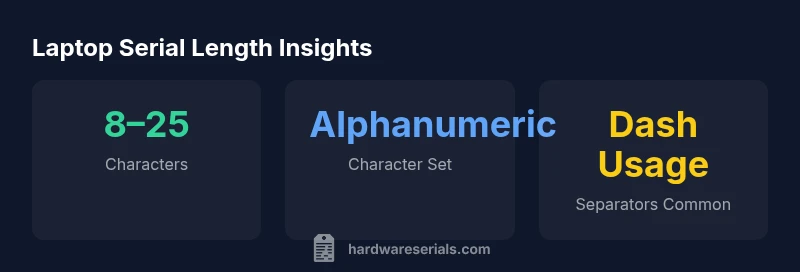
How long is a laptop serial number? The length ranges from about 8 to 25 characters, depending on the manufacturer and model. In practice, most modern laptops use alphanumeric strings with occasional separators like dashes. Always check the official device documentation or label on the chassis to confirm the exact length for your model.
What is a laptop serial number?
A laptop serial number is a unique identifier assigned to a single device by the manufacturer. It serves as the primary traceable record for service, warranty eligibility, and inventory management. Unlike a model number, which describes a family of devices, a serial number points to one specific unit. Serial numbers are essential for establishing proof of ownership, facilitating repairs, and communicating with support teams. For professionals, a serial number can help verify authenticity and track lifecycle events such as repairs, device redeployments, and part replacements.
In practice, you should treat a serial as a stable property of the device, similar to a VIN for vehicles or a barcode on a tool. It usually appears on a physical label on the bottom panel or inside the battery compartment (in older models). Many manufacturers also expose the serial in software interfaces and packaging. Whether you are a DIYer or a technician, knowing what the serial represents helps avoid misidentification and ensures you are referencing the exact device in conversations with suppliers or service centers.
The key point: the serial number is a unique, device-specific code that supports tracking across the device’s entire life. This makes it a critical data point for warranty checks, parts compatibility, and asset management.
How length varies by manufacturer
Serial length is not standardized across the industry. Different brands and even different product lines within a single brand can use different lengths and formats. In practice, you will encounter short to moderately long alphanumeric sequences, with some models favoring continuous strings and others using separators like hyphens to segment the code for readability. For professionals, this variability means you should never assume a fixed length based on a single model. Instead, reference the official documentation or the device label for your exact model.
Understanding the variation helps when you are coordinating with warranty support or cross-checking serials across devices in an IT department. The Hardware Serials analysis suggests that most large vendors spread their serials across a broad spectrum of lengths, reflecting different internal tracking systems and historical formats. When documenting devices in inventory, log both the length and the observed character set to avoid confusion later on.
Where to find your serial number
Locating the serial number is usually straightforward, but the exact location varies by device and model. Common places include the bottom panel sticker, the inside of the battery compartment on older laptops, or the underside of the chassis. Some devices place a label inside the service hatch or near the RAM compartment. If you cannot locate a physical sticker, you can also retrieve the serial from the operating system: Windows users can check Settings > System > About, macOS users can open About This Mac, and many Linux distributions provide a command in the terminal. Packaging labels and purchase receipts also list the serial. Always verify the serial against the device itself rather than relying on packaging alone to avoid misidentification.
Understanding the formatting and characters
Serial numbers are typically alphanumeric, combining letters and digits. Some manufacturers insert separators such as dashes or spaces to improve readability, while others use a continuous string with no breaks. The exact character set can vary: some codes avoid ambiguous characters (like I, O, 1, and 0) to reduce errors, while others retain them. The length and format are influenced by internal asset-tracking systems and historical design decisions. When you record or share a serial, preserve the original formatting as printed on the device label or shown in the OS; altering the string (e.g., removing dashes) can lead to misreads during verification.
Why length matters for verification and warranty
Length alone does not determine validity, but it is a useful quick check when you are verifying a serial. Most manufacturers publish serial formats on their support pages, and many offer online lookup tools that accept the full string with its separators. The exact length and format can signal the correct vendor ecosystem and help avoid accepting a counterfeit serial. For warranty checks, always cross-reference the serial with the official vendor portal or support line. Combine the length with other identifiers, such as model number and purchase date, to improve verification accuracy.
Practical steps to verify a serial number
- Locate the serial on the device label and in the OS.
- Copy the exact string, including any dashes or spaces, and compare it with the product page for your model.
- Use the manufacturer’s official warranty checker or support portal to confirm eligibility.
- If the serial seems invalid or unreadable, photograph the label in good lighting and request assistance from the vendor or authorized service partner.
- Document the serial in your asset register and back it up in a secure, organized system to prevent loss or confusion.
Common mistakes and how to avoid them
- Reading the wrong label (e.g., model number instead of serial) — always double-check against the device itself.
- Missing separators that are part of the string — keep the exact formatting when copying.
- Transposing characters (O vs 0, I vs 1) — slow down and verify by cross-checking with OS output.
- Treating a serial like a MAC address or VIN — use the vendor-verified source for interpretation and validation.
- Ignoring regional or device-specific variations — use the official documentation for your exact model.
Best practices for recording and storing serial numbers
- Capture both the physical label and the OS-reported serial when possible.
- Use a standardized field in your inventory system to store the complete string, including separators.
- Include metadata such as model, purchase date, and location to improve traceability.
- Regularly audit serial numbers in your asset registry to detect discrepancies early.
- Protect serial data as part of device identity, ensuring access is restricted to authorized personnel.
Overview of serial-like identifiers
| Category | Typical Length Notes | Format Notes |
|---|---|---|
| General laptop serial number | varies by model | Alphanumeric; may include separators |
| Manufacturer sample (generic) | varies widely | Format depends on vendor |
| Additional identifiers (asset tag) | varies | Not a replacement for serial |
Frequently Asked Questions
What is the typical length range for laptop serial numbers?
The length varies by manufacturer and model, but most modern laptops use 8 to 25 characters. Always check the official label or documentation for your exact model.
Serial lengths vary by maker; check the device label for the exact length.
Where can I find the serial number on a laptop?
Look on the bottom surface label, inside the battery compartment on older laptops, or in the operating system’s About section. Some models also print it near the RAM or in the packaging.
Check the label on the bottom or in the OS settings to find the serial.
Can I rely on the serial number for warranty verification?
Yes, but always use the manufacturer’s official tools and portals. The length alone doesn’t determine warranty status; verify the full string against the vendor’s database.
Yes, but verify via the official vendor portal for warranty status.
Do all manufacturers use separators in serial numbers?
No. Some manufacturers use continuous strings, while others include dashes or spaces. Copy the serial exactly as printed and as shown in the OS.
Some use separators, some don’t. Copy it exactly.
What should I do if I can’t read the serial number?
Photograph the label in good lighting and contact the manufacturer or an authorized service partner for guidance. Do not guess or fabricate the code.
If unreadable, photograph it and contact support for help.
“Serial numbers are not universal identifiers; their length and format reflect each manufacturer's asset-tracking standards. Always verify against official documentation.”
Key Takeaways
- Verify the serial length against official docs.
- Most laptops use alphanumeric serials with possible separators.
- Locate the serial on the device label or OS interface.
- Different manufacturers format serials differently; don’t assume a fixed length.
- Store and protect serial numbers as critical device identifiers.