Ruud Serial Number Search: Find, Verify & Decode Serial IDs
A practical, step-by-step guide to locate Ruud serial numbers, decode date and model information, verify warranties, and document results for DIYers and pros.


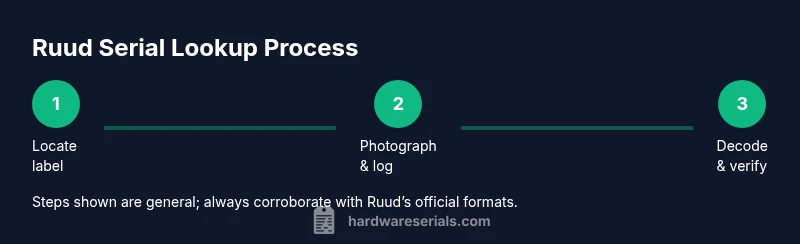
You will complete a ruud serial number search to locate, verify, and interpret serial codes on Ruud appliances. Start by locating the label on the unit, panel, or access door; note the model and manufacture date; use Ruud’s official resources to decode date codes, warranty status, and installation details for accuracy.
The value of Ruud serial numbers and why a careful search matters
When you work with Ruud equipment, a serial number is more than a label—it's a compact history of the unit. A well-documented serial supports accurate warranty checks, service history, and model verification. According to Hardware Serials, Ruud serial numbers can reveal manufacturing period, installation year, and sometimes the line or plant where the unit was produced. Understanding these details helps DIYers and pros avoid misidentifying parts or purchasing the wrong replacement components. In this section we’ll outline what a typical Ruud label includes and how to approach decoding it without risking data loss or misinterpretation. The search should be methodical, especially when you handle older or retired models. Start by identifying the correct label location and then capture clear, legible information. A good search relies on clean records and consistent terminology; it also depends on having reliable reference sources and a quiet workspace for careful comparison.
Where Ruud serial numbers live on common products
Ruud manufactures water heaters, boilers, tankless units, and packaged systems, each with a serial label in slightly different places. On most standard Ruud gas water heaters, the tag is on the front panel near the bottom or on the side housing. For high-efficiency models, you may find the label behind the lower service panel. Boilers and packaged units typically place the plate behind service doors or near the heat exchanger area. For outdoor units, check the exterior cabinet and the access panel. To ensure you’re reading the code correctly, take a photo from multiple angles and note the model number first; match it to the product sheet for alignment. Remember to power down safety interlocks or seek professional help if you need to remove panels. If the unit is older, serial locations may be in alternate spots such as the back of the label or the inside edge of the access panel.
Understanding date codes, model identifiers, and what they mean
Ruud uses a combination of letters and digits to encode manufacture date, model family, and sometimes production line. In many Ruud units, the date code appears as week/year or year-only digits embedded in the serial string. The model identifier helps you confirm the exact product family, which matters for compatibility and recalls. When decoding, proceed step by step: isolate the date portion, cross-check with the model number on the data plate, and compare with Ruud’s published code formats. If you’re unsure, consult the official manual or Ruud’s customer support portal to confirm the correct interpretation. Keep in mind that some older or regional variants may follow different conventions, so use the date code only as a guide alongside the full model number. For professional use, capture both the serial and model on a single note so you can refer back quickly during service calls.
Verifying serial numbers against official Ruud resources
Once you have the serial and model, the next step is verification. Start with Ruud’s official warranty and product lookup portals, which list valid date ranges and coverage by model. If online lookup returns ambiguous results, use the service manual or contact Ruud support with your unit’s photos and location data. Many manufacturers require the first two digits of the serial or a specific letter code to determine the year of manufacture; if the code is unclear, do not guess—request a higher-res photo or use a magnifying tool. For installers and technicians, keeping a running log of serial numbers and installation dates helps with recalls, safety notices, and warranty transfers. In practice, combine several sources: the label, the product sheet, and independent databases that corroborate the same manufacture window and model family.
Decoding common serial number formats and variations
Serial formats change over time and across Ruud product families. Some units present a clean, fixed-length string where the date is embedded at fixed positions; others spread codes across the string with separators or a separate date tag. The key is to map the observed portion to Ruud’s documented format for your product line. If the date is ambiguous, compute a best-guess window by comparing with the model’s release era and typical production cycles. When possible, use a screen reader or magnifier to ensure you’re not missing a subtle dash or a letter that resembles a number. If you plan to sell or service the unit, include both the serial and the manufacture date in your notes to prevent miscommunication.
What to do with the serial number once you locate it
With the serial in hand, you can verify warranty eligibility, confirm model compatibility, and check for recalls. Use the serial to contact Ruud customer support, register or transfer warranty, and ensure your installation date matches the expected service intervals. If the unit is part of a larger system, record the serial alongside the equipment type, location, and technician notes. For homeowners, save a digital copy in a repair journal; for professionals, attach the data to job records. Finally, note any visible wear or corrosion near the label that could affect future readings, and keep the original packaging or data sheet for future reference.
Practical steps for DIYers and professionals
To build a reliable ruud serial number search workflow, start with a clean workspace, good lighting, and a camera that can capture small alphanumeric characters. Create a simple checklist: locate, photograph, record, verify, and document. Build a short reference sheet with Ruud’s code formats relevant to your product line. If you encounter unreadable digits, try cleaning the label with a soft, dry cloth and use a magnifier or phone zoom rather than rubbing or peeling. Finally, schedule follow-up checks after installation to ensure the serial data remains tied to the correct unit.
Tools & Materials
- Bright flashlight + magnifying glass(Read small print and read codes clearly)
- Smartphone or camera with good macro ability(Capture legible photos of labels from multiple angles)
- Notepad and pen(Log serial, model, date, and notes)
- Ruud product manuals/data sheets(Reference code formats and location guidance)
- Screwdriver set (Phillips/flat)(Access panels or service doors as needed)
- Gloves and eye protection(Safety when handling internal panels)
- Magnifying tool or digital zoom(Assist reading faint characters)
- Web browser or Ruud support portal(Verify data against official sources)
Steps
Estimated time: 20-30 minutes
- 1
Locate the serial label
Identify the correct label on your Ruud unit. Look on the access panel, near the model plate, or inside service doors depending on the product type. Take your time to confirm you’re reading the right tag for the unit in question.
Tip: If readable, photograph the label before touching it to avoid smudges or wear. - 2
Record the model and serial
Write down the exact model number and the full serial string. If the label shows multiple lines, copy the line with the date code most clearly marked. A clean record prevents misidentification later.
Tip: Double-check model numbers against the manual to ensure you’re tracking the correct product family. - 3
Clean and read the code
Gently clean the label with a dry cloth to remove dust that obscures digits. Use a magnifier or phone zoom to read hard-to-see characters. Note any separators, letters, or unusual formatting in the serial.
Tip: Avoid abrasive cleaners that could erase critical information on the label. - 4
Check date code and format
Isolate the portion of the serial that encodes the date. Compare against Ruud’s documentation for your product line. If the date portion is unclear, cross-check with the model release window and typical production cycles.
Tip: Treat the date as a best-guess window rather than a precise birth date for older units. - 5
Verify with official resources
Enter the serial and model into Ruud’s warranty/lookup portals. If results are ambiguous, consult the manual or contact Ruud support with clear photos.
Tip: Prepare a short summary of unit type, location, and installation date when requesting help. - 6
Cross-check with third-party databases
Where available, compare the same data across trusted databases to validate manufacture date and model family. Look for consistency in digits and date ranges.
Tip: Rely on multiple sources rather than a single database to avoid false positives. - 7
Document and store the data
Create a concise entry: unit type, location, serial, model, manufacture date, and warranty status. Save digital copies and attach notes to job records for future reference.
Tip: Maintain a uniform format for quick retrieval on service calls. - 8
Plan a follow-up check
If the unit is older or has a history of recalls, schedule a follow-up review. Re-check date codes after any service, as labels can wear or shift over time.
Tip: Set calendar reminders for yearly warranty checks or recalls.
Frequently Asked Questions
Where can I find Ruud serial numbers on common units?
Ruud serial numbers appear on the data plate or label located on the unit’s cabinet, service panel, or access door. The exact spot varies by product family, so check the manual for your model. If in doubt, photograph potential labels and compare with Ruud’s documentation.
Look for the data plate on the cabinet or service panel. If you aren’t sure, photograph several candidates and verify against the manual.
What does a Ruud serial number tell me?
A Ruud serial number typically encodes date, model family, and production details. Decoding requires cross-checking the date code portion with the model line in Ruud’s documentation. Warranty status and recall eligibility may also be inferred from the serial in combination with the model.
The serial often includes date and model information; confirm with the official format for your model.
How do I interpret Ruud date codes?
Interpretation depends on the product line and production era. Look for a week/year format or a year code, then verify against Ruud’s published formats. If unclear, request higher-resolution images or consult Ruud support.
Date codes vary; check Ruud’s formats and, if needed, contact support with clear photos.
Can I lookup warranty using the serial number?
Yes, Ruud’s warranty portals allow lookup by model and serial. If the portal doesn’t return a definite result, gather photos and contact Ruud support. Warranty transfer and registration may also require the serial and installation date.
You can usually check warranty status with the serial on Ruud’s portal; if not clear, contact support.
What if the serial is unreadable?
If digits are illegible, don't guess. Clean gently, use magnification, or request a higher-resolution image from the customer or site. Compare any legible portions to potential date ranges and model identifiers.
If unreadable, don't guess—try cleaning and get a better photo before searching.
Do serial numbers differ by Ruud product lines?
Yes. Different Ruud product families (water heaters, boilers, tankless units) use distinct label formats and date-code conventions. Always refer to the manual for your specific line when decoding or verifying.
Different Ruud lines use different serial conventions; always check the specific manual.
Watch Video
Key Takeaways
- Locate Ruud serial numbers accurately before decoding.
- Use official Ruud resources to verify warranties and dates.
- Document results with clear notes and photos.
- Cross-check data across multiple sources for reliability.
- Create a repeatable workflow for future lookups.