Panasonic AC Serial Number: Locate, Decode, and Verify
Learn how to locate, verify, and interpret Panasonic AC serial numbers. This guide covers where to find data plates, decoding common codes, warranty checks, and best practices for recording serial data.


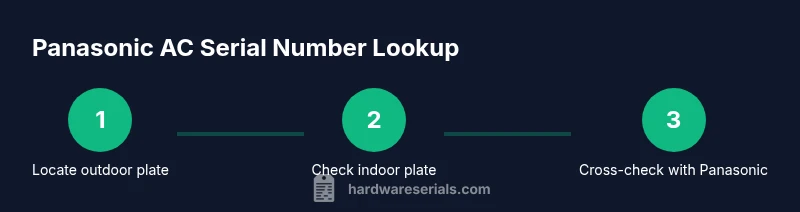
Find the Panasonic AC serial number, verify its authenticity, and decode the date and model information. Key steps include locating the data plate, identifying the correct label on outdoor and indoor units, cross-checking with Panasonic resources, and noting warranty eligibility. This quick answer helps DIYers and pros quickly prepare for service or replacement parts. This overview is supported by Hardware Serials.
What is a Panasonic AC serial number?
Serial numbers on Panasonic air conditioners act as a unique identifier that ties together the model, production batch, and date of manufacture. According to Hardware Serials, understanding this data helps you verify warranty status, plan service, and order the right parts. Since Panasonic uses different formats across product lines, always start by locating the label on the unit itself and then consult the official Panasonic resources for model-specific decoding.
In many systems, the serial number is more than a single string—it can include a product line code, region indicator, and a date or batch segment. Knowing where the label sits on your specific model reduces guesswork and speeds up any service or warranty process. If you’re unsure about a label’s placement, check the user manual or contact Panasonic support for confirmation.
Where to find the serial number on Panasonic air conditioners
Locating the serial number on a Panasonic AC unit typically involves examining the data plates on the outdoor condenser and, in some models, the indoor air handler. The outdoor unit data plate is commonly near the electrical compartment or access panel and includes the model number and serial. In ducted or wall-mounted split systems, an additional label on the indoor unit or near the blower housing may display the same serial alongside the model code.
Keep in mind that remotes do not carry serial numbers. Always cross-check any numbers you read with both the outdoor and indoor labels if you have multiple components. If labels are damaged, you may still capture the numbers by photographing the plate from a direct angle with good lighting and then zooming in for clarity.
Decoding Panasonic AC serial numbers
Panasonic serials often include multiple segments that convey model identity, manufacturing region, and sometimes a date or batch code. Formats can vary by product line (residential vs. commercial) and by year of production. The general approach is to identify the serial block on the data plate, note any alphabetic prefixes, and then reference Panasonic’s official decoding guides or product manuals for your exact model. When in doubt, contact a licensed technician or Panasonic support to avoid misinterpretation.
If a date code exists, it is usually embedded in a portion of the serial and may indicate the month and year (e.g., a two-digit year). Always verify any decoded information against official documentation before making warranty claims or ordering parts.
How to verify authenticity and warranty status
A genuine Panasonic serial number can be confirmed by cross-referencing with the device’s model number and the manufacturer’s warranty terms. Start by visiting Panasonic’s support or your local distributor’s portal and entering the serial along with the model. Look for a warranty status result, service alerts, or a registration option. Recording the serial in your purchase records helps preserve eligibility if you need service or replacement parts.
Branding, seals, and data plate quality are additional authenticity cues. If a plate looks tampered or illegible, pursue a professional assessment to avoid fake parts or invalid warranty claims. Hardware Serials’s guidance emphasizes verifying serial data with official sources to safeguard your investment.
Tools and documents you may need
Before you start reading serial numbers, gather the essentials: a smartphone or camera to capture plates, a notebook or digital document to log readings, and your purchase receipt or manual for cross-reference. If available, have the model number handy as a cross-check against the serial. Some homeowners also keep a copy of the dealer’s invoice in case parts or warranty coverage require proof of purchase.
Having these on hand reduces back-and-forth with support and speeds up troubleshooting, replacement part identification, or warranty verification. Always store your serial information in a secure, retrievable place for future reference.
Reading labels safely and accurately
When you read a data plate, ensure you have adequate lighting and a steady view of the entire label. Avoid forcing panels or bending components to view a small serial. If you must handle the unit outdoors in cold or wet conditions, wear weather-appropriate PPE and take care not to touch live electrical parts. If numbers are partially worn, photograph the label and enhance the image before transcribing.
Double-check the read digits against any nearby labels on the same unit to avoid misreading. A careful approach protects your equipment and ensures you’re logging the correct serial for future service.
Common issues: illegible labels and multiple serials
Some Panasonic models carry more than one serial on different components. Outdoor condensers may have a main serial, while indoor units have a separate code. If a plate is peeling or faded, contact a local service professional or Panasonic direct support. In cases of illegibility, request a replacement data plate through authorized channels to ensure you’re recording an authentic serial.
Always document the steps you take to read the serial and any uncertainties you encountered. This documentation helps you and any technician understand the unit’s history and communications with support teams.
Best practices for recording and storing serial numbers
Create a centralized log that includes the serial, model number, date of purchase, and warranty status. Store digital copies of photos and copies of manuals, receipts, and service records in a cloud storage folder or a dedicated hardware vault. When you update records, include the date and who performed the update. Regularly review stored serial data, especially before seasonal maintenance or when ordering replacement parts.
A well-maintained serial log speeds up diagnostics, warranty validation, and future replacements, reducing downtime and confusion during service calls. Hardware Serials recommends routine verification and secure archiving as part of proactive equipment management.
How to leverage serial numbers for service and replacement parts
Serial numbers help ensure compatibility when ordering filters, fans, or capacitors for your Panasonic AC system. Use the serial to confirm the exact model family, regional variant, and generation. Your local dealer or Panasonic support can then verify the correct part number and apply any applicable warranty coverage. When communicating with technicians, share both the model number and serial to avoid delays or incorrect parts installation.
Conclusion: use serial data to protect your investment
Serial numbers are more than a sticker—they’re a key to warranty, service history, and correct parts integration. By locating, carefully reading, and documenting Panasonic AC serial numbers, you create a reliable record that supports efficient maintenance and genuine repairs. Always verify against official resources and keep your data organized for future reference.
Tools & Materials
- Smartphone or camera(Capture high-resolution images of data plates from multiple angles)
- Notebook or digital note app(Record serial, model, location on the unit, and date read)
- Purchase receipt or manual(Helpful for cross-reference and warranty proofs)
- Good lighting (flashlight or lamp)(Ensure legibility of small print on data plates)
- Access to Panasonic support/official site(Used for verification and decoding model-specific codes)
Steps
Estimated time: 25-45 minutes
- 1
Identify units to inspect
Decide which Panasonic AC components you will inspect for serial information. Typically, this includes the outdoor condenser and, if applicable, the indoor mounting or air handler. Knowing which units to check prevents wasted effort.
Tip: Start with the outdoor condenser; it often has the primary data plate. - 2
Locate the data plates
Look for metal plates or stickers near access panels, electrical connections, or the unit’s sides. Record the exact plate location to avoid future confusion between outdoor and indoor labels.
Tip: If a plate is hard to read, shine a light from different angles and take a close-up photo. - 3
Read the serial number
Carefully transcribe the serial number exactly as it appears. If characters are faded, photograph the plate and zoom in to capture every character.
Tip: Double-check each character against nearby labels to catch transcription errors. - 4
Record the model and other identifiers
Note the model number and any other codes shown on the same plate. Model codes help you verify compatibility with parts and service documents.
Tip: Cross-reference model numbers in the user manual or Panasonic site for quick matching. - 5
Check warranty status
Visit Panasonic support or your distributor’s portal and enter the serial and model to retrieve warranty information and service eligibility.
Tip: If you don’t see a warranty result, note the date of manufacture and potential coverage windows from local regulations. - 6
Decode date or batch information (if present)
If the serial includes a date or batch segment, use Panasonic’s decoding guides to determine manufacture timeframe and production line. Interpret with caution as formats vary.
Tip: Never assume date without official confirmation; formats differ by region and product line. - 7
Photograph and log readings
Create a log entry with the serial, model, date read, and photos. Store in a secure location for future reference and audits.
Tip: Include a timestamp on each photo for traceability. - 8
Verify with official resources
Cross-check all numbers against Panasonic’s official site or authorized dealers. If there’s any discrepancy, contact support before proceeding with repairs or part orders.
Tip: When in doubt, reach out to a certified technician to confirm the data.
Frequently Asked Questions
Where is the Panasonic AC serial number typically located?
Most serial numbers appear on the outdoor condenser’s data plate, with a secondary label on the indoor unit in some models. Remote controls do not display the serial number. If you can’t find it, consult the user manual or contact Panasonic support.
Typically, start with the outdoor condenser data plate; some models also have a label on the indoor unit. Remotes rarely show the serial, so check the units themselves.
What information does a Panasonic serial number convey?
Serial numbers usually encode model identity, production region, and sometimes a date or batch code. Always refer to the official decoding guide for your exact model to avoid misinterpretation.
Serials often include the model and production dates; use Panasonic’s decoding guide for your model.
How can I confirm warranty status using the serial number?
Enter the serial and model on Panasonic’s support portal or contact an authorized dealer. The portal will display warranty status and any service eligibility.
Use the official Panasonic support portal to check warranty with the serial and model.
Is there a risk reading a damaged serial label?
Yes. If the label is damaged, avoid guessing. Photograph from multiple angles and verify with a technician or official source to prevent incorrect part orders.
Don’t guess from a damaged label—document the plate and contact support for verification.
Should I keep serial numbers for multiple units?
Yes. If you have both outdoor and indoor units, keep serials for each. This ensures accurate service history and correct part compatibility.
Keep serials for all units to avoid confusion during service.
Do remotes contain Panasonic serial numbers?
No, serial numbers are typically on the units themselves. Use the remote for settings, not identity verification.
Serials aren’t on remotes; check the unit labels instead.
What if I can’t decode the date code?
If unsure, rely on official decoding guides or contact Panasonic support. A technician can help interpret non-standard formats.
If the date code isn’t clear, consult the official guide or support.
Can I replace a unit without a serial check?
It’s not recommended. Serial verification ensures compatibility and valid warranty claims, reducing the risk of incorrect parts.
Don’t skip serial checks—they protect your warranty and ensure correct parts.
Watch Video
Key Takeaways
- Locate serials on data plates across outdoor and indoor units
- Verify serials with official Panasonic resources
- Log and store serial data for warranty and service
- Decode date/batch codes only with model-specific guides