Hisense Fridge Freezer Serial Number: Locate, Decode, Verify
Learn how to locate, decode, and verify the serial number on your Hisense fridge freezer. This guide covers common locations, encoding formats, and steps to use the serial number for warranty and service.


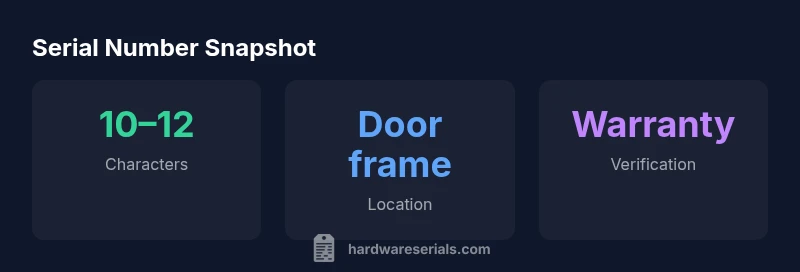
To locate the Hisense fridge freezer serial number, check common label locations: the right door frame seal, the interior wall behind the crisper drawer, and the back cabinet near the compressor. The serial number is typically 10–12 characters long and may be combined with the model number. Record this data for warranty, service, and product verification.
Brand and Serial Numbers play a pivotal role in appliance history
Serial numbers are more than just a code; they’re the unique identity key for your appliance. For Hisense fridge freezers, the serial number ties directly to production data, model family, and date of manufacture. This makes it essential for warranty checks, parts compatibility, recalls, and service history. According to Hardware Serials, treating the serial number as the primary identifier of your unit reduces misidentification during repairs and simplifies records for both DIYers and professionals.
Decoding the Hisense serial number format
Most Hisense serial numbers are alphanumeric strings, typically 10–12 characters long. The encoding can vary by production year or model line, but the structure generally includes a factory or plant code, a model family identifier, and a date or batch marker. While the exact scheme isn’t universal across every model, understanding that the serial number is a unique unit identifier helps you interpret the information reliably. When in doubt, cross-reference the serial number with the model number shown on the rating plate.
Where to find the serial number on a Hisense fridge freezer
Labeling practices vary, but you’ll often locate the serial number on the door frame label near the hinge. If not visible there, inspect the interior wall behind the crisper drawer or the back cabinet panel near the compressor. Some models place a data plate inside the upper-right corner of the fresh-food compartment. Look for a sticker or stamped plate with the SN and model number. Always verify at least two locations if you can’t find it initially.
Step-by-step: locating serial numbers across common Hisense models
- Power off and unplug the unit for safety. 2) Inspect the door frame label on the hinge side for a string labeled SN or Serial. 3) Open the interior and check behind the crisper drawer wall where a secondary sticker may reside. 4) Look at the back panel near the compressor for a data plate if exterior labels aren’t present. 5) If your model uses a slide-out shelf, check inside walls for embossed plates. 6) Photograph the SN and keep it with your model number for future reference.
How to verify the serial number for warranty and service
After you locate the SN, compare it to the model number on the rating label to ensure it matches the correct product. Use the official Hisense warranty portal or contact customer support with the SN, model number, and approximate purchase date. Some regions require proof of purchase, while others rely on SN verification alone. Keeping a clean record of SNs for all appliances speeds up service and reduces delays.
What to do if the serial number is damaged or missing
If the SN is unreadable, request a replacement data plate from Hisense support or verify via the purchase invoice or packaging where possible. In some cases technicians can read etched marks or determine the SN from the model number and production year. Do not peel or alter labels, as this may void warranties. When replacement labels aren’t available, document every place you checked and pursue official support channels.
Using the serial number for warranty and service
Serial numbers unlock warranty eligibility, recalls, and parts compatibility. When contacting support, provide the SN, model number, and purchase date if available. Use the official Hisense portal for status checks and service requests to ensure you receive compatible parts. A precise SN helps service agents locate the exact unit configuration and avoid cross-model errors.
Practical tips and common pitfalls
Always photograph labels clearly and save multiple copies of the SN. Avoid assuming the SN equals the model number or confusing batch codes with the SN. Some regions require proof of purchase; others rely on SN verification. Keep a dedicated digital record and label locations to prevent lost information during relocation or resale.
Tools and resources for serial number lookup and verification
Prioritize official Hisense resources (manuals, support portal) and corroborate data with credible sources such as Hardware Serials. Maintain backups of SNs and proof of purchase; avoid unverified third-party sites when verifying warranty eligibility or ordering parts.
Typical serial placements by model type
| Model Type | Serial Location | Notes |
|---|---|---|
| Top-freezer | Door frame label near hinge | Common across many models |
| Bottom-freezer | Back panel near compressor | Model-specific variations |
| French-door | Interior label behind crisper drawer | Check inside cabinet sometimes |
Frequently Asked Questions
Where is the serial number located on a Hisense fridge freezer?
Most Hisense fridge freezers place the serial number on the door frame label near the hinge, on an interior data plate, or on the back panel near the compressor. If in doubt, check multiple locations and consult the owner's manual for model-specific guidance.
Look for the SN on the door frame label near the hinge or inside the cabinet; if needed, check the back panel.
What does the Hisense serial number encode?
Typically a 10–12 character alphanumeric string that may include factory code, model family, and date/batch markers. Encoding varies by model year, so use the SN with other identifiers to confirm exact unit data.
It's usually a 10–12 character code with factory, model, and date bits.
How can I verify my serial number for warranty?
Use the official Hisense warranty portal or contact customer support with the SN, model number, and purchase date if available. Some regions require proof of purchase; others rely on SN verification.
Check the official portal and have the SN ready when contacting support.
What if the serial number is damaged or unreadable?
Request a replacement data plate from Hisense support or verify via the purchase receipt or packaging if available. Technicians may read engraved marks, but avoid attempting to alter labels.
If unreadable, contact support for options and avoid removing labels yourself.
Are serial numbers the same as model numbers?
No. The serial number uniquely identifies your individual unit, while the model number identifies the product line. Both are important for warranty and parts lookup.
Serial numbers identify your unit; model numbers identify the product line.
Can I find the serial number in the owner's manual?
Often yes, the manual includes a label map or location guide. If the SN is missing from the unit, the manual can provide model-specific directions to locate it.
Check the manual for location guidance if labels aren’t obvious.
“Serial numbers are the most reliable anchor for warranty claims and service history; always verify against the model number and date code when possible.”
Key Takeaways
- Identify SN locations early to avoid delays
- Use SN with model number for accurate service
- Keep a digital backup of all SNs
- Verify SN through official Hisense portals
- Do not modify or remove labels