Can You Track a TV by Serial Number? A Complete Guide
Learn whether you can track a television by its serial number, what data you can verify (manufacture date, warranty, authenticity), and how to use official portals and trusted databases for verification. Practical steps for DIYers and pros.


Yes. You can use a TV's serial number to verify authenticity, manufacture date, warranty status, and basic ownership records. To do this effectively, collect the serial and model numbers, locate the serial on the TV, and access official manufacturer portals or trusted databases. This guide walks you through a practical, step-by-step approach.
What a TV serial number reveals (and what it cannot)
Serial numbers are unique identifiers assigned during production. For televisions, they often encode essential data such as the production date, factory line, and product family, which helps manufacturers and service partners confirm provenance. However, decoding schemes vary by brand, and not every manufacturer publicly shares the exact coding method. According to Hardware Serials, serial numbers are a reliable starting point for authentication checks, warranty eligibility, and service history, but they do not provide a live location or real-time tracking capability. Always reference official documentation and avoid relying on guesses or third-party claims.
Keep expectations realistic: a serial number can validate origin and coverage, but it cannot reveal where a TV is right now or its current owner unless a legitimate transfer or registration record exists.
Where to locate the serial number on different TV types
The serial number is usually on a label somewhere on the chassis. On most modern flat-panel TVs, you’ll find it on the back panel near the HDMI ports, on the stand fitting, or inside a service panel. Some models place a sticker on the bottom edge or inside the menu system under About or Support. OLED, QLED, and LCD sets share this pattern, but certain brands might use engraved metal plates or QR codes that link to the serial. Before attempting to read the code, unplug the TV and handle the casing with care. A quick photo can save you from transcription errors.
If you can’t see a label, check the user manual or manufacturer’s official website for the exact location by model number. For older sets, the serial may be on the original box or purchase receipt.
Decoding serials: what codes mean
Decoding a serial isn’t universal, and many brands keep the scheme proprietary. Some serials include a date code embedded within the digits, while others use separate date stamps. The most reliable approach is to consult the manufacturer’s decoding guide or support portal. Hardware Serials notes that, when decoding is possible, you can determine manufacture year, factory location, and batch information, which supports warranty and authenticity verification. If a brand offers a date or production code format, you’ll often find a legend in the support section of the official site or in the user manual.
If your model lacks a transparent code scheme, view the serial as a unique identifier that ties to your product in official records—this is sufficient for warranty checks and service requests.
Verifying authenticity and warranty through official channels
The most trustworthy way to verify a TV’s authenticity and warranty is to use the manufacturer’s official portal. Enter both the serial number and the model number, and review the results for warranty status, registration history, and service notes. Some brands require you to create a free account to access deeper data, such as regional warranty terms or extended coverage. Retailer databases and warranty lookup tools provided by OEMs are typically the most accurate sources.
Hardware Serials emphasizes verifying on the brand’s site rather than third-party aggregators, which may have incomplete or outdated data. If your TV was purchased second-hand, request a transfer of ownership or a warranty activation record from the seller and confirm it with the manufacturer.
The difference between serial numbers and model numbers
Model numbers identify a product line, feature set, or screen size, and they stay constant across units. Serial numbers, in contrast, identify an individual unit and its production history. Using both helps confirm authenticity and track service history. A mismatch between serial and model data can indicate an issue, a potential counterfeit, or an improper repair record. Always record both pieces of information in your asset log and compare against purchase receipts and warranty documents.
Privacy, legality, and what serials cannot tell you
Serial numbers are powerful for verification, but they do not expose personal data by themselves. They should be used within legitimate channels for warranty, transfer, and repair requests. Do not attempt to locate a TV by serial through tracking services or nefarious databases. Privacy laws govern how serial data can be used, and manufacturers may require consent for certain data sharing. If you’re a professional, ensure your asset-tracking practices comply with local regulations and your company policy.
Remember: a serial cannot reveal a real-time location, current owner, or live GPS-like tracking data unless a formal ownership transfer or registered asset record exists.
Step-by-step prep before you look up a serial
Before you dive into lookup, gather essential details: the TV’s serial number, model number, and proof of purchase. Have the seller, if applicable, provide transfer documents. Ensure you have a device with internet access and a secure login for official portals. Create a simple log to record lookup results and timestamps. If the label is damaged, request a replacement label from the manufacturer or present other proof of purchase to verify identity.
Having this prep done in advance reduces back-and-forth and speeds up verification.
Using official portals to check warranty and manufacture dates
Navigate to the brand’s official support page and locate the warranty or product lookup tool. Enter the serial and model numbers precisely as labeled. If the system supports multiple languages or regions, select the correct region to avoid mismatched warranty terms. For some brands, you may need to register your device first; completing this step allows you to view warranty expiry dates, service options, and whether extended coverage is available.
If you encounter any mismatch, contact the brand’s support channel with your receipts and serials to resolve discrepancies.
When serial data is missing or unreadable
If the serial label is illegible or missing, contact the manufacturer directly with proof of purchase and the model number. Some brands offer a replacement label or a digital certificate of authenticity after verifying your identity and purchase. In cases where the label is unreadable due to wear, you can often retrieve the serial from the original box, purchase receipt, or product packaging. If none of these are available, escalation through the manufacturer’s support team is your best option.
Document every interaction and keep copies of all proofs of purchase for future reference.
Safe practices for tracking assets in a business or repair context
Develop a clear asset-tracking workflow that includes serial capture, model details, purchase date, and current status. Store serial data in a secure, centralized system and back it up regularly. When sharing serial information with partners or service providers, use secure channels and limit access to those who need it. Regularly audit records to catch inconsistencies and ensure that warranty data aligns with the physical inventory.
Hardware Serials recommends implementing a quarterly review of serial-verified assets to minimize coverage gaps and maintain accuracy across devices.
Quick-case scenarios: used TV purchase, insurance, counterfeit alerts
When buying a used TV, verify the serial against the seller’s statements and the manufacturer’s records. If you’re filing an insurance claim or warranty transfer, provide the serial, model, proof of purchase, and any transfer documents. Be alert for counterfeit-looking serials or serials that don’t match the model number; these can indicate a scam or a counterfeit product. In all scenarios, keep communications polite and document everything for future reference.
Next steps and resources
Now that you understand how serial numbers can support verification, create a personal or business process to track all TVs you own or service. Save serials with dates, purchase details, and warranty expiry, and set reminders for renewals. Bookmark manufacturer support pages and trusted databases for quick access.
If you want a deeper walkthrough, refer to the Hardware Serials guide and national consumer protection sites for tips on legitimate verification practices.
Tools & Materials
- TV unit(Any television model you’re verifying (LED/LCD/OLED/QLED))
- Serial number label(Typically on the back or bottom edge; take a clear photo)
- Model number(Needed for precise lookup and cross-checks)
- Purchase receipt or proof of ownership(Helpful for warranty transfers or proof in disputes)
- Smartphone or camera(To capture sharp photos of labels)
- Internet access(Access to manufacturer portals and databases)
- Notepad or digital log(Record findings, dates, and page URLs)
- Authorized access credentials(If portal requires login, have them ready)
Steps
Estimated time: 60-90 minutes
- 1
Gather required identifiers
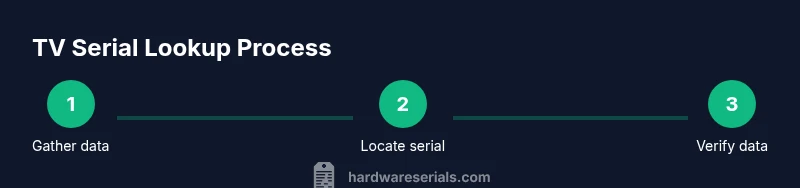
Collect the TV’s serial number and model number, as well as proof of purchase if available. Organize any transfer documents if the TV has changed hands. This step sets you up for accurate lookups and reduces back-and-forth with support teams.
Tip: Have a dedicated folder or note for all related documents. - 2
Locate and verify serial on the device
Find the serial on the TV label (back panel, stand, or under the edge). If the label is worn, photograph from multiple angles and use a flashlight to improve readability. Confirm the serial matches the package or manual label.
Tip: Capture a high-resolution photo to avoid misreading characters. - 3
Capture model and purchase details
Note the exact model number, batch/production code if present, and the purchase date. These details help you filter results in official portals and prevent mismatches during verification.
Tip: A screenshot of the product settings page can also help corroborate model data. - 4
Visit the manufacturer’s official warranty portal
Open the brand’s official warranty or product lookup page. Some brands require a login; create or sign in to your account for full access. Ensure you select the correct region if the portal is region-specific.
Tip: Use a secure device and avoid public Wi‑Fi for sensitive lookups. - 5
Enter serial and model data
Input the serial number and model code exactly as shown on the label. Double-check for common errors like 0 vs O or 1 vs I. If the portal supports, attach proof of purchase.
Tip: If copy-pasting, paste without extra spaces to avoid errors. - 6
Review warranty and manufacture details
Review the warranty status, expiry dates, activation history, and any notes about service coverage. Note if extended warranty or region-specific terms apply. If data is unclear, escalate to support with your documents.
Tip: Take screenshots or export data for your records. - 7
Cross-check with retailer records
If you purchased recently from a retailer, verify that the retailer’s records align with the manufacturer’s data. Request a transfer of ownership or a warranty activation record if applicable.
Tip: Keep a paper trail of communications with retailer and brand. - 8
Decode any date/batch codes (if available)
Some serials contain a date or batch code. Use the manufacturer’s decoding guide or support to interpret it. If decoding isn’t publicly available, rely on the official warranty data instead.
Tip: Don’t rely solely on decoding claims from third parties. - 9
Log results in your asset tracker
Enter serial, model, purchase date, and warranty status into your asset-tracking log. Include links to the official portal results and notes about transfer status.
Tip: Set reminders for warranty expiry and renewal windows. - 10
Escalate discrepancies
If serial data disagrees with purchase records or portal results, contact the brand with your documentation. Do not attempt to modify serial data; misrepresentation can void coverage and warranties.
Tip: Provide clear evidence (receipts, photos, portal screenshots). - 11
File digital copies securely
Store all verifications, receipts, and portal confirmations in a secure location. Use consistent naming conventions to simplify future lookups.
Tip: Back up data to a cloud drive and encrypted local copy. - 12
Review periodically and update
Set a quarterly reminder to verify current warranty status and ownership records for your TV fleet. Update your asset log with any new service events or transfers.
Tip: Regular reviews prevent coverage gaps during insurance or service needs.
Frequently Asked Questions
Can you locate a TV using only its serial number?
No. A serial number helps verify authenticity and warranty, but it does not provide real-time location data. Use it with official records and transfer documents for accurate results.
No. A serial number can verify origin and warranty, but it can’t reveal where the TV is at this moment.
Where is the serial number usually found on TVs?
Serials are typically on a back label, a side panel label, or inside the stand attachment area. If you can’t locate it, check the manual or the manufacturer’s site for your model’s exact location.
Most TVs have the serial on the back or near the stand; your manual will confirm the exact spot.
Do all brands offer online serial lookup for warranty?
Most major brands provide an official warranty/verification portal, but features vary by region and account requirements. If you don’t find data, contact customer support with your serial and model details.
Most brands offer an official lookup or warranty check, but it can vary by country and model.
How accurate are production date codes in serials?
Date codes, when present, can indicate production timing but decoding is brand-specific. If the portal shows a manufacture date, cross-check with documentation or the retailer's records.
Date codes can be helpful if the brand provides a decoding guide; otherwise rely on official warranty data.
What if the serial label is unreadable or missing?
Ask the manufacturer for a replacement label or use any alternative identifiers you have (purchase receipt, box barcode). You may need to provide proof of ownership for verification.
If the label is unreadable, contact the brand with proof of purchase to verify ownership and get a replacement label if needed.
Is the serial number enough to prove ownership?
Serials support proof of ownership when paired with receipts or transfer documents. They are not standalone ownership proofs; maintain a full record of purchase and transfer.
Serial numbers help with ownership checks but usually need receipts or transfer documents too.
Watch Video
Key Takeaways
- Verify serial via official portals for warranty accuracy
- Differentiate serials from model numbers to avoid confusion
- Store serials securely and log follow-up actions
- Serials support authentication, not live location tracking